





RemoveMate: AI-Powered Background Removal and Image Cleanup Tool
Overview
RemoveMate is a browser-based AI tool designed to automatically remove backgrounds from photos, separating subjects from their original backgrounds to create transparent PNG files. It operates directly in a web browser on both desktop and mobile devices, requiring no app installation or written prompts. Beyond background removal, the platform offers additional image cleanup utilities, including watermark removal, text removal, and image deblurring.
Benefits
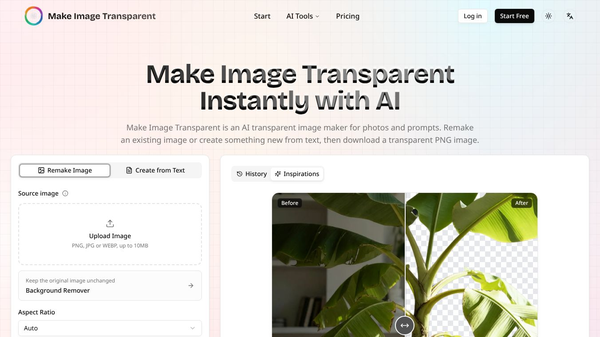
RemoveMate offers several key advantages for users who need quick and easy image editing. The tool requires no prompt, meaning users simply upload a photo in JPG, PNG, or WebP format, and the AI immediately processes the image to isolate the subject. A unique edge inspection feature allows users to view a before-and-after slider to check the cutout edges before downloading. This ensures accuracy for complex details like hair, fur, handles, and thin stems. The platform also provides extra tools to clear watermarks, remove unwanted text, and enhance clarity in soft or blurry portraits. Users can access these features without creating an account, and the service runs entirely in the browser on both computers and phones.
Use Cases
RemoveMate is ideal for users who need quick, automated image preparation without the complexity of professional editing software. E-commerce sellers can use it to create clean product cutouts for shop listings, catalogs, or marketplaces. Social media users and portrait photographers can isolate individuals for profile pictures, team pages, or social posts, with specific attention to hair and clothing outlines. Pet owners can generate collages or cards by processing pet photos while managing fur edges. Makers and artists can isolate handmade objects, such as vases or jewelry, for portfolios or sales listings. Additionally, the tool is useful for quickly removing watermarks, old captions, or fixing mildly blurred details in various images.
Pricing
RemoveMate operates on a freemium model utilizing a credit system. Users receive free credits that refill every 24 hours. One credit is used per background removal, and unused free credits do not carry over to the next 24-hour cycle. For those who need more, users can purchase one-time credit packs that never expire. These packs do not require a subscription and automatically add to the user's balance. If a user purchases a credit pack but has not used any of the paid credits, a full refund is available within 7 days of purchase. Using free credits does not affect this eligibility. Results remain in the user's history for 30 days before deletion. Uploaded originals are not saved in this history. Photos are sent to outside AI services for processing; these external services may retain request data for abuse checks, but RemoveMate does not use the data to train its own models.
Vibes
While specific user reviews are not detailed in the provided information, the tool is designed with user convenience in mind. The emphasis on no account creation and browser-based operation suggests a focus on accessibility and ease of use. The inclusion of a refund policy for unused paid credits indicates a commitment to customer satisfaction. The tool aims to provide a streamlined "upload, process, preview, download" workflow, which is likely to appeal to users seeking efficiency over complex editing features.
Additional Information
RemoveMate serves as a lightweight, accessible solution for creators, small businesses, and individuals needing transparent-background images quickly. Its combination of automatic AI processing, edge inspection tools, and additional cleanup utilities makes it a practical choice for preparing visuals for online use without the need for subscriptions or account creation. However, it is important to note that the tool returns the subject on a transparent background only and cannot add new backgrounds. It processes one photo at a time and does not support batch processing for folders of images. There is no brush tool for manual edge work, and the service does not publish an API for integration into custom apps. Large files are compressed in the browser before upload, which may result in the downloaded file being smaller than the original.
This content is either user submitted or generated using AI technology (including, but not limited to, Google Gemini API, Llama, Grok, and Mistral), based on automated research and analysis of public data sources from search engines like DuckDuckGo, Google Search, and SearXNG, and directly from the tool's own website and with minimal to no human editing/review. THEJO AI is not affiliated with or endorsed by the AI tools or services mentioned. This is provided for informational and reference purposes only, is not an endorsement or official advice, and may contain inaccuracies or biases. Please verify details with original sources.



Comments
Please log in to post a comment.