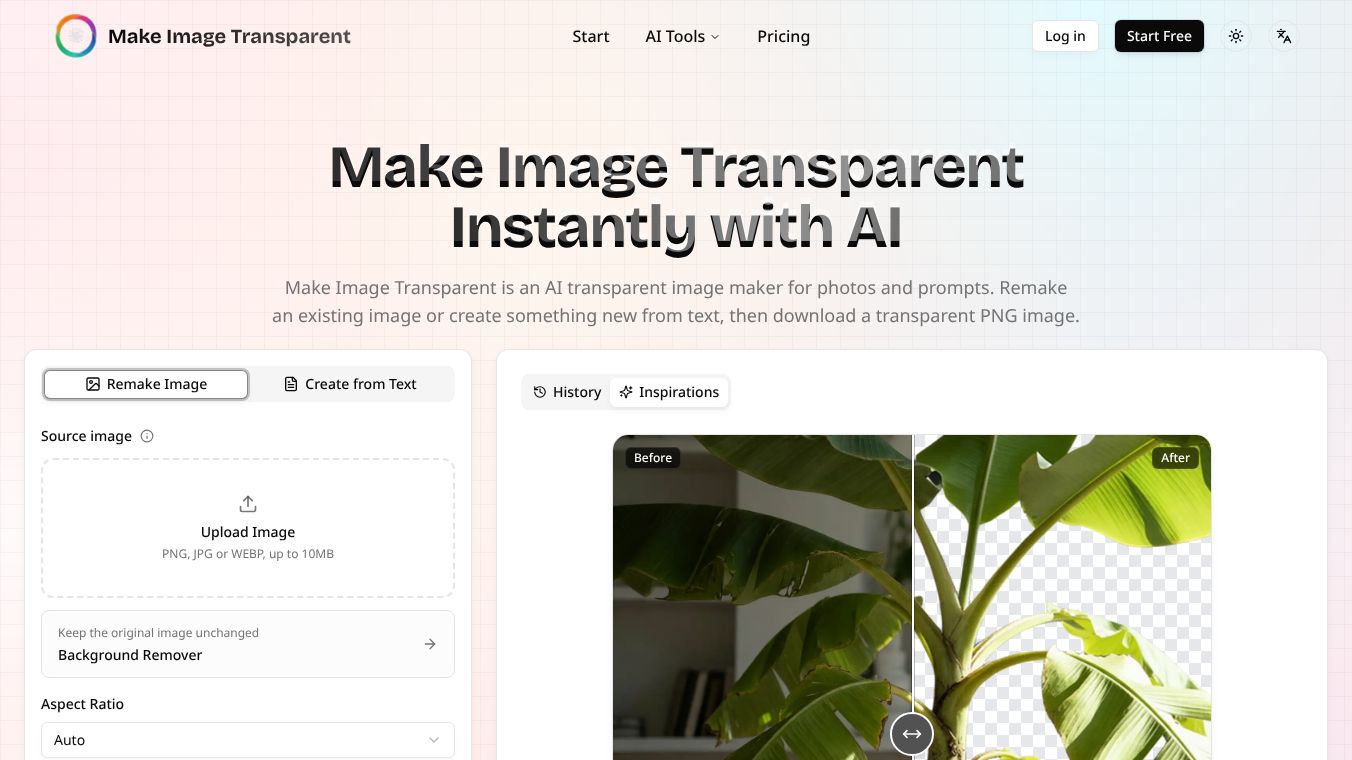





What is Make Image Transparent
Make Image Transparent is a free online tool designed to help users remove the background from images quickly and easily. It works directly in a web browser, so people do not need to install any software or pay for a subscription. The tool uses artificial intelligence to detect the main subject of a photo and separate it from the background. Once the background is removed, the image has a transparent layer that allows users to place the subject over other pictures or designs. This simple process helps creators, designers, and everyday users prepare images for various projects without needing advanced editing skills.
Benefits
The main advantage of this tool is its speed and ease of use. Users can upload a photo and get a transparent version in just a few seconds. Because it runs online, there is no need to download large programs or worry about storage space on a computer. The tool is completely free, which makes it accessible to anyone with an internet connection. It also supports many common image formats like PNG, JPEG, and WEBP, ensuring compatibility with most devices and software. The AI technology behind the tool is quite accurate at identifying objects, even in complex scenes with multiple colors or patterns. This saves time compared to manual editing methods.
Use Cases
This tool is useful for many different situations. Graphic designers often use it to create logos, icons, or product images that need a clean background for websites or advertisements. E-commerce sellers can remove the background from product photos to make them look more professional on online stores. Social media managers can prepare images for posts by isolating subjects to make them stand out. Teachers and students might use it to create educational materials with clear illustrations. Even casual users can benefit by preparing photos for scrapbooks, presentations, or personal projects. The ability to quickly edit images makes it a handy resource for anyone who works with visual content.
Pricing
Make Image Transparent is available for free. Users do not need to pay any fees to use the tool or download their edited images. There are no hidden costs or subscription plans required. This free access helps make the tool widely available for personal and small business use.
Vibes
Users generally appreciate the simplicity and speed of the tool. Many people find it helpful for quick edits when they do not have time for complex software. The fact that it is free and easy to use has received positive feedback from users who need to process many images. Some users note that the results are good for most photos, though very detailed images might require minor adjustments in other software. Overall, the tool is seen as a practical solution for basic background removal tasks.
Additional Information
Make Image Transparent is a web-based application that does not require installation. It is designed to run in modern web browsers on computers, tablets, and smartphones. The developers focus on providing a fast and reliable service without requiring user accounts or data storage on their servers. This approach ensures that user privacy is maintained while keeping the tool accessible to everyone.
This content is either user submitted or generated using AI technology (including, but not limited to, Google Gemini API, Llama, Grok, and Mistral), based on automated research and analysis of public data sources from search engines like DuckDuckGo, Google Search, and SearXNG, and directly from the tool's own website and with minimal to no human editing/review. THEJO AI is not affiliated with or endorsed by the AI tools or services mentioned. This is provided for informational and reference purposes only, is not an endorsement or official advice, and may contain inaccuracies or biases. Please verify details with original sources.


Comments
Please log in to post a comment.