Jotter





Jotter: Portable, User-Controlled Context for AI Assistants
What is Jotter?
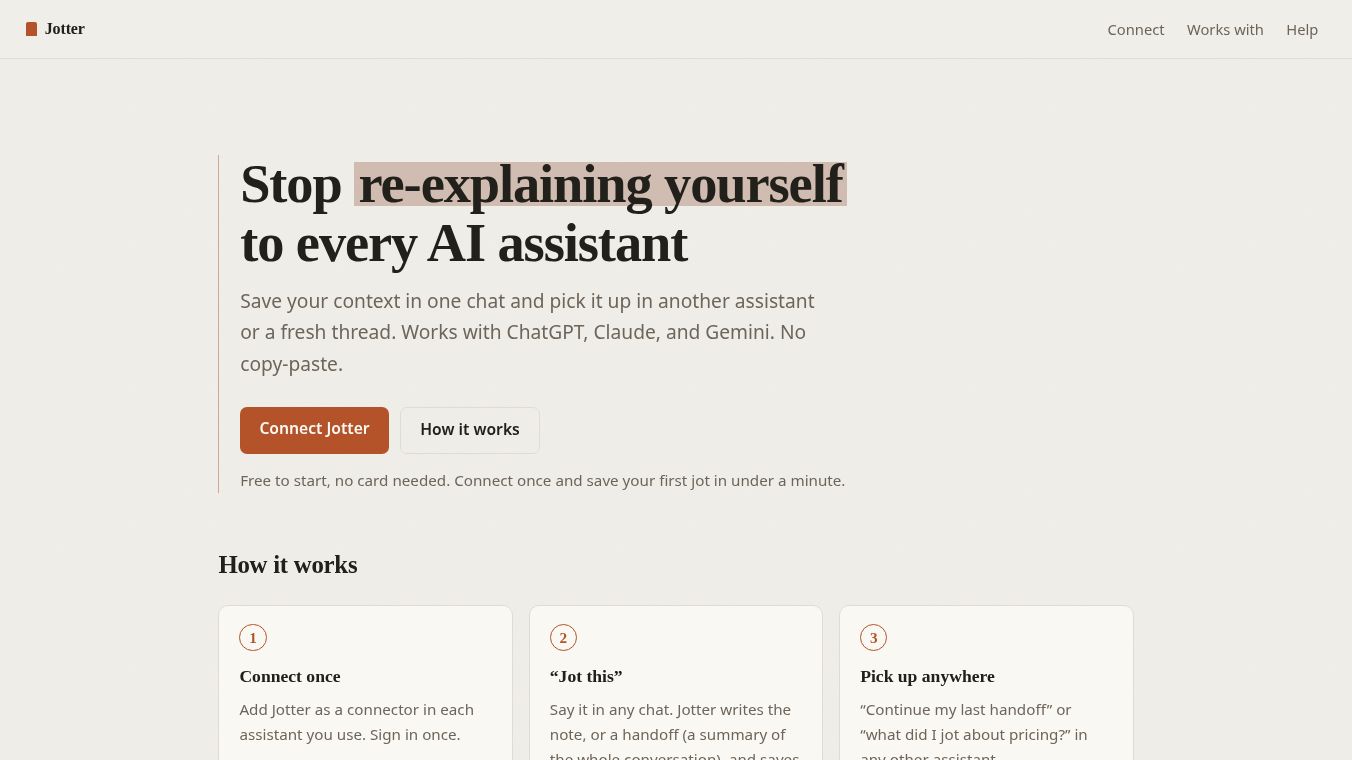
Jotter is a tool designed to save context from one AI assistant so you can load it into another. It allows users to jot a note or hand off a conversation in one platform such as ChatGPT, Claude, or Gemini and then pick it up in any other assistant or a new chat. This eliminates the need for manual copy-pasting or re-explaining information across different AI tools.
Benefits
Jotter offers several key advantages over built-in AI memory features. First, it provides portability by moving context across different vendors. Second, it gives users control over exactly what to save rather than relying on automatic background capture. Third, it ensures privacy by keeping data private to the user and not using it for model training or selling it to third parties. The service also does not require a credit card to start and keeps all user data forever without auto-deletion.
Use Cases
Jotter works through a simple three-step process. Users connect Jotter once per AI assistant they use. They can then say "Jot this" in any chat to create a note or a summary of the entire conversation. Later, they can retrieve this saved context in any other assistant by using commands like "Continue my last handoff" or asking specific questions like "What did I jot about pricing?" It is compatible with ChatGPT, Claude, Gemini, Cursor, VS Code, GitHub Copilot, Perplexity, and Mistral.
Pricing
Jotter offers a tiered pricing model with no auto-deletion of data. The Free Plan costs $0 and includes 10 jots that are kept forever. The Pro Plan costs $9.99 per year and includes 5,000 jots. Nothing ever auto-deletes. Your jots remain stored until you manually delete them. The caps on the number of jots are intended to keep the service fast for all users.
Vibes
Jotter is built based on user requests. Feature requests and feedback are welcome. Users can send feedback via email to jotter@helixmedialabs.com, which the team reads regularly. The service has received positive attention for its focus on user control and privacy in the AI space.
Additional Information
Jotter functions as a standard connector, specifically an MCP server. To use it, users must add it once per assistant. The connection URL is https://jotter.fyi/mcp. ChatGPT requires Developer Mode, available on paid plans. Access is via Settings to Connectors. Claude is available on web, desktop, mobile, and Code. Access is via Settings to Connectors to Add custom connector. Gemini connects through the CLI or Enterprise plans.
This content is either user submitted or generated using AI technology (including, but not limited to, Google Gemini API, Llama, Grok, and Mistral), based on automated research and analysis of public data sources from search engines like DuckDuckGo, Google Search, and SearXNG, and directly from the tool's own website and with minimal to no human editing/review. THEJO AI is not affiliated with or endorsed by the AI tools or services mentioned. This is provided for informational and reference purposes only, is not an endorsement or official advice, and may contain inaccuracies or biases. Please verify details with original sources.
Comments
Please log in to post a comment.