RocketWhisper
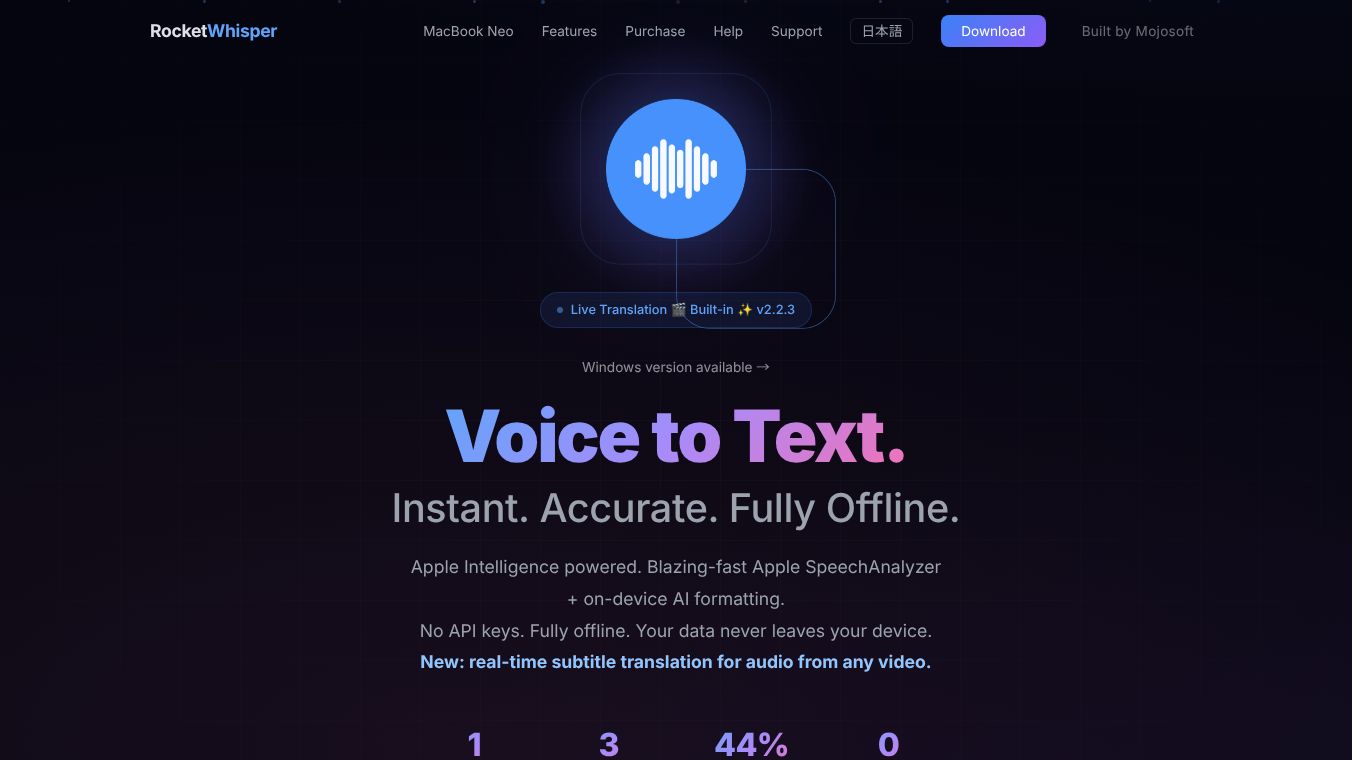





RocketWhisper: Private and Accurate Speech Recognition
RocketWhisper is a software tool that turns your voice into written text instantly. It uses a powerful AI engine called OpenAI Whisper to provide very accurate transcription. Unlike many other tools that send your voice data to the internet, RocketWhisper keeps everything on your computer. This ensures your private conversations and notes stay safe and never leave your device. It is designed for people who need fast, reliable voice-to-text features without worrying about privacy or internet connections.
Benefits
RocketWhisper offers several key advantages over standard speech recognition software. First, it provides high accuracy across multiple languages including English, Japanese, Chinese, and Korean. The software includes special fixes to correct common mistakes that AI often makes, such as confusing similar-sounding words. Users can also create a custom dictionary to help the AI understand specific industry terms or proper nouns. Another major benefit is speed. If your computer has a graphics card, the software can process audio up to ten times faster than normal systems. This makes it perfect for real-time note-taking during meetings or interviews. Privacy is also a top priority since all processing happens locally on your PC. Finally, the tool supports offline operation, meaning you can use it anywhere without needing an internet connection once the initial models are downloaded.
Use Cases
RocketWhisper is useful for a wide range of users and situations. Writers and bloggers can use it to draft articles quickly by speaking their thoughts into the microphone. Meeting note-takers can record discussions and get instant transcripts to review later. Students and researchers can transcribe lectures or interviews for accurate records. The tool is also great for people who work in environments with poor internet access or strict security policies. It supports various audio and video formats like MP3, WAV, and MP4, allowing users to transcribe files from different sources. Additionally, users can use voice commands to control the software, such as asking it to translate text, summarize a paragraph, or perform a web search. The ability to set custom shortcuts lets power users automate tasks with simple voice gestures.
Pricing
RocketWhisper uses a one-time payment model instead of monthly subscriptions. There is a free trial period available to test all features before buying. After the trial, users can purchase a personal license for a one-time fee of 4,800 Japanese Yen, which is approximately 32 US dollars. The software is available in two versions. The Lite version is smaller and requires an internet connection to download the AI model on the first use. The Full version includes the AI model inside the package, allowing immediate offline use right after installation. Both versions are available for download.
Vibes
Users who have tried RocketWhisper generally appreciate its focus on privacy and accuracy. The software is praised for handling technical jargon and proper nouns better than many free alternatives. The speed improvement when using a graphics card is a common highlight among power users. Some users note that the interface is straightforward and easy to learn. The ability to correct errors automatically and the support for multiple languages make it a favorite for international teams. Overall, the community reception is positive, with many users recommending it for anyone who values data security and high-quality transcription.
Additional Information
RocketWhisper is built on the .NET 8.0 Desktop Runtime and requires Windows 10 or Windows 11. It supports both 64-bit and 32-bit processors, though 64-bit is recommended for better performance. The software has received updates to improve stability, including better handling of GPU crashes and sleep mode resumption. It supports a variety of input methods such as holding a key to record or double-tapping to start continuous recording. The developers have also added features like recording indicators in the system tray and support for video file transcription using FFmpeg. The project is open-source in nature, with the source code available for review on GitHub.
This content is either user submitted or generated using AI technology (including, but not limited to, Google Gemini API, Llama, Grok, and Mistral), based on automated research and analysis of public data sources from search engines like DuckDuckGo, Google Search, and SearXNG, and directly from the tool's own website and with minimal to no human editing/review. THEJO AI is not affiliated with or endorsed by the AI tools or services mentioned. This is provided for informational and reference purposes only, is not an endorsement or official advice, and may contain inaccuracies or biases. Please verify details with original sources.
Other Interesting AI Tools

Comments
Please log in to post a comment.