PageSnag





What is PageSnag?
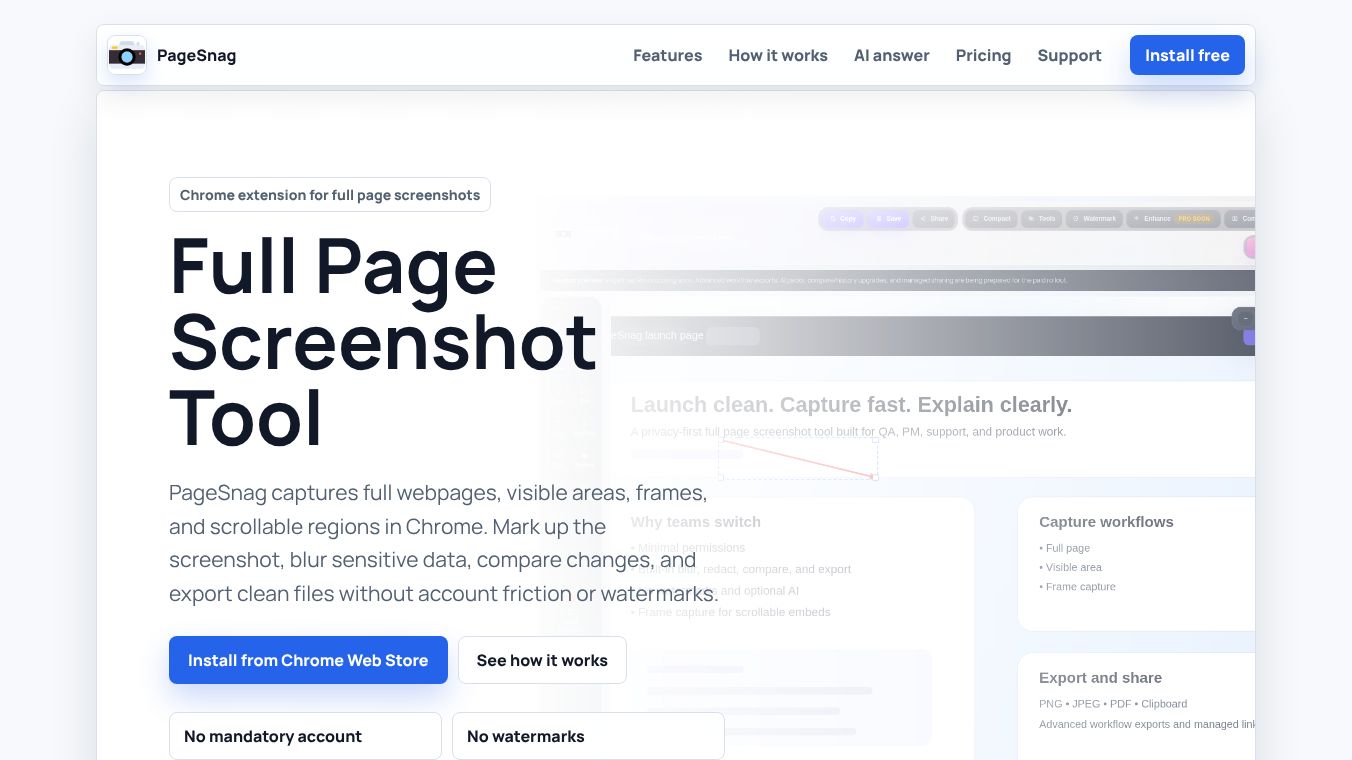
PageSnag is a web-based tool designed to help users capture and share screenshots of web pages quickly and easily. It allows people to take full-page or partial screenshots without needing to install any software on their computer. The service works directly in the browser, making it accessible from any device with an internet connection. It is particularly useful for capturing long web pages that do not fit on a single screen view.
Benefits
One of the main advantages of PageSnag is its simplicity. Users can generate a screenshot in just a few clicks. The tool automatically scrolls through a webpage to capture the entire content, ensuring nothing is missed. This is especially helpful for long articles, product pages, or documentation that spans multiple screens.
Another key benefit is the ability to edit the captured image. After taking a screenshot, users can add text, draw shapes, or highlight specific areas directly within the tool. This makes it easy to annotate important details or create visual summaries for reports and presentations.
The service also offers a free tier that allows users to take a limited number of screenshots each day. This makes it a great option for individuals who need occasional screenshots without paying for a subscription. Paid plans provide additional features like unlimited screenshots, higher resolution downloads, and the ability to remove watermarks.
Use Cases
PageSnag is useful for many different types of users. Students and researchers can use it to capture entire articles or research papers for their notes. It helps them keep a record of online content without worrying about missing any text or images.
Freelancers and content creators often use the tool to create visual content for social media or blogs. They can capture product pages to review designs or take screenshots of competitor websites for analysis. The editing features allow them to add their own branding or notes to the images before sharing them.
Customer support teams can also benefit from PageSnag. Support agents can quickly capture error messages or specific sections of a user interface to include in their troubleshooting guides. This helps them communicate issues more clearly to their clients.
Pricing
PageSnag offers a free plan that includes up to 100 screenshots per day. This is sufficient for most casual users who need to capture images occasionally. The free version includes a small watermark on the downloaded images.
For users who need more features, there are paid plans available. The Pro plan costs $10 per month and offers unlimited screenshots, higher resolution downloads, and the ability to remove watermarks. There is also a team plan for $20 per month per user, which includes all Pro features plus the ability to collaborate with team members and manage multiple accounts.
Vibes
Users generally appreciate the ease of use and speed of PageSnag. Many reviews highlight how quickly the tool can capture long web pages that would otherwise be difficult to screenshot. The ability to edit images directly in the browser is also a popular feature among users who want to make quick adjustments without opening other software.
Some users have noted that the free tier is generous enough for most personal needs. However, a few reviewers mentioned that the watermark on free images can be distracting if the screenshots are intended for professional use. Overall, the service has received positive feedback for its reliability and straightforward interface.
Additional Information
PageSnag was founded to address the common problem of capturing long web pages. The company has grown its user base by focusing on simplicity and accessibility. While specific funding details are not widely publicized, the service has gained traction among freelancers, students, and small businesses who need a reliable way to capture web content. The company continues to update its platform with new features based on user feedback.
This content is either user submitted or generated using AI technology (including, but not limited to, Google Gemini API, Llama, Grok, and Mistral), based on automated research and analysis of public data sources from search engines like DuckDuckGo, Google Search, and SearXNG, and directly from the tool's own website and with minimal to no human editing/review. THEJO AI is not affiliated with or endorsed by the AI tools or services mentioned. This is provided for informational and reference purposes only, is not an endorsement or official advice, and may contain inaccuracies or biases. Please verify details with original sources.
Comments
Please log in to post a comment.