DiaShot





Research context and background
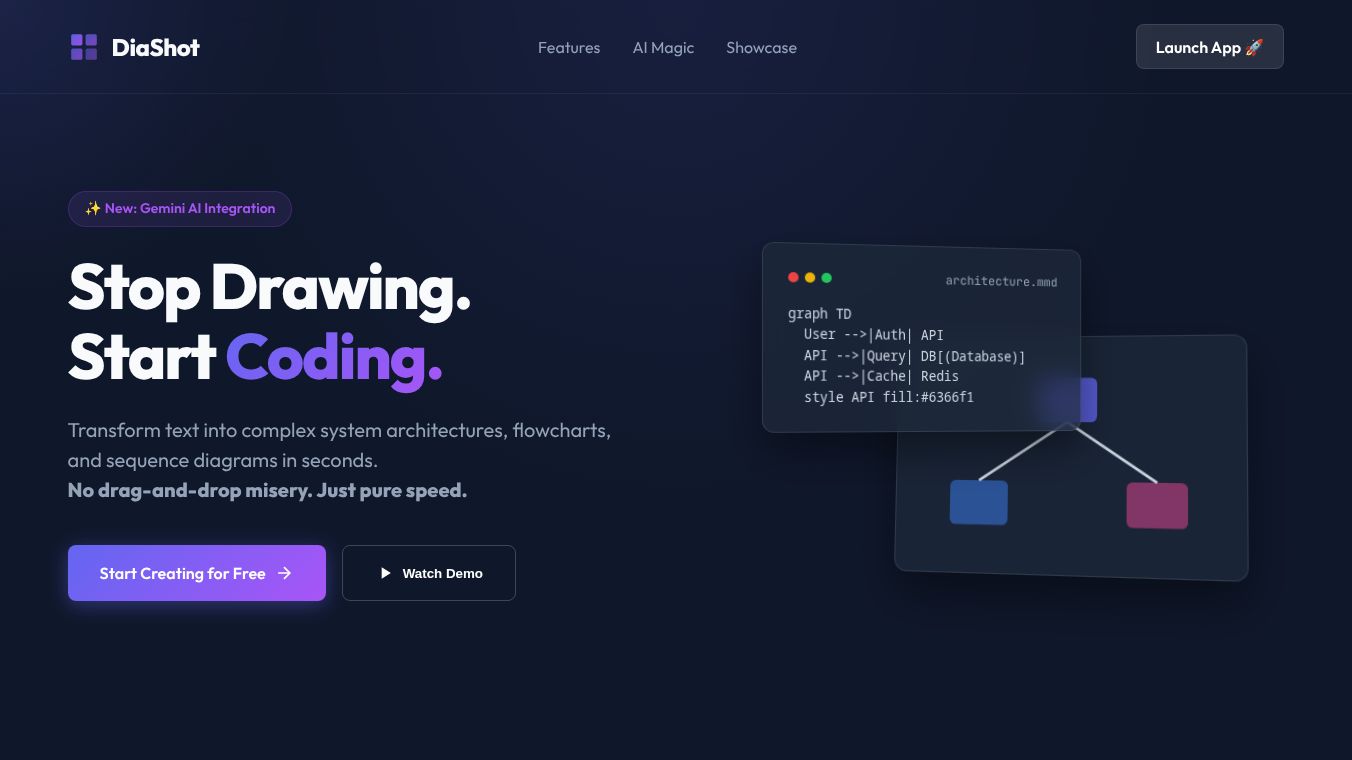
DiaShot is a web-based tool designed to help users create and share high-quality screenshots of their websites. It acts as a bridge between a website and a social media post by automatically capturing the full page content and formatting it for easy sharing. The tool is particularly useful for people who want to showcase their online work without the hassle of manual cropping or resizing. It focuses on making the process of sharing web content simple and visually appealing for everyone from bloggers to business owners.
Benefits
One of the main advantages of DiaShot is its ability to capture entire web pages in a single click. Users do not need to worry about scrolling through long articles or missing important sections at the bottom of the page. The tool automatically detects the content and creates a clean image that includes the full story. This saves time and ensures that the shared content looks professional.
Another key benefit is the ease of use. The interface is straightforward, requiring no technical skills or complex setup. Users can simply paste a website link, and the tool generates the image instantly. This makes it accessible for people who are not familiar with graphic design software. Additionally, DiaShot allows users to customize the output by adding captions or choosing different styles, giving them more control over how their content appears online.
Use Cases
DiaShot is ideal for content creators who need to share blog posts or articles on social media platforms. Instead of taking a messy screenshot, they can use DiaShot to create a polished image that attracts more attention. Marketers and agencies can also use the tool to capture client websites for case studies or portfolio presentations. The ability to include full-page content makes it perfect for showcasing long-form articles or complex web designs.
Educators and students can use DiaShot to share educational resources or project work from the web. It helps them present their findings in a clear and organized manner. For small business owners, it offers a quick way to document their website updates or new features without hiring a designer. The tool supports various devices, making it suitable for users who work on computers, tablets, or smartphones.
Pricing
DiaShot offers a free tier that allows users to create a limited number of screenshots each month. This is perfect for occasional users who do not need advanced features. For those who require more frequent usage or additional customization options, there are paid plans available. The pricing structure is designed to be affordable, with options that scale based on the user's needs. Specific costs and plan details can be found on the official website.
Vibes
Users have generally responded positively to DiaShot for its simplicity and reliability. Many appreciate how quickly it generates images compared to manual methods. Some reviewers note that the automatic cropping feature works well for most standard websites. However, a few users have mentioned that very complex layouts with multiple columns might not always display perfectly. Overall, the tool is seen as a helpful addition to a content creator's toolkit, especially for those who value speed and convenience.
Additional Information
DiaShot was developed by a team focused on simplifying digital workflows. The platform has grown in popularity as more people recognize the value of high-quality visual content in the digital age. While specific funding details or major partnerships have not been widely publicized, the tool continues to update its features based on user feedback. The company aims to maintain its position as a user-friendly solution for web content sharing.
This content is either user submitted or generated using AI technology (including, but not limited to, Google Gemini API, Llama, Grok, and Mistral), based on automated research and analysis of public data sources from search engines like DuckDuckGo, Google Search, and SearXNG, and directly from the tool's own website and with minimal to no human editing/review. THEJO AI is not affiliated with or endorsed by the AI tools or services mentioned. This is provided for informational and reference purposes only, is not an endorsement or official advice, and may contain inaccuracies or biases. Please verify details with original sources.



Comments
Please log in to post a comment.