OpenArgos
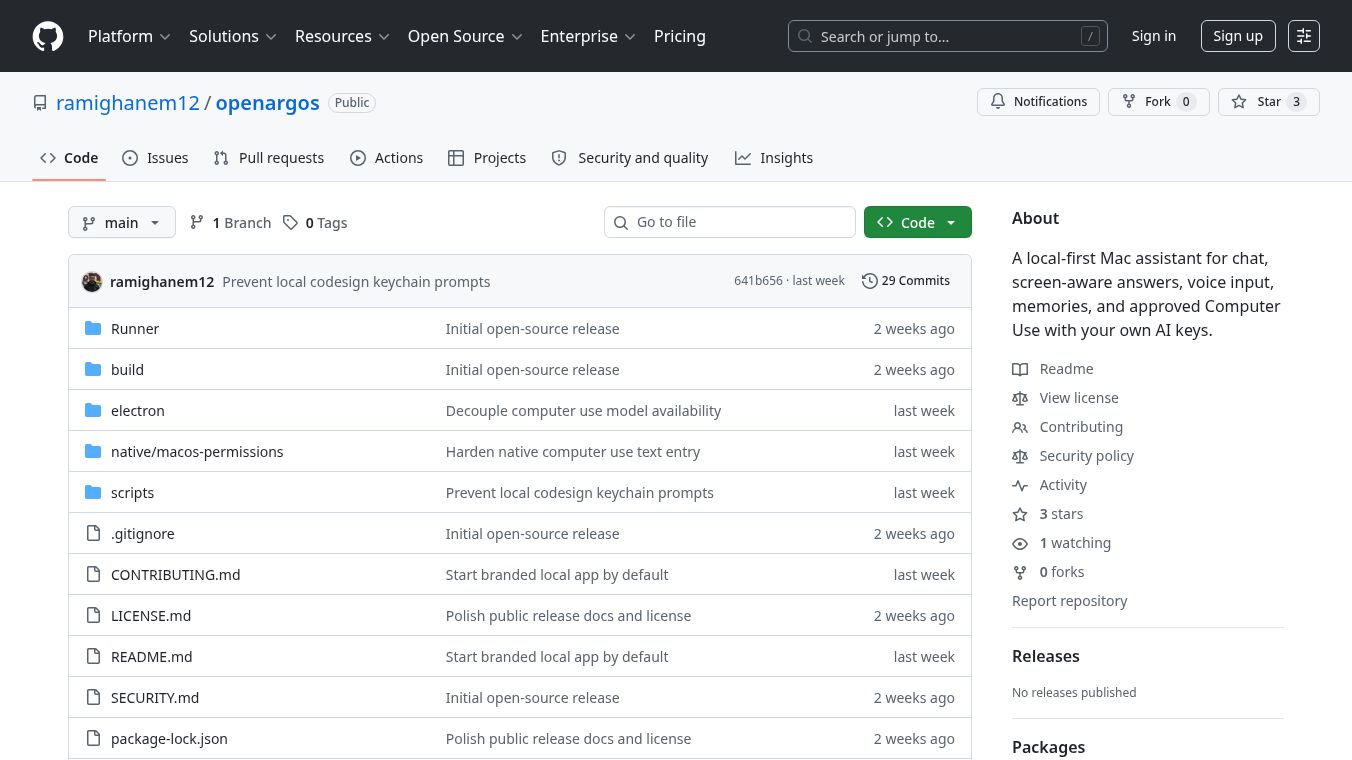





OpenArgos: A Local-First AI Assistant for Mac
OpenArgos is a software tool built for macOS computers. It acts as an artificial intelligence assistant that runs entirely on your own device. This means your data stays private and you keep full control over it. The program uses your own API keys to connect to AI services, so you do not have to share sensitive information with a central server. It appears as a small window in your menu bar, allowing you to chat with the AI without leaving your current work.
Benefits
OpenArgos offers several important advantages for users who value privacy and efficiency. First, it keeps your data local, which prevents your personal conversations and preferences from being sent to the cloud. This is a major benefit for anyone concerned about security. Second, the tool can see what is on your screen to give more relevant answers. For example, if you are looking at a document, the AI can reference specific details from that page. Third, users can speak to the assistant using voice commands, making interaction faster and more hands-free. Finally, the app includes a feature called Computer Use. This allows the AI to perform actions in your apps or browser with your permission, such as clicking buttons or filling out forms.
Use Cases
This tool is designed for people who work on their Macs and want a smart helper that respects their privacy. It is useful for developers who need to test AI features without exposing their data. Writers or researchers can use it to summarize long documents while keeping their notes secure. Students might use the voice input feature to take quick notes during lectures. The Computer Use feature is particularly helpful for users who want to automate simple tasks like sending emails or navigating websites without using a mouse or keyboard constantly. Because it runs locally, it works well even when internet connections are slow or unreliable.
Pricing
Pricing details for OpenArgos are not available in the provided information. The project is hosted on GitHub, which often indicates that it is open source or free to use. Users may need to check the official repository for the latest information on how to obtain or install the software.
Vibes
Public reception and specific user reviews are not available in the provided information. The project has received some attention in the tech community, as indicated by four investment numbers associated with it. This suggests that the tool is gaining interest among developers and users of local AI solutions.
Additional Information
OpenArgos is a GitHub Menu Bar App, meaning it integrates directly into the macOS menu bar for easy access. It is part of a growing category of local-first AI tools designed for Mac users. The project has attracted four investment numbers, which shows that there is growing interest in this type of technology within the tech community. The code is available on GitHub, allowing users to review the source code and potentially contribute to its development.
This content is either user submitted or generated using AI technology (including, but not limited to, Google Gemini API, Llama, Grok, and Mistral), based on automated research and analysis of public data sources from search engines like DuckDuckGo, Google Search, and SearXNG, and directly from the tool's own website and with minimal to no human editing/review. THEJO AI is not affiliated with or endorsed by the AI tools or services mentioned. This is provided for informational and reference purposes only, is not an endorsement or official advice, and may contain inaccuracies or biases. Please verify details with original sources.

 No Info
Comments
Please log in to post a comment.