OnSFX





OnSFX Review: An Experimental AI Plugin for Video Post-Production
Overview
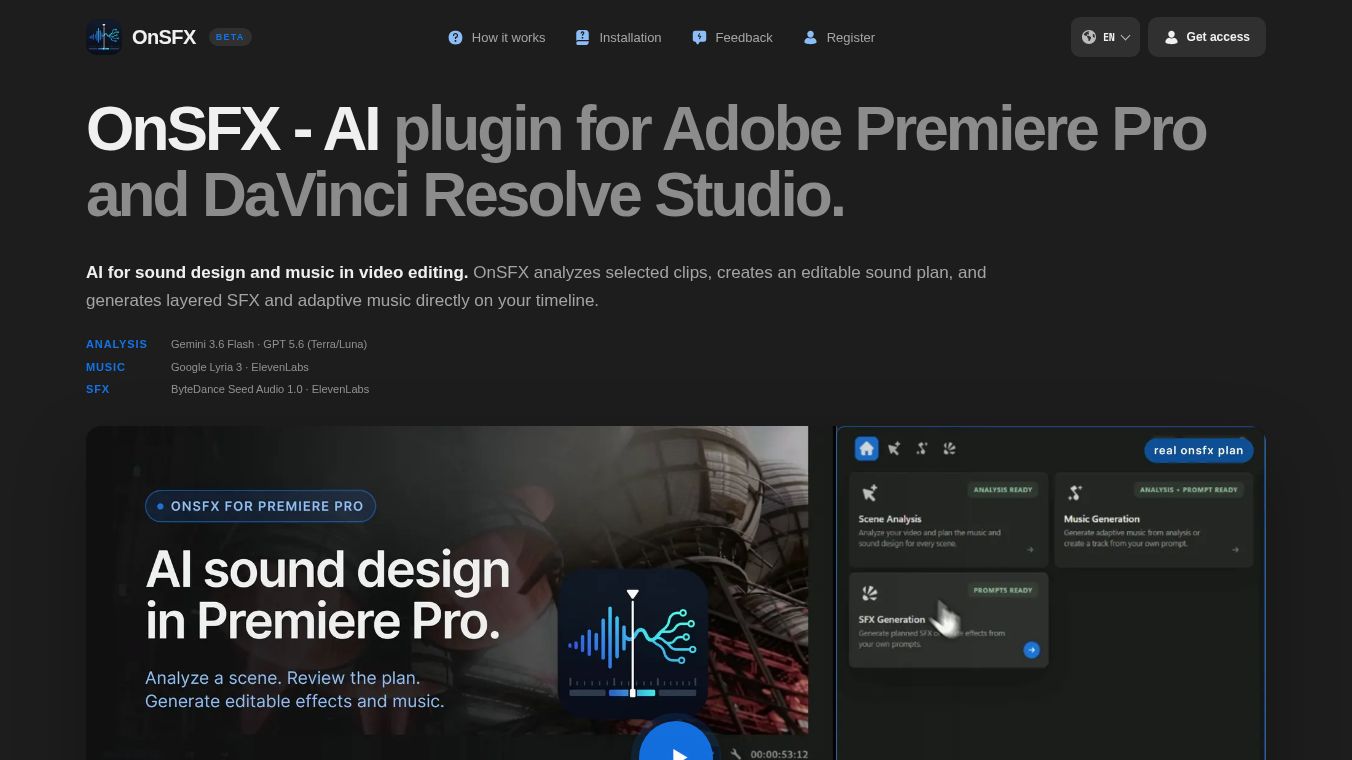
OnSFX is an experimental AI plugin designed to streamline audio post-production workflows within professional video editing environments. Developed as a tool for Adobe Premiere Pro and DaVinci Resolve Studio, OnSFX enables users to analyze selected video clips and generate layered sound effects and adaptive music directly on the editing timeline. The tool creates an editable sound plan, allowing for user modification and refinement.
Benefits
OnSFX focuses on AI-driven analysis and generation of audio elements, offering the following core capabilities:*Video Clip Analysis:Automatically analyzes selected video clips to inform sound design decisions.*Direct Timeline Generation:Generates layered sound effects and adaptive music directly on the user's timeline.*Editable Sound Plans:Provides a structured, editable sound plan that users can modify.*Multi-Model Support:Supports various AI models for flexible audio generation and scene analysis.*Media Processing:Facilitates media processing tasks within the context of professional video editing software.
Use Cases
OnSFX is primarily designed for professionals and content creators involved in video editing and audio post-production, including:*Video Editors:Seeking automated sound design and music generation.*Audio Engineers:Looking to create editable sound plans and layered effects.*Content Creators:Aiming to enhance video content with adaptive music and AI-generated audio.*Film Production Teams:Requiring efficient media processing during post-production phases.
The workflow for utilizing OnSFX involves the following steps:1.Installation:Install the OnSFX plugin into either Adobe Premiere Pro or DaVinci Resolve.2.Selection:Select the desired video clips within the editing timeline.3.Analysis:Utilize the OnSFX interface to initiate scene analysis on the selected clips.4.Generation:Generate layered sound effects based on the analysis results.5.Music Creation:Generate adaptive music specifically for the selected clips.6.Editing:Edit and refine the generated sound plan directly on the timeline.
Pricing
OnSFX operates on a freemium SaaS (Software as a Service) model. As of its launch in the Closed Beta phase, the pricing structure is as follows:*Closed Beta Tier:Free access for testing purposes.*Credits System:Users receive 50 beta credits to test the software.*Usage Costs:Charges are applicable after each operation performed using the beta credits. Specific pricing for post-beta tiers has not been detailed.
Vibes
Pros:* Direct integration with Adobe Premiere Pro and DaVinci Resolve streamlines the workflow.* Automates the analysis of video clips for sound design.* Generates layered sound effects and adaptive music directly on the timeline.* Provides an editable sound plan for user control.* Supports various AI models for flexible audio generation.* Offers a freemium model with beta credits for initial testing.
Cons:* Currently in closed beta, which may indicate potential instability or limited feature sets.* Usage-based pricing (variable per operation) may lead to unpredictable costs.* Limited to Windows 10/11 platforms, excluding macOS users.* No API is currently available for custom integrations or advanced development.
Additional Information
OnSFX functions strictly as a plugin, requiring installation within the host applications:*Supported Platforms:Windows 10 and Windows 11.*Host Applications:Adobe Premiere Pro and DaVinci Resolve Studio.*Limitations:Currently, the tool is not available for macOS users.
OnSFX positions itself as a specialized tool for video editors and sound designers, differentiating itself from standalone AI audio generators by offering deep integration into established editing suites. While it offers significant automation for sound design and music generation, users should be aware of its current beta status, platform limitations, and usage-based pricing model before committing to long-term use.
This content is either user submitted or generated using AI technology (including, but not limited to, Google Gemini API, Llama, Grok, and Mistral), based on automated research and analysis of public data sources from search engines like DuckDuckGo, Google Search, and SearXNG, and directly from the tool's own website and with minimal to no human editing/review. THEJO AI is not affiliated with or endorsed by the AI tools or services mentioned. This is provided for informational and reference purposes only, is not an endorsement or official advice, and may contain inaccuracies or biases. Please verify details with original sources.




 No Info

 Free
Free

Comments
Please log in to post a comment.