NativeCode
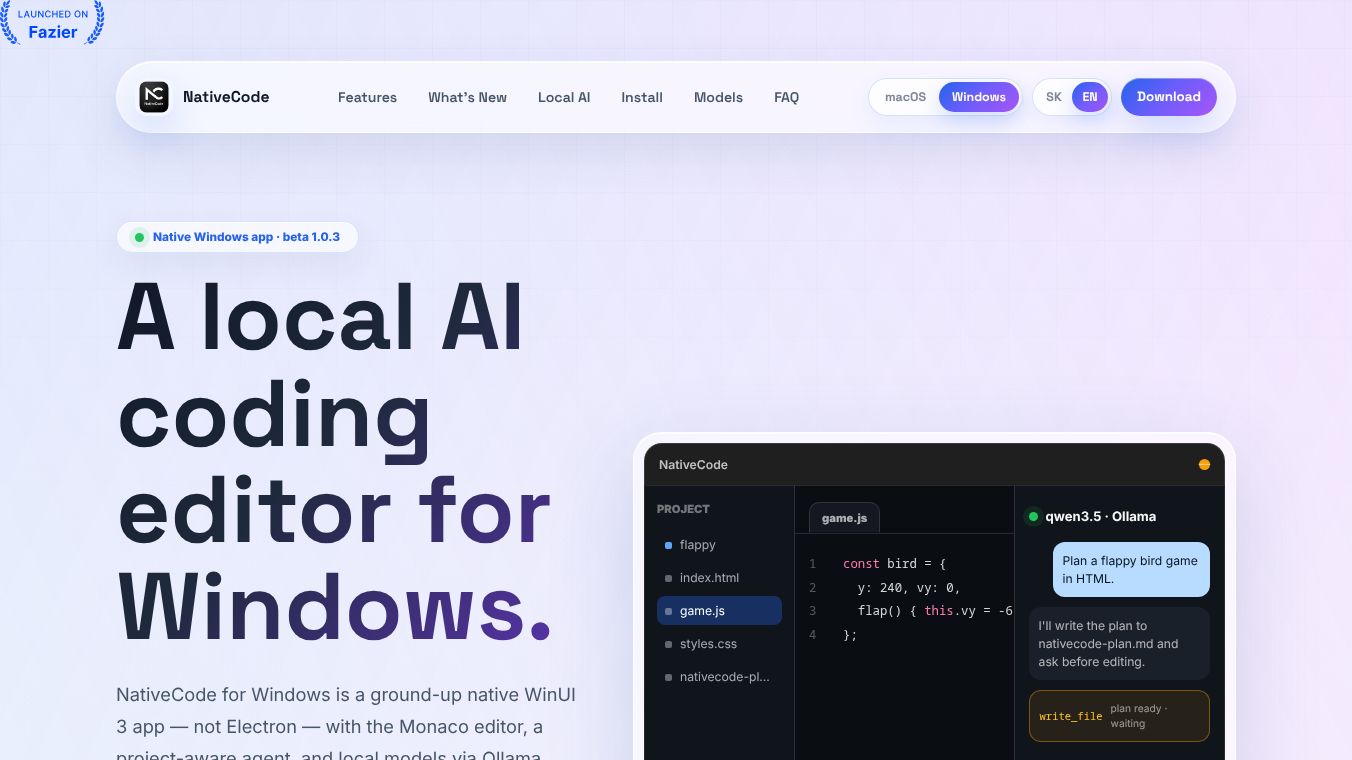





NativeCode: A Private, Local AI Coding IDE for Mac & Windows
Introduction
NativeCode is a private, local AI-powered coding editor designed for Mac and Windows. It offers a secure alternative to cloud-based AI tools by keeping all project files, prompts, and outputs entirely on the user's device. The application combines a native editor interface with powerful local AI models, ensuring that no data leaves the user's machine. There is no need for cloud APIs, account creation, or telemetry.
Benefits
NativeCode provides several key advantages for developers who value privacy and performance.
- Complete Privacy:All AI processing happens locally on your hardware. No code, prompts, or outputs are sent to external servers. This ensures your intellectual property remains safe.
- No Cloud Dependency:The tool does not require an internet connection for AI operations once the models are downloaded. It also does not collect any user data or telemetry by default.
- Native Performance:Built with native technologies like SwiftUI for Mac and WinUI 3 for Windows, the app uses less memory compared to Electron-based wrappers. This leads to a smoother and more responsive experience.
- Project-Aware AI:The AI agent interacts directly with your project files. It can read, search, and edit files, and even execute terminal commands with user approval. This allows for deep integration into your coding workflow.
- Safety Controls:Dangerous commands like file deletion or system shutdowns are blocked by default. Write operations and file edits require explicit user confirmation to prevent accidental data loss.
- Offline Capability:Users can run popular open-source models like Qwen and Gemma entirely offline using local runtimes like Rapid-MLX or Ollama.
Use Cases
NativeCode is ideal for developers who need a secure and efficient coding environment.
- Secure Development:It is perfect for teams or individuals working on sensitive projects where code confidentiality is critical. Since nothing leaves the device, it eliminates the risk of data leaks associated with cloud tools.
- Offline Coding:Developers who frequently work without an internet connection can still use advanced AI assistance. The local models ensure functionality even in remote locations.
- Resource-Constrained Environments:Because it is a native application, it runs more efficiently than browser-based editors. This makes it suitable for systems where memory usage is a concern.
- Custom AI Workflows:Users who prefer specific local models can connect NativeCode to their own OpenAI-compatible servers or use built-in support for Ollama and Rapid-MLX.
- Learning and Experimentation:The bilingual interface and vision support allow users to paste images into the chat, making it useful for learning new concepts or debugging visual code issues.
Pricing
NativeCode is currently available as a free download for both macOS and Windows. There are no subscription fees or hidden costs mentioned in the available information. Users can download the installer directly from the official source and begin using the tool immediately.
Vibes
While there are no formal public reviews or testimonials included in the provided information, the community response to the concept of a private, local AI IDE has been positive. The emphasis on privacy, security, and native performance resonates well with developers who are wary of cloud-based data collection. The tool is often compared favorably to cloud alternatives like Cursor for its focus on local execution and lack of telemetry. The active development of features such as chat history on Windows and full-window AI mode on macOS suggests a responsive and user-focused development team.
Additional Information
NativeCode is developed by Jakub Hecht. The project is distributed outside of the App Store, which means the macOS version is unsigned and may require users to adjust security settings to run the app. Similarly, the Windows beta version is not code-signed and may trigger SmartScreen warnings. Despite these hurdles, the app provides a robust solution for local AI coding. The project supports multiple languages, including Slovak and English, and regularly updates to improve performance and add new features like improved terminal access and UI refreshes.
This content is either user submitted or generated using AI technology (including, but not limited to, Google Gemini API, Llama, Grok, and Mistral), based on automated research and analysis of public data sources from search engines like DuckDuckGo, Google Search, and SearXNG, and directly from the tool's own website and with minimal to no human editing/review. THEJO AI is not affiliated with or endorsed by the AI tools or services mentioned. This is provided for informational and reference purposes only, is not an endorsement or official advice, and may contain inaccuracies or biases. Please verify details with original sources.


Comments
Please log in to post a comment.