Belay - Awake For AI Agents





Belay: Keep Your Mac Awake While AI Agents Work
Research context and background
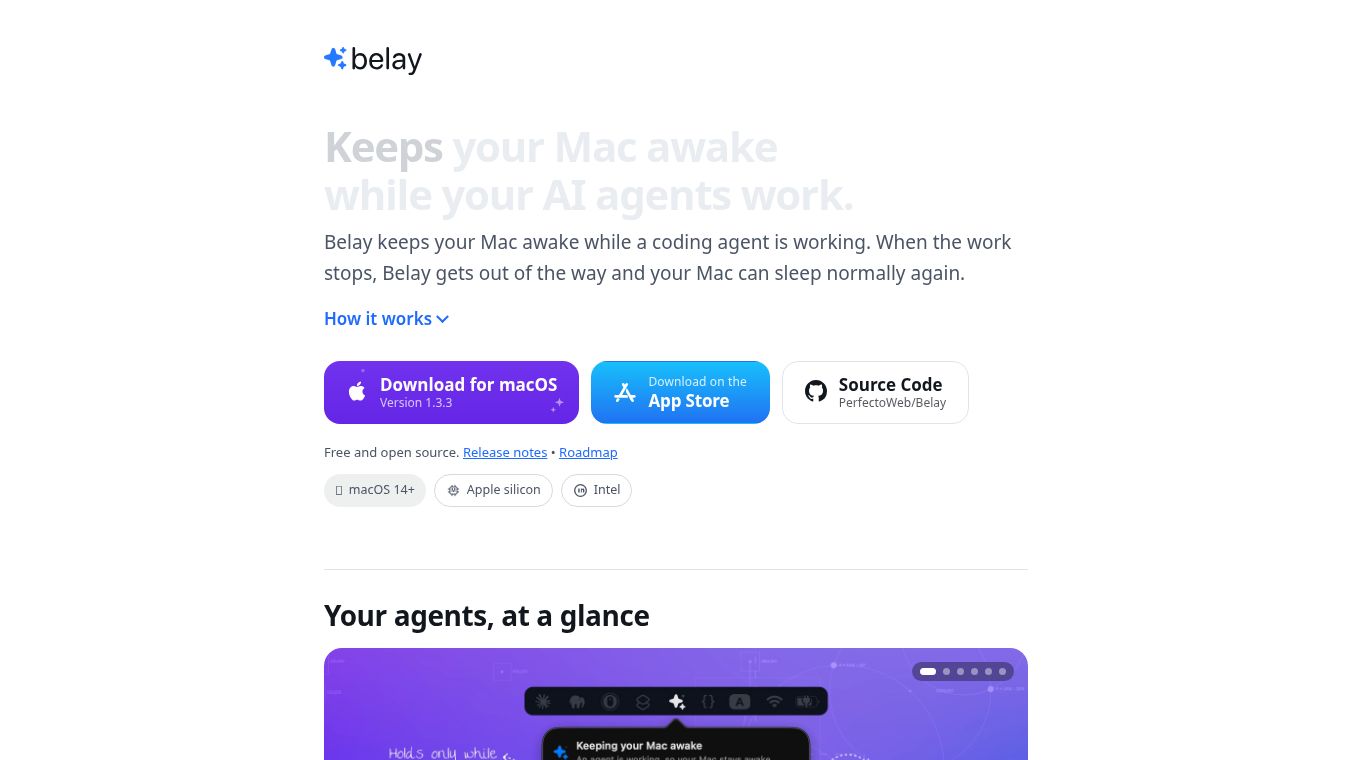
Belay is a small application for Mac computers that helps developers and AI users keep their work running smoothly. Many people use AI coding tools like Claude Code or Codex to write software. These tools can run for a long time while the user steps away to get coffee or check emails. A common problem happens when the Mac goes to sleep mode while the AI is working. This stops the AI and ruins the progress. Belay solves this by automatically keeping the Mac awake only when an AI agent is active. It turns off the sleep mode without the user needing to change any settings. Once the AI task is done, the Mac returns to its normal sleep behavior.
Benefits
Belay offers several key advantages for anyone using AI tools on a Mac. First, it requires zero setup. The app automatically detects when a supported AI tool is running and starts keeping the computer awake. Users do not need to paste keys or set timers. Second, it is safe and easy to control. The app has a built-in safety feature that stops the Mac from staying awake for more than 120 seconds unless the user renews the hold. If the app crashes or is closed, the Mac immediately returns to normal sleep mode. Users can also set a maximum time limit or a battery level floor to prevent draining the battery too much. Third, it protects privacy. All detection happens on the user's own computer. There is no account creation or data sent to external servers. Finally, it supports many languages including English, Spanish, French, and Chinese, making it accessible to a global audience.
Use Cases
Belay is designed for developers and AI enthusiasts who run long tasks locally on their Mac. It is perfect for users who rely on tools like Claude Code, Codex, Gemini CLI, Copilot CLI, OpenCode, Cline, Aider, and Pi. A typical use case is a developer who starts a complex coding session with an AI agent. They then walk away for an hour to attend a meeting. When they return, the Mac is still awake and the AI has finished its work without interruption. Another use case is for users who want to track how much time their computer stays awake during work sessions. The app displays a panel in the menu bar showing active sessions and the total time prevented from sleeping. It also works well for users who want to keep their screen dimmed at night while the system stays awake, using a glow feature that brightens the screen when they come back.
Pricing
Belay is completely free for personal and commercial use. This includes use in workplace environments. Users can download the app from the Mac App Store, via Homebrew, or by downloading a disk image. There are no hidden costs or subscription fees. The only restriction is that users cannot sell the app or create derivative products for profit. Any derivative work must credit the original creators.
Vibes
The community response to Belay has been very positive. Users appreciate the simplicity and the fact that it works out of the box. Many developers have shared that it saves them from the frustration of waking up to find their AI tasks stopped because the Mac slept. The open-source nature of the project has also built trust, as users can see the code and verify that no data is being collected. The app has received updates to add new features like the lid-closed mode and the dim-to-glow screen setting, showing that the creators are actively listening to user feedback. Reviews highlight the safety limits as a major plus, ensuring that the app does not accidentally drain the battery or keep the computer running indefinitely.
Additional Information
Belay is an open-source project maintained by a team called PerfectoWeb. The code is available on GitHub for anyone to review or contribute to. The project welcomes bug reports, translations, and new presets for different AI tools. The app is signed by an Apple Developer ID and is notarized by Apple to ensure security. Users can verify the installation using standard terminal commands. The project has a clear license that allows free use but prohibits selling the software. Documentation is available to help users understand the detection logic and how to build the app locally if they do not have an Apple Developer account.
This content is either user submitted or generated using AI technology (including, but not limited to, Google Gemini API, Llama, Grok, and Mistral), based on automated research and analysis of public data sources from search engines like DuckDuckGo, Google Search, and SearXNG, and directly from the tool's own website and with minimal to no human editing/review. THEJO AI is not affiliated with or endorsed by the AI tools or services mentioned. This is provided for informational and reference purposes only, is not an endorsement or official advice, and may contain inaccuracies or biases. Please verify details with original sources.



Comments
Please log in to post a comment.