AI Text Watermark Checker
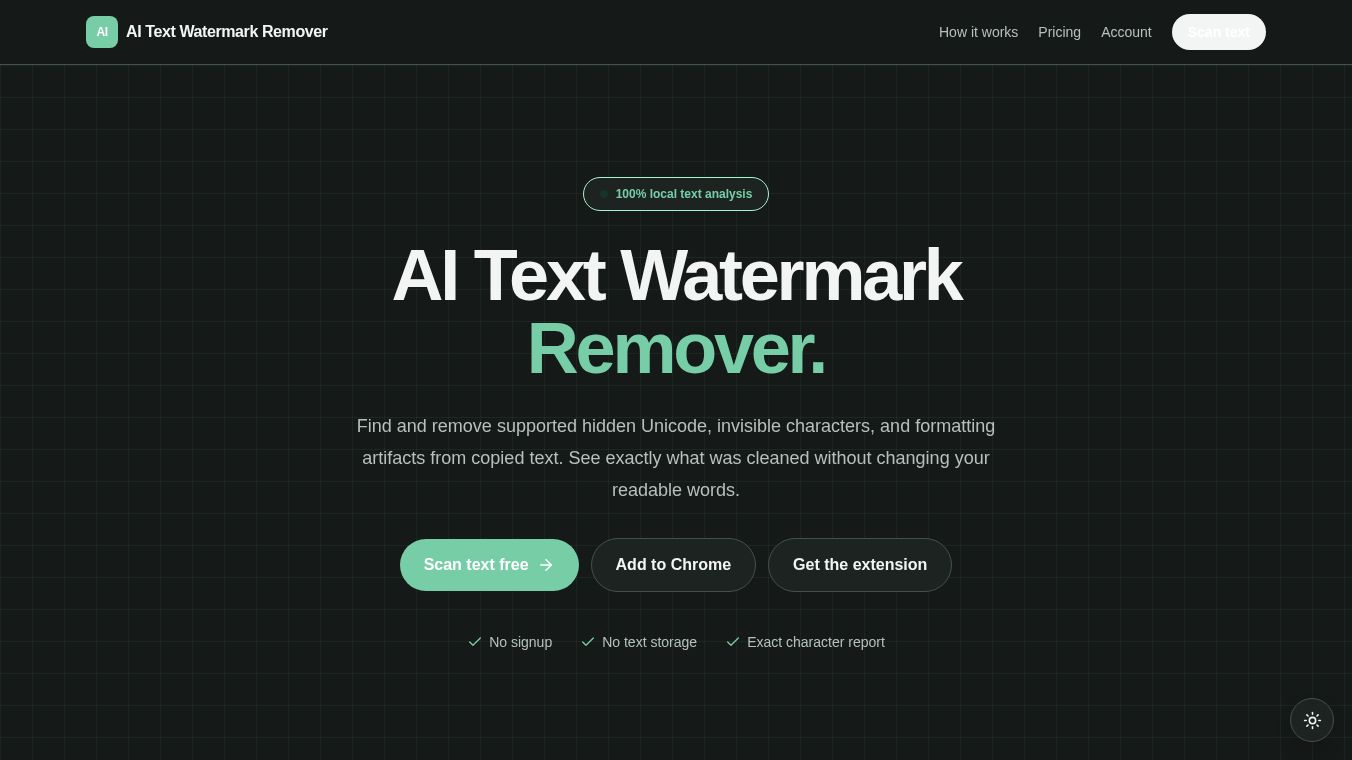





AI Text Watermark Checker: Overview and Functionality
Overview
The AI Text Watermark Checker is a browser extension designed to instantly scan and clean selected or page text for hidden Unicode artifacts. It operates locally within the user's browser, ensuring that text analysis and cleaning processes do not leave data on external servers.
Benefits
The extension is specifically engineered to detect and remove various types of hidden formatting artifacts often found in AI-generated text or copied web content. Its primary functions include:
- Hidden Unicode Detection:Scans for zero-width characters that are invisible to the naked eye.
- Directional Controls:Identifies characters that alter text direction.
- Soft Hyphens:Detects and removes soft hyphen characters used for line breaking.
- Nonbreaking Spaces:Finds and cleans nonbreaking space characters.
- Other Formatting Artifacts:Removes other removable formatting elements that may clutter text.
Use Cases
The tool operates through a simple, two-step process:1.Selection:The user selects or copies text from a web page or their clipboard.2.Scanning:The extension opens a private browser-based scanner where the user pastes the text. The tool then analyzes and cleans the content locally.
It is crucial to understand the specific scope and limitations of this tool:*No Authorship Determination:The extension does not determine the authorship of the text.*No Model-Level Watermark Removal:The tool explicitly does not claim to remove model-level statistical watermarking. It focuses solely on visible and hidden Unicode formatting artifacts, not the statistical signatures often associated with large language models.*Local Processing:All text analysis and cleaning run locally in the browser; data is not uploaded for processing.
Additional Information
- Version:0.3.0
- Developer:support@aitextwatermark.com
- Privacy Stance:The developer declares that user data is not sold to third parties, not used for purposes unrelated to the extension's core functionality, and not used to determine creditworthiness or for lending purposes.
- Availability:The item is currently listed as unavailable on the Chrome Web Store, with users advised to check the troubleshooting guide for further information.
This content is either user submitted or generated using AI technology (including, but not limited to, Google Gemini API, Llama, Grok, and Mistral), based on automated research and analysis of public data sources from search engines like DuckDuckGo, Google Search, and SearXNG, and directly from the tool's own website and with minimal to no human editing/review. THEJO AI is not affiliated with or endorsed by the AI tools or services mentioned. This is provided for informational and reference purposes only, is not an endorsement or official advice, and may contain inaccuracies or biases. Please verify details with original sources.

Comments
Please log in to post a comment.