Youtube Transcription Tool
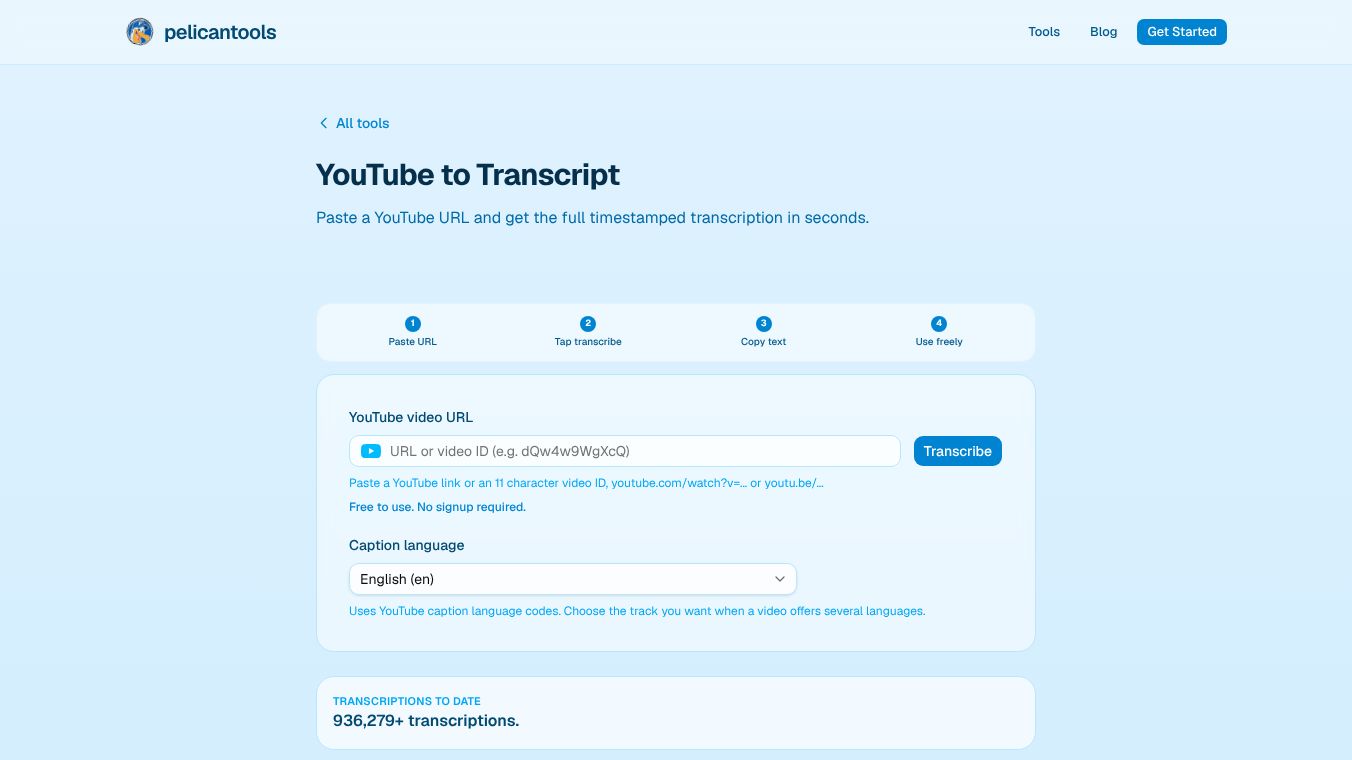





YouTube to Transcript: A Comprehensive Guide to PelicanTools
Overview
PelicanTools offers a free, instant YouTube Transcript Generator designed to convert YouTube video URLs into clean, perfectly timestamped transcripts in seconds. This tool allows users to retrieve YouTube's own caption tracks for various purposes, including research, note-taking, blog posts, lecture notes, podcast show notes, and compliance documentation. The service requires no software installation, no browser extensions, and no account sign-up; users simply paste a YouTube URL to generate the transcript.
Benefits
The tool provides several key advantages for users who need to work with video content quickly and efficiently.
- Instant and Free Access: The service is completely free with no hidden fees or waiting times. It uses YouTube's existing speech recognition to ensure the text stays synchronized with the video.
- Versatile Caption Support: It works with both auto-generated and manual captions. The tool supports dozens of languages and delivers transcripts as plain text that is easy to copy and paste into editors like Google Docs or Notepad.
- Privacy and Trust: PelicanTools prioritizes user privacy. The tool does not store video or transcript data, and no account is required to use it. All data is encrypted while being transferred.
Use Cases
The transcript generator is built for accessibility and utility across various professional and personal contexts.
- Content Repurposing: Creators can convert video content into written form for blog posts or articles.
- Education: Teachers and students can create lecture notes, study guides, and show notes for podcasts.
- Accessibility: Closed captions and transcriptions are vital for deaf and hard-of-hearing individuals, non-native language learners, and students reviewing lecture recordings. They also help workers in noisy or quiet environments who need to read along without listening to audio.
- Compliance: Users can generate subtitle files for other platforms and meet ADA and WCAG caption compliance documentation requirements.
- Research: Researchers can extract information for legal and compliance documentation or general research projects.
Vibes
The tool has received positive feedback from teams and creators, with a rating of 4.5 out of 5 based on 49 reviews. Users have praised the tool for its excellent accuracy and speed. They also appreciate the precise speaker turns and timestamps. Many users found it effective with long technical videos and lectures. The clean formatting requires near-zero cleanup, and the tool handles accents and tight alignment well. Users also noted its utility in turning YouTube content into drafts and its accuracy on tutorials with heavy jargon.
Additional Information
PelicanTools serves as a reliable, free, and accessible solution for converting YouTube videos into text. By utilizing YouTube's own caption tracks, it ensures accuracy and synchronization while maintaining user privacy. Whether for educational purposes, content creation, or accessibility needs, the tool provides a seamless workflow for extracting spoken content from video.
This content is either user submitted or generated using AI technology (including, but not limited to, Google Gemini API, Llama, Grok, and Mistral), based on automated research and analysis of public data sources from search engines like DuckDuckGo, Google Search, and SearXNG, and directly from the tool's own website and with minimal to no human editing/review. THEJO AI is not affiliated with or endorsed by the AI tools or services mentioned. This is provided for informational and reference purposes only, is not an endorsement or official advice, and may contain inaccuracies or biases. Please verify details with original sources.




Comments
Please log in to post a comment.