YellowBoot – (Rufus Alternative)





YellowBoot: A Lightweight, Portable Tool for Creating Bootable USB Drives
Overview
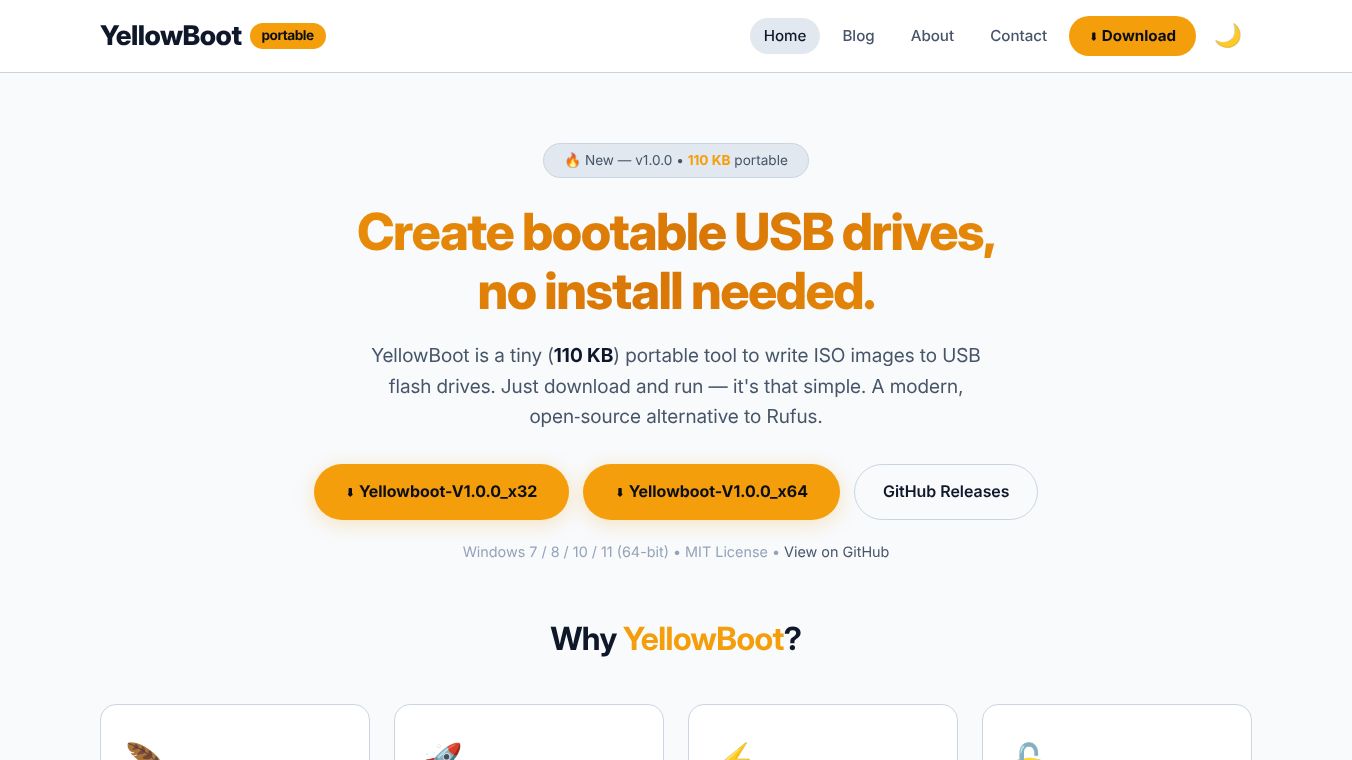
YellowBoot is a modern, open-source utility designed to create bootable USB drives from ISO images. Weighing in at just 110 KB, it serves as a streamlined, dependency-free alternative to tools like Rufus. The software is entirely portable, requiring no installation, and runs directly from any folder or USB stick on Windows 7, 8, 10, and 11 (64-bit).
Benefits
YellowBoot offers several key advantages for users who need to create bootable drives quickly and efficiently. Its ultra-lightweight design means it takes up very little space and has no external dependencies or bloatware. This makes it easy to distribute and run on systems with limited resources. The tool is also portable and instant, allowing users to launch the application immediately without the need for installation. This portability ensures that the tool can be used from any directory or directly from a USB drive.
The application utilizes a multi-threaded write engine, enabling the rapid creation of bootable drives. This ensures efficient performance even when handling larger ISO files. YellowBoot is released under the MIT License, ensuring transparency and community-driven development. The source code is available on GitHub for those interested in the details. The software features a user-friendly, clutter-free interface. The process is simplified to three steps: pick the ISO file, choose the USB drive, and click write. The interface includes a dark mode with a progress bar to track the writing status.
YellowBoot supports a wide range of file systems and boot modes, including FAT32, NTFS, and exFAT for file systems. It also supports MBR and GPT for partition tables and both UEFI and Legacy BIOS modes. This comprehensive format support makes it versatile for various needs.
Use Cases
YellowBoot is compatible with ISO images from major operating systems, including Windows, Ubuntu, Fedora, Debian, Arch Linux, macOS, Linux Mint, and CentOS. This broad compatibility makes it suitable for a wide range of users who need to install or test different operating systems.
The tool is ideal for users who want a reliable solution for creating bootable USB drives without the overhead of traditional installation-based software. Its combination of extreme lightness, portability, and comprehensive feature support makes it an ideal choice for users seeking a reliable tool. The system requirements are minimal, with a need for Windows 7, 8, 10, or 11 (64-bit only), a minimum of 512 MB RAM, and 5 MB of disk space for the portable executable. A USB 2.0 or higher port and a USB drive with a minimum capacity of 4 GB (8 GB or higher is recommended) are also needed.
Pricing
YellowBoot is free to use as it is an open-source tool released under the MIT License.
Vibes
YellowBoot has received positive feedback for its efficiency and user-friendly design. Users appreciate its ability to create bootable drives quickly and its minimal resource usage. The clean interface and straightforward process have been highlighted as major strengths by users who value simplicity and speed.
Additional Information
YellowBoot was initially released as version 1.0.0 on July 10, 2026. This version included the implementation of a multi-threaded write engine, full support for MBR and GPT partition tables, and compatibility with FAT32, NTFS, and exFAT file systems. It also featured integrated SHA-256 checksum verification and a portable executable format with a dark UI and progress tracking.
A previous version, 0.2.1, was released on July 7, 2026. This update reduced the application size to under 148 KB, fixed a crash related to sector size handling, improved progress bar visualization, and enhanced Windows 11 detection capabilities. The project is actively maintained and developed by the community, with the source code available on GitHub for transparency and further contributions.
This content is either user submitted or generated using AI technology (including, but not limited to, Google Gemini API, Llama, Grok, and Mistral), based on automated research and analysis of public data sources from search engines like DuckDuckGo, Google Search, and SearXNG, and directly from the tool's own website and with minimal to no human editing/review. THEJO AI is not affiliated with or endorsed by the AI tools or services mentioned. This is provided for informational and reference purposes only, is not an endorsement or official advice, and may contain inaccuracies or biases. Please verify details with original sources.



Comments
Please log in to post a comment.