yarnnn
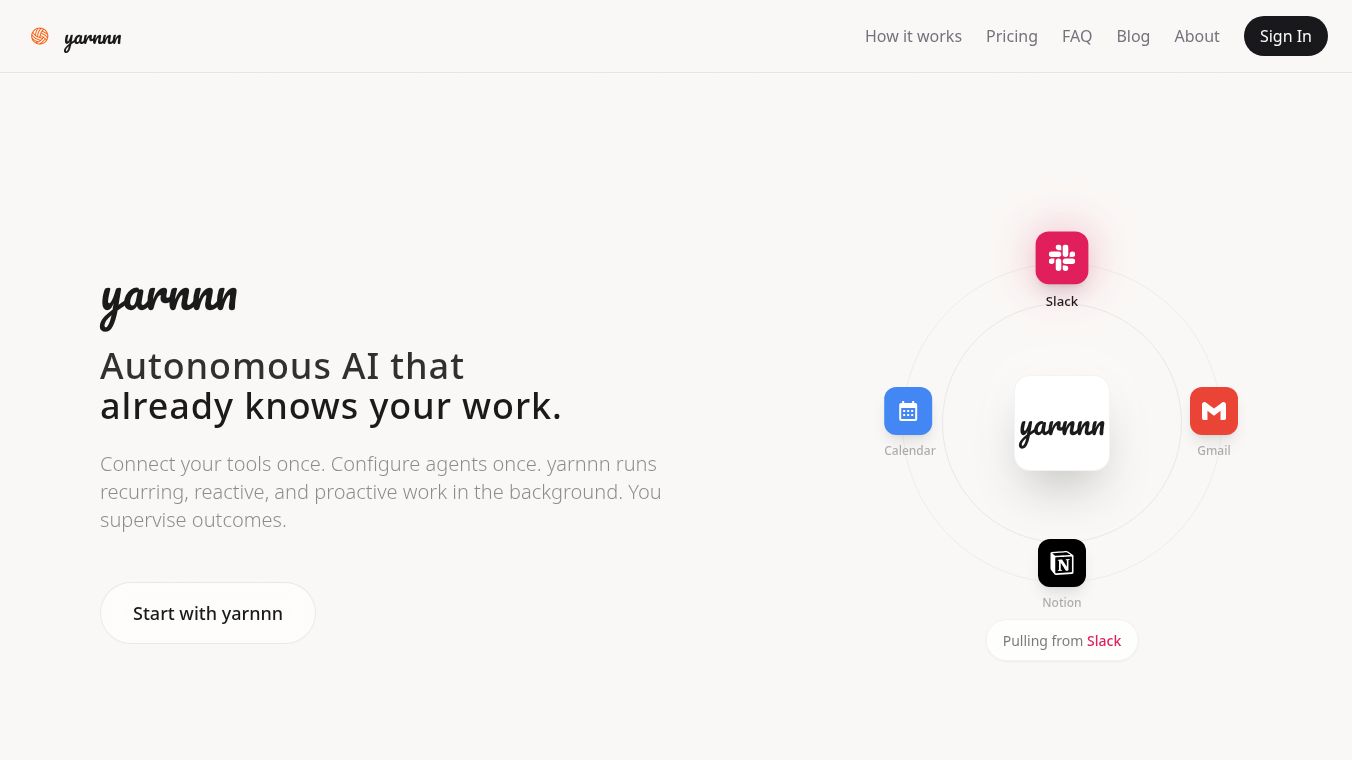





yarnnn is a smart platform that helps you get work done automatically. It connects to tools you already use like Slack, Gmail, Notion, and your Calendar. Think of it as having AI specialists that work behind the scenes to create useful results for you. It has a feature called TP Chat, which is like a control center where you can set up these work specialists, help them improve their work, and keep an eye on how things are going. Everything the specialists do and what you discuss in TP Chat is understood by the system.
Unlike regular chat tools that forget what you talked about after a conversation ends, yarnnn remembers. It keeps track of your work context, runs its specialists on a schedule or when something specific happens, and gets better over time. yarnnn focuses on helping specialists do specific jobs with your guidance, rather than just automating simple tasks. The main part of yarnnn is the work-agent, which is a specialist designed for a particular job.
yarnnn connects to Slack, Gmail, Google Calendar, and Notion securely. You can choose which parts of these tools the specialists can access, like specific chat channels or email labels. Your data is kept safe with encryption, and your access information is also protected. You can change or remove these connections anytime. yarnnn only syncs the information it needs to do its job, and how often it syncs depends on your plan. Importantly, yarnnn mainly reads information from connected tools, so it can't post or change things for you. This means you always have the final say on what gets sent out.
Work-agents are these autonomous specialists that can create output based on a schedule or a trigger. Each agent has its own instructions, memory, and access to specific information. You can supervise their work through TP Chat. There are different types of agents for tasks like creating summaries, giving status updates, doing research, or coordinating tasks. They can run on a schedule, when a goal is met, or when something specific happens. As you approve or edit the work agents do, they learn what you like in terms of how things are organized, what's important, and the style of writing.
yarnnn has a Free plan and a Pro plan. Both plans let you connect to Slack, Gmail, Notion, and Calendar. The Pro plan offers more features like unlimited messages, more agents, faster syncing, and more connected sources. Free users can have 2 active work-agents, while Pro users can have up to 10. The Free plan syncs once a day, and the Pro plan syncs every hour. The Free plan allows access to 5 Slack channels, 5 Gmail labels, and 10 Notion pages, while the Pro plan offers unlimited access to all platforms.
To start, you can sign up, connect a tool, and set up your first work-agent using TP Chat or the work-agents screen. You can start with one specialist and a key source, then add more as you get comfortable. Many teams find it helpful to start with an agent that provides daily summaries or status updates, as this shows immediate value and helps you guide future improvements. If you have questions, it's best to start with one agent and build from there based on how you use it.
This content is either user submitted or generated using AI technology (including, but not limited to, Google Gemini API, Llama, Grok, and Mistral), based on automated research and analysis of public data sources from search engines like DuckDuckGo, Google Search, and SearXNG, and directly from the tool's own website and with minimal to no human editing/review. THEJO AI is not affiliated with or endorsed by the AI tools or services mentioned. This is provided for informational and reference purposes only, is not an endorsement or official advice, and may contain inaccuracies or biases. Please verify details with original sources.
Comments
Please log in to post a comment.