WordPress AI Image Block
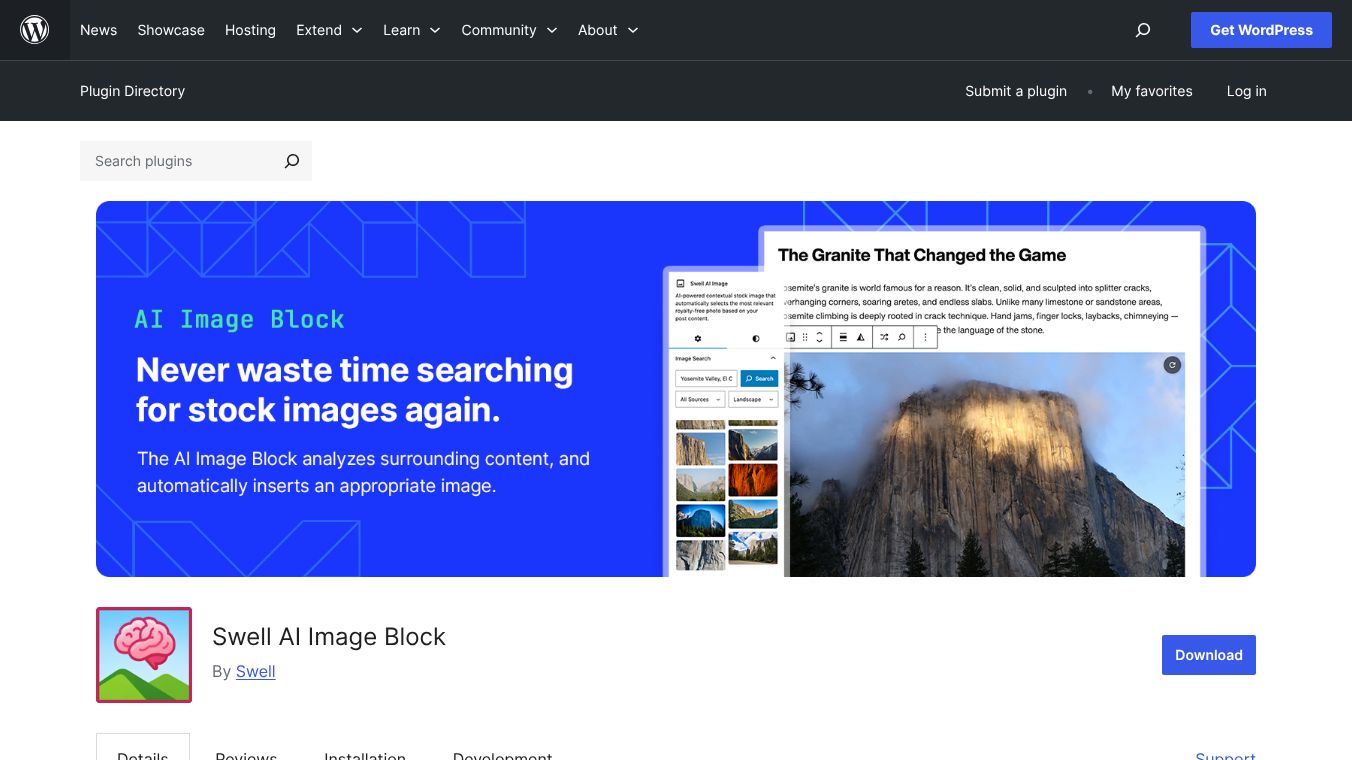





Swell AI Image Block is a WordPress plugin that uses artificial intelligence to help you add images to your website automatically. It makes it easier to find and insert pictures into your articles without you having to search for them yourself.
Benefits
This plugin saves you time by automatically finding royalty-free stock photos that match the content of your articles. It can also suggest a featured image based on your post's title, so you don't have to spend time looking for one. The plugin works with popular free image sources like Unsplash, Pexels, Wikimedia Commons, and Pixabay. It also has a smart caching system to make your editor run faster and a shuffle button to quickly see different image options. You can even search for images yourself if you don't like the suggestions. The plugin also makes sure photographers get credit for their work.
Use Cases
Swell AI Image Block is useful for anyone creating content on WordPress. Bloggers, website owners, and content creators can use it to quickly enhance their articles with relevant visuals. It's especially helpful when you need to publish content quickly or want to ensure your images perfectly match your text. The AI Featured Image finder is great for making sure your posts look professional from the start.
Pricing
There are a few ways to use the plugin. A free plan gives you 10 AI-powered image selections each month. If you want unlimited selections without using the plugin's service, you can enter your own API keys from OpenAI, Unsplash, and Pexels. There's also a Pro plan for unlimited selections through the managed service with priority support.
Vibes
Users can get unlimited AI image selections for free by using their own API keys. The plugin also ensures that photographers are properly credited for their images, which is important for respecting licensing.
Additional Information
The plugin has been updated to include Pixabay as an image source and has fixed issues with setting featured images. It integrates with services like OpenAI, Unsplash, and Pexels for its AI features and image sourcing. When using the default settings, your text content is analyzed in real-time and not stored permanently. If you use your own API keys, your WordPress site connects directly to these services, and no data is sent through the plugin's server.
This content is either user submitted or generated using AI technology (including, but not limited to, Google Gemini API, Llama, Grok, and Mistral), based on automated research and analysis of public data sources from search engines like DuckDuckGo, Google Search, and SearXNG, and directly from the tool's own website and with minimal to no human editing/review. THEJO AI is not affiliated with or endorsed by the AI tools or services mentioned. This is provided for informational and reference purposes only, is not an endorsement or official advice, and may contain inaccuracies or biases. Please verify details with original sources.
 No Info


Comments
Please log in to post a comment.