Windows AI Removal Tool (WART)
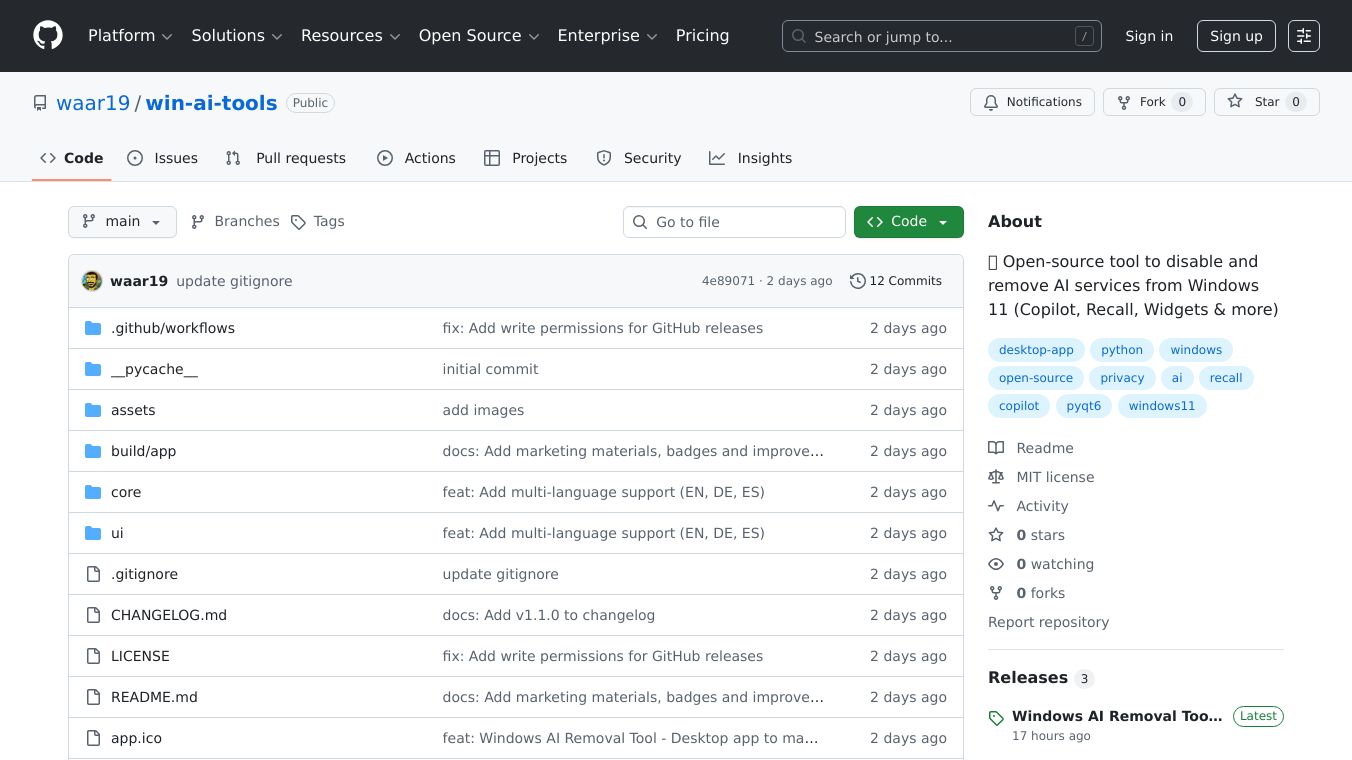





What is Windows AI Removal Tool (WART)?
Windows AI Removal Tool (WART) is a PowerShell script designed to disable all AI features in Windows 11. This tool, available on GitHub, allows users to remove AI functionalities such as Copilot and Recall. It is gaining popularity among users who prefer a more traditional Windows experience without AI integration.
Benefits
WART offers several key advantages for users who want to simplify their Windows 11 experience:
- Removes AI Features: Easily disable AI functionalities like Copilot and Recall.
- Open-Source and Free: Available for free on GitHub, making it accessible to all users.
- Privacy-Focused: Helps users achieve a cleaner, more privacy-focused system by stripping out AI features.
- Easy to Use: Simple to download and run, making it accessible even for non-technical users.
Use Cases
WART is ideal for users who prefer a more traditional Windows experience. It is particularly useful for those who:
- Want to remove AI features for a cleaner system.
- Prefer a more privacy-focused approach to their operating system.
- Find AI integrations unnecessary or intrusive.
Vibes
The tool has been discussed on various tech forums and websites, highlighting its effectiveness and ease of use. Users appreciate the simplicity and effectiveness of the script in removing AI features from Windows 11.
This content is either user submitted or generated using AI technology (including, but not limited to, Google Gemini API, Llama, Grok, and Mistral), based on automated research and analysis of public data sources from search engines like DuckDuckGo, Google Search, and SearXNG, and directly from the tool's own website and with minimal to no human editing/review. THEJO AI is not affiliated with or endorsed by the AI tools or services mentioned. This is provided for informational and reference purposes only, is not an endorsement or official advice, and may contain inaccuracies or biases. Please verify details with original sources.


 No Info
 Paid
Paid

Comments
Please log in to post a comment.