Videvra Restore





What is Videvra Restore?
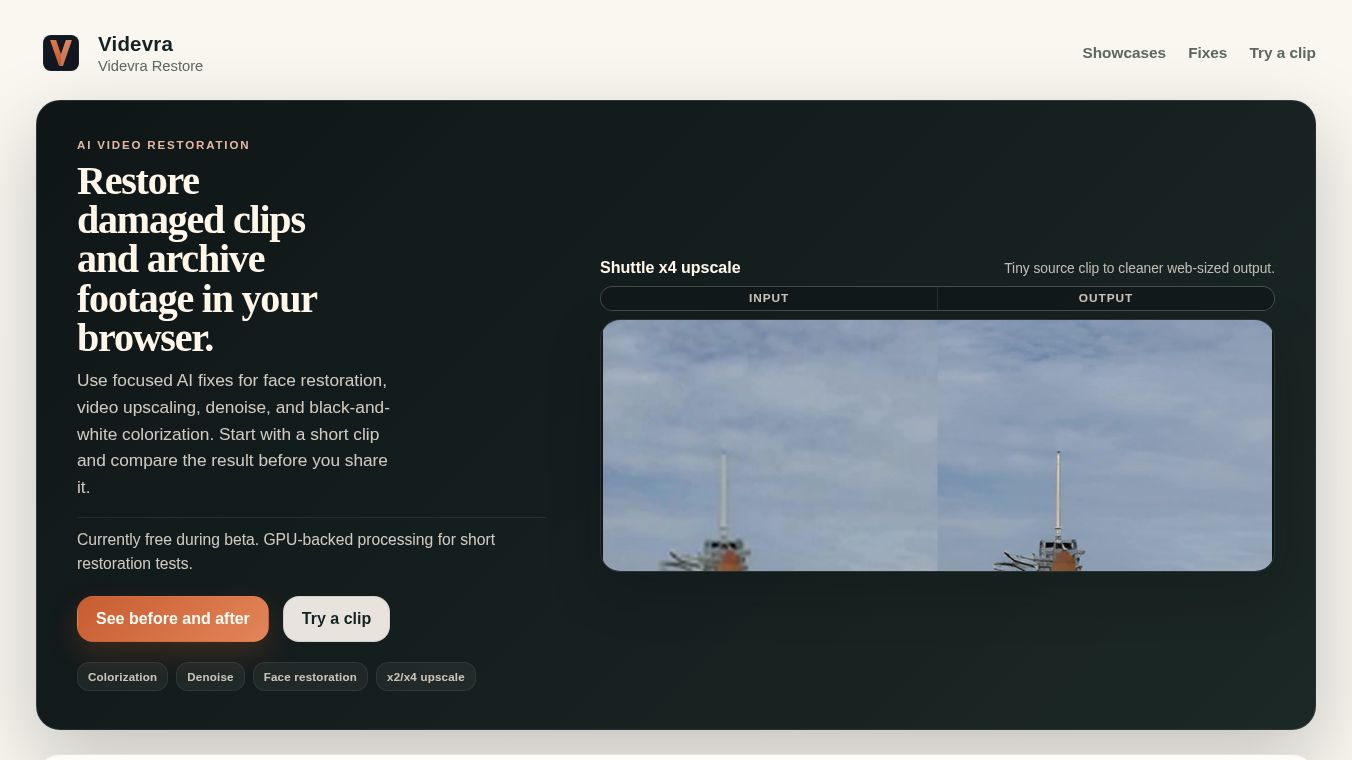
Videvra Restore is a beta service that helps fix damaged video clips right inside your web browser. It uses powerful computer graphics technology to quickly test and improve short video files. The tool focuses on making specific improvements like adding color, removing noise, fixing faces, or making small videos look clearer.
Benefits
Videvra Restore offers four main ways to improve old or low-quality footage.
- Colorization:This feature turns black-and-white archive videos into color. It works best when the main problem is missing color rather than bad movement or shaky camera work.
- Denoise:This tool cleans up grainy and noisy videos. It is perfect for clips that look good overall but suffer from digital noise or heavy compression.
- Face Restoration:This fix recovers talking-head videos that have been crushed by low quality or heavy compression. It applies a cleaner look to faces and reduces background noise.
- Upscaling:This feature enlarges very small source clips to make them clearer for the web. It improves flat textures and hard edges without trying to create a perfect master copy for storage.
The service uses GPU-backed processing which means it can handle these tasks efficiently. Users do not have to worry about keeping their files safe because the service does not store uploads or outputs. All data is temporary and users are encouraged to download results immediately.
Use Cases
Videvra Restore is designed for people who have specific problems with their video files.
- Archival Footage:Archivists or hobbyists can use the colorization tool to bring life to old black-and-white home movies or historical clips.
- Noisy Recordings:Creators of noisy videos can use the denoise tool to clean up grain without changing the original look of the shot.
- Compressed Interviews:Podcasters or interviewers can use face restoration to fix low-quality video recordings where faces look pixelated or crushed.
- Small Clips:Users with tiny video files can upscale them to a better size for sharing online.
To use the service, a user selects a fix that matches their problem. They then upload a short clip and watch the progress in their browser. Once the GPU processing finishes, they download the improved video file.
Pricing
Pricing details are not available in the provided information.
Vibes
Public reception and reviews are not available in the provided information.
Additional Information
Videvra is currently operating as a beta service. This means the features are being tested and may change over time. The company emphasizes data privacy by ensuring that uploaded files are not kept permanently. Users are advised to check the showcase page before uploading their own footage to see real examples of how the tools work.
This content is either user submitted or generated using AI technology (including, but not limited to, Google Gemini API, Llama, Grok, and Mistral), based on automated research and analysis of public data sources from search engines like DuckDuckGo, Google Search, and SearXNG, and directly from the tool's own website and with minimal to no human editing/review. THEJO AI is not affiliated with or endorsed by the AI tools or services mentioned. This is provided for informational and reference purposes only, is not an endorsement or official advice, and may contain inaccuracies or biases. Please verify details with original sources.
 No Info
Comments
Please log in to post a comment.