Video to Frames Maker
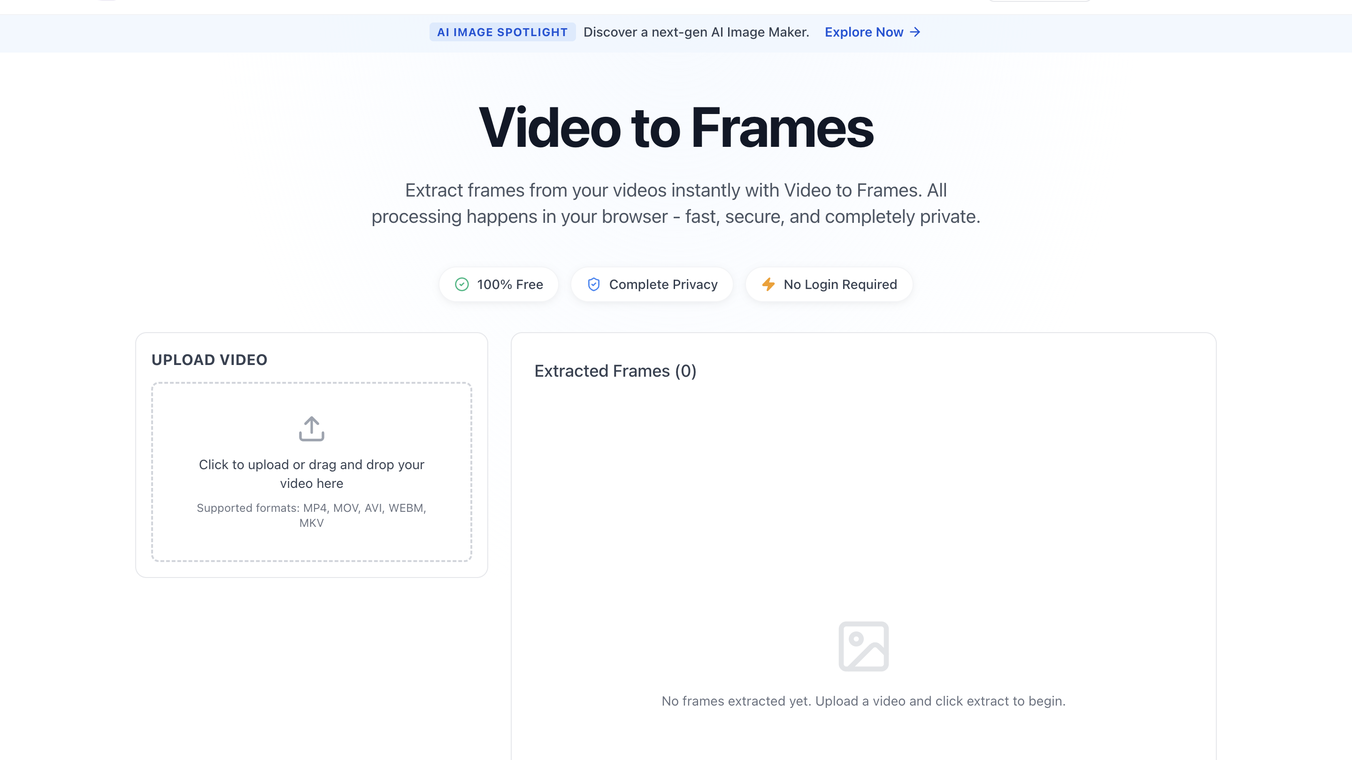





Video to Frames is a high-performance, privacy-centric web utility designed to extract individual frames from video files with precision. Unlike traditional online converters that require users to upload files to a remote server, this tool utilizes advanced WebAssembly (Wasm) technology to process video data entirely within the user's local browser environment.
Below is a detailed breakdown of its features, benefits, and technical advantages.
Core Features
- Client-Side Local Processing: The standout feature is that video files never leave your device. All extraction logic happens in your browser’s memory, ensuring that your data is never transmitted to or stored on an external server.
- Customizable Frame Extraction (FPS Control): Users can define the specific frequency of extraction. Whether you need one frame per second or want to capture every single frame in a sequence, the tool allows for granular control over the output.
- High-Resolution Output: The tool extracts frames at the native resolution of the source video, ensuring that the resulting images (typically in PNG format) maintain professional quality for design or analysis.
- Broad Format Support: Compatible with all major video containers, including MP4, MOV, AVI, WebM, and MKV, provided the browser's codec engine can play them.
- Zero Barrier to Entry: The platform is 100% free, requires no user registration, and has no "freemium" limitations or watermarks on the extracted content.
- Batch Downloading: Once frames are extracted, users can download specific images individually or save the entire sequence as a convenient archive.
Key Benefits
- Maximum Data Privacy: Since there is no server-side upload, it is the ideal solution for professionals working with sensitive, confidential, or proprietary video footage that cannot be shared with third-party cloud services.
- Instant Results (Lightning Fast): By eliminating the upload and download wait times associated with cloud processing, the tool provides near-instantaneous extraction, limited only by the user's local hardware speed.
- Cross-Platform Accessibility: As a browser-based tool, it works seamlessly across Windows, macOS, Linux, and mobile devices without the need to install heavy software suites like Adobe Premiere or VLC.
- Resource Efficiency: Because it runs in the browser using optimized WebAssembly, it provides a lightweight alternative to desktop video editing software for the specific task of frame grabbing.
This content is either user submitted or generated using AI technology (including, but not limited to, Google Gemini API, Llama, Grok, and Mistral), based on automated research and analysis of public data sources from search engines like DuckDuckGo, Google Search, and SearXNG, and directly from the tool's own website and with minimal to no human editing/review. THEJO AI is not affiliated with or endorsed by the AI tools or services mentioned. This is provided for informational and reference purposes only, is not an endorsement or official advice, and may contain inaccuracies or biases. Please verify details with original sources.
 Free
Free
 No Info


Comments
Please log in to post a comment.