Unblurry





Unblurry: Bringing Old Photos Back to Life
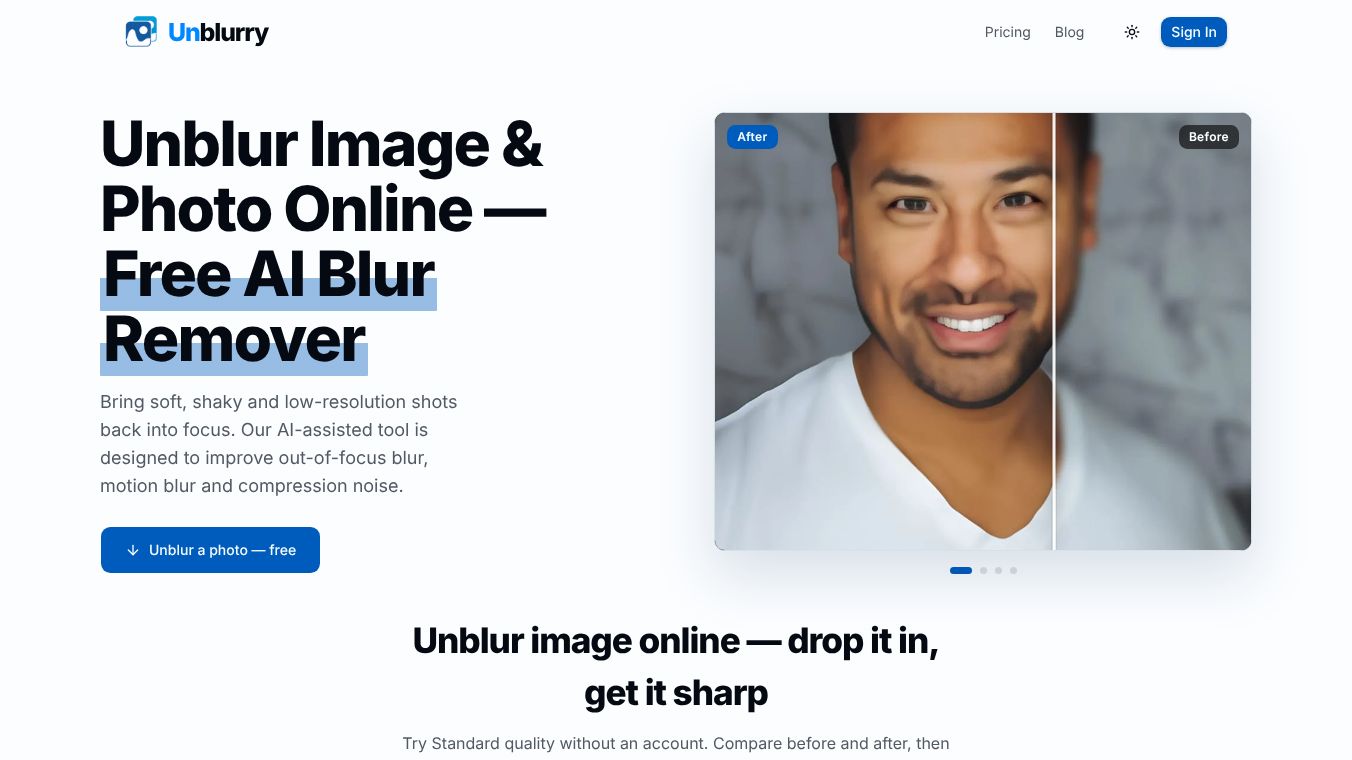
Unblurry is an online tool that uses artificial intelligence to fix blurry photos. It helps users take soft, shaky, or low-quality images and make them look sharp and clear. The goal is not to make pictures look overly sharp but to restore them so they appear as if they were taken clearly in the first place. This tool is designed for anyone who wants to save a photo that would otherwise be thrown away.
Benefits
Unblurry offers several key advantages for improving image quality. It can fix three main types of blur: out-of-focus shots, motion blur from camera shake, and low-resolution images. The tool analyzes the specific type of blur in a photo and then rebuilds lost details like skin texture, eyelashes, and fine edges. This process ensures the final result looks natural rather than artificially sharpened. Users can also compare the original blurry image with the restored version to see the improvement before downloading.
Use Cases
This tool is useful for many different groups of people. Photographers can use it to recover important shots from a client gallery without needing to reshoot the scene. Online sellers can list products with crisp and credible images without booking a studio for a second photoshoot. Families can restore old printed photos from decades ago to a quality suitable for framing. Travelers and social media users can fix missed moments from a trip to share with friends. It works best on JPG, PNG, and WEBP files up to 25 MB in size.
Pricing
Unblurry offers a free option and paid upgrades for higher quality. The Standard Quality tier is free to try without creating an account. This option uses one credit per image. For users who need more detail, the HD Quality tier rebuilds images at 1K resolution and costs three credits. The Ultra HD Quality tier goes up to 2K resolution for maximum detail and costs six credits. Higher quality options require an account and take longer to process.
Vibes
Users appreciate how simple the tool is to use. The process involves dragging and dropping an image, choosing a quality level, and downloading the result. The before-and-after comparison feature helps users see the value of the restoration immediately. While the interface is simple, the technology behind it performs complex analysis to separate different types of blur and reconstruct details based on the visible context in the photo.
Additional Information
Unblurry processes images using a third-party AI provider. If a user has an account, they can delete their images from the My Creations page at any time. The service states that it does not sell user images. Processing time varies depending on the image and the current load on the service, with progress updates shown while the work is being done. The tool is not designed to fix text or documents like receipts or screenshots.
This content is either user submitted or generated using AI technology (including, but not limited to, Google Gemini API, Llama, Grok, and Mistral), based on automated research and analysis of public data sources from search engines like DuckDuckGo, Google Search, and SearXNG, and directly from the tool's own website and with minimal to no human editing/review. THEJO AI is not affiliated with or endorsed by the AI tools or services mentioned. This is provided for informational and reference purposes only, is not an endorsement or official advice, and may contain inaccuracies or biases. Please verify details with original sources.



Comments
Please log in to post a comment.