ToneScribe Pro — Audio to MIDI on iPhone
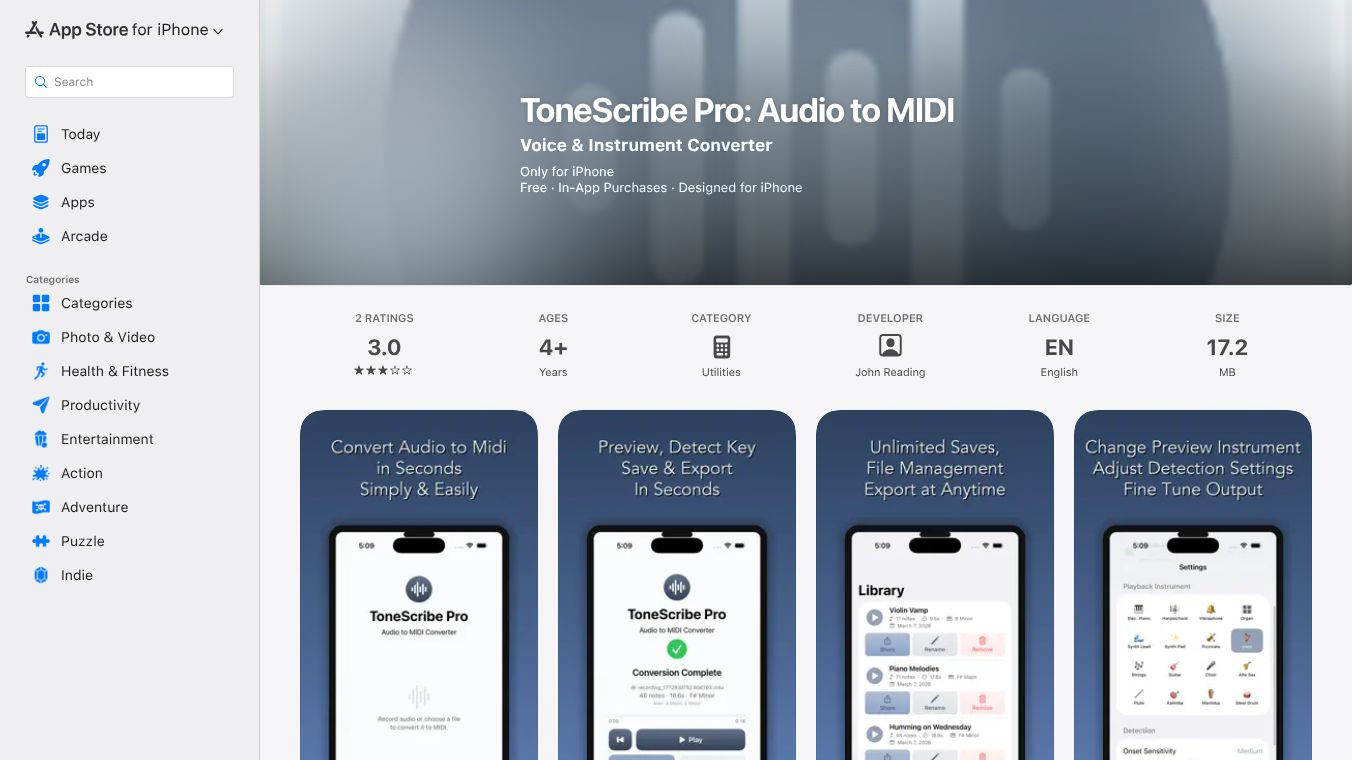





ToneScribe Pro is an application for iPhone that turns audio recordings into MIDI files. This makes it easier for musicians, producers, composers, and students to capture musical ideas and use them in their music software.
Benefits
ToneScribe Pro helps users quickly and accurately convert songs or melodies from audio into MIDI format. It works directly on the iPhone, so users can process their recordings right on their device. The app supports both vocal and instrument sounds, and it provides a simple way to get musical ideas into a digital format.
Use Cases
Musicians can use ToneScribe Pro to record a melody they come up with and then convert it into MIDI to edit or develop further in their music production software. Producers can use it to capture vocal ideas and turn them into MIDI tracks. Students can use it to better understand musical concepts by analyzing how melodies are represented in MIDI.
Pricing
A free version of ToneScribe Pro is available. This version allows for conversions of up to 15 seconds of audio and a maximum of three MIDI exports. To unlock unlimited conversion length and save an unlimited number of MIDI files, users can make a one-time purchase of the full version for $5.99. There is no subscription required.
Vibes
ToneScribe Pro processes audio locally on the device, meaning no personal data is collected and no accounts are needed. This focus on privacy is a positive aspect for users. The app is designed to be compatible with most music software and digital audio workstations.
Additional Information
ToneScribe Pro was developed by John Reading of Resonance Multimedia. It requires iOS 18.0 or later for iPhone. The app is categorized under Utilities and is available in English. The app size is 17.2 MB. Recent updates have focused on making the audio-to-MIDI conversion more accurate, improving how fast the app works, and fixing any bugs to make the user experience smoother.
This content is either user submitted or generated using AI technology (including, but not limited to, Google Gemini API, Llama, Grok, and Mistral), based on automated research and analysis of public data sources from search engines like DuckDuckGo, Google Search, and SearXNG, and directly from the tool's own website and with minimal to no human editing/review. THEJO AI is not affiliated with or endorsed by the AI tools or services mentioned. This is provided for informational and reference purposes only, is not an endorsement or official advice, and may contain inaccuracies or biases. Please verify details with original sources.

 No Info
Comments
Please log in to post a comment.