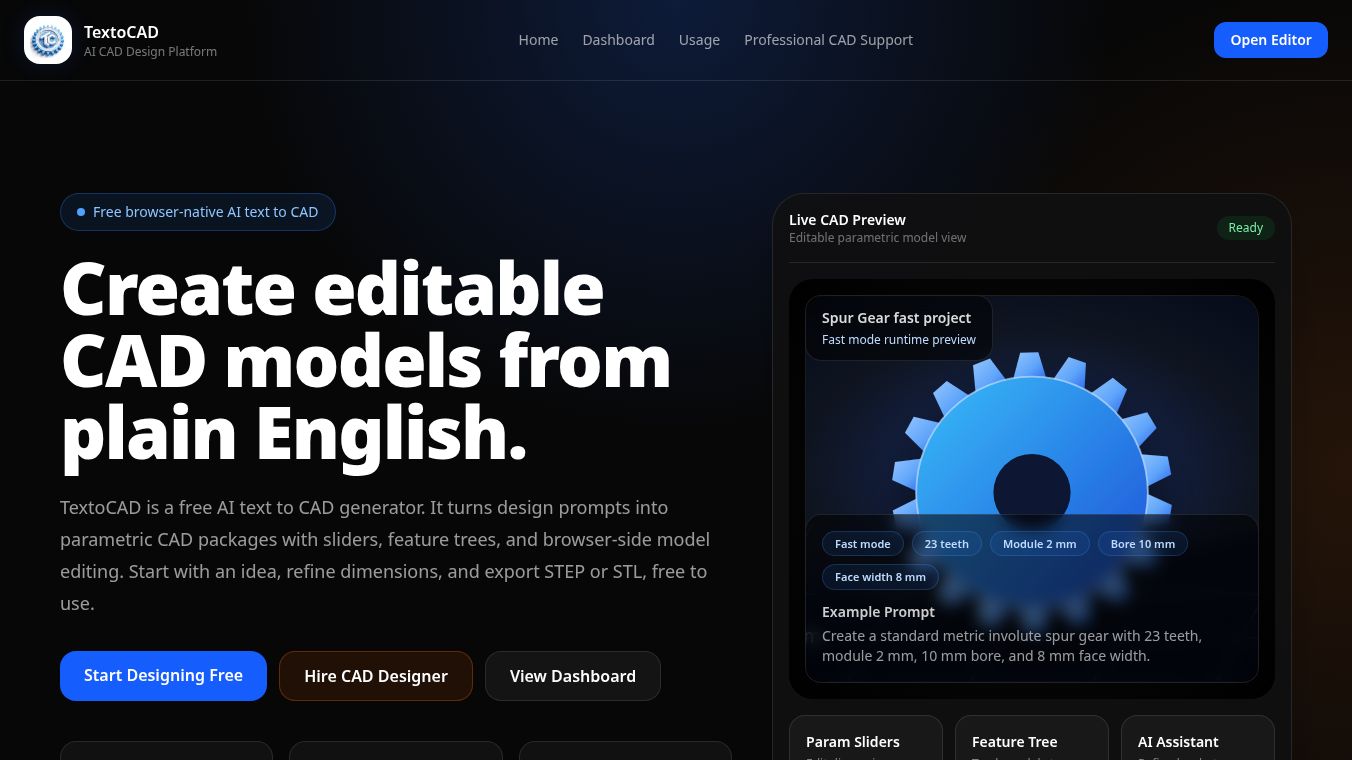





What is TextoCAD
TextoCAD is a web-based tool designed to help users create and edit CAD drawings directly in their web browser. It allows people to work with 2D and 3D designs without needing to install any special software on their computer. The platform supports common file formats like DWG and DXF, making it easy to open and modify files created by other CAD programs. Users can also save their work in various formats, including PDF, which is useful for sharing designs with clients or team members who may not have CAD software.
Benefits
One of the main advantages of TextoCAD is its accessibility. Since it runs in a web browser, users do not need to download or install any software. This makes it a convenient option for people who want to quickly view or edit CAD files from any device with an internet connection. The tool also offers a free version with basic features, allowing users to try it out before committing to a paid plan. For those who need more advanced capabilities, there are subscription options available that include additional tools and features.
Another benefit is the ability to collaborate on projects. Multiple users can work on the same drawing at the same time, which is helpful for teams that need to coordinate their efforts. The platform also provides tools for measuring distances and angles, which can be useful for verifying dimensions in a design. Additionally, users can add notes and annotations to their drawings, making it easier to communicate specific details or changes.
Use Cases
TextoCAD is suitable for a variety of professionals who work with technical drawings. Architects can use it to review and modify building plans. Engineers can check and update mechanical or electrical designs. Designers can create and share product sketches. Even students can use the tool to practice CAD skills or complete assignments without needing expensive software licenses.
The platform is also useful for small businesses that do not have the budget for high-end CAD software. It allows them to perform basic design tasks and collaborate with clients without investing in expensive hardware or software. For example, a small architecture firm might use TextoCAD to quickly generate PDF versions of their plans for client presentations.
Pricing
TextoCAD offers a free version with limited features. This version allows users to open and view CAD files but does not include advanced editing tools. For users who need more functionality, there are subscription plans available. These plans typically cost around $10 to $20 per month, depending on the features included. Some plans may offer additional storage space, advanced editing tools, or the ability to work with larger files. Users can choose the plan that best fits their needs and budget.
Vibes
Users have generally responded positively to TextoCAD, especially for its ease of use and accessibility. Many appreciate the ability to work with CAD files without installing software, which saves time and resources. Some users have noted that the free version is sufficient for basic tasks, while others have found the paid plans worth the investment for more advanced features. Reviews often highlight the platform's collaborative features as a standout benefit, particularly for teams that need to work together on projects.
Additional Information
TextoCAD is part of a growing trend of cloud-based CAD tools that aim to make design work more accessible and flexible. While specific funding details or partnerships are not widely publicized, the platform continues to update its features based on user feedback. The company focuses on providing a user-friendly interface and reliable performance, which has helped it gain a steady user base among professionals and students alike.
This content is either user submitted or generated using AI technology (including, but not limited to, Google Gemini API, Llama, Grok, and Mistral), based on automated research and analysis of public data sources from search engines like DuckDuckGo, Google Search, and SearXNG, and directly from the tool's own website and with minimal to no human editing/review. THEJO AI is not affiliated with or endorsed by the AI tools or services mentioned. This is provided for informational and reference purposes only, is not an endorsement or official advice, and may contain inaccuracies or biases. Please verify details with original sources.



 Freemium

 No Info
Comments
Please log in to post a comment.