TargetBridge
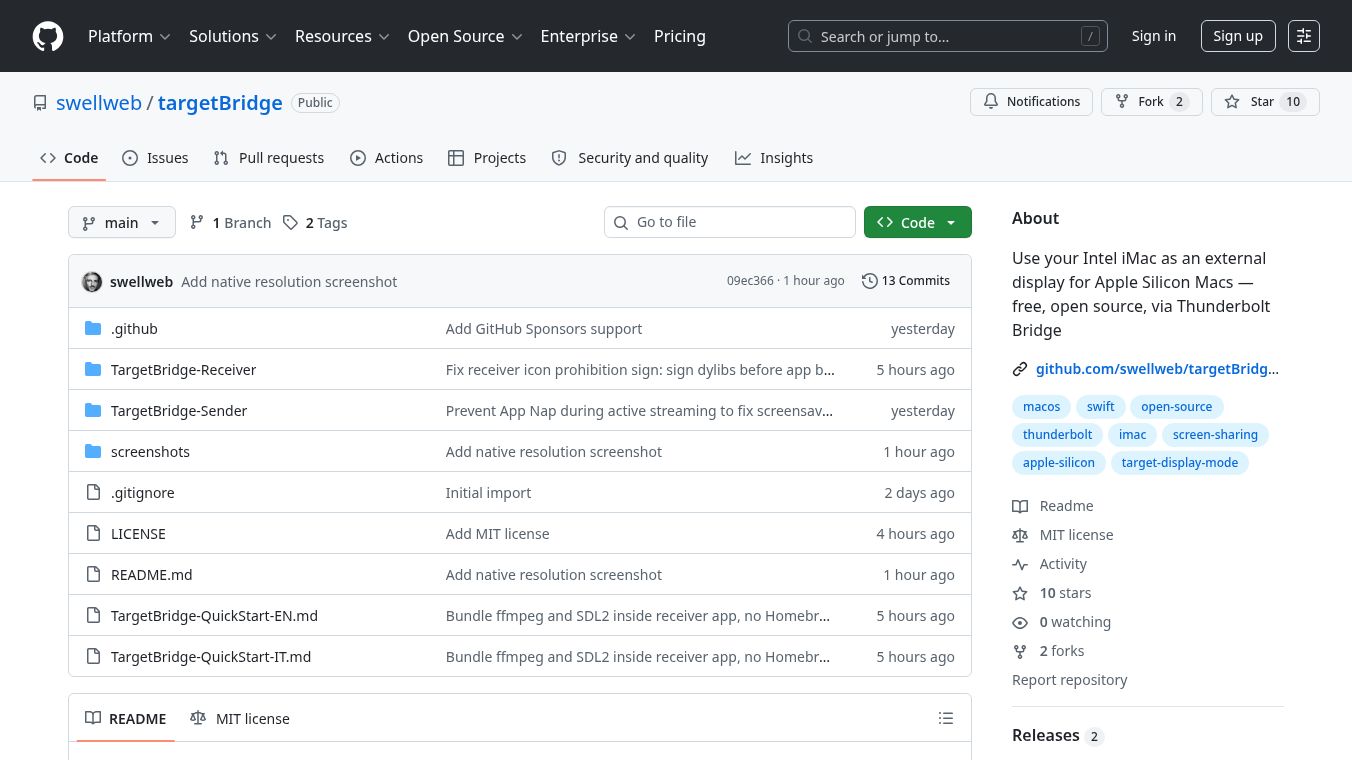





TargetBridge: Turn Your Old iMac into a Super Display
TargetBridge is a free software tool that brings back a feature Apple used to offer. It lets you use an older Intel iMac as a second screen for a newer MacBook with an Apple Silicon chip. This works without needing special adapters or extra hardware. You simply connect the two computers with one cable and your old monitor becomes a powerful extension for your new laptop.
Benefits
- No Extra Hardware Needed:You do not need to buy dongles or special cables. A single Thunderbolt cable is all you need to connect the devices.
- High Quality Screen:The software can stream your laptop screen to the iMac at up to 5K resolution. This means you get a very sharp and clear image.
- Fast Performance:The tool is designed to work quickly with low delay. This makes it easy to use for work or creative tasks without lag.
- Completely Free:TargetBridge is open source software. This means it costs nothing to download and use.
- Easy Setup:The installation process is simple. You just download two small apps, unzip them, and connect the cable.
Use Cases
- Creative Work:Artists and designers can use the large iMac screen to see their work in high detail while editing on their portable MacBook.
- Programming and Development:Developers can have their code on the small laptop screen and view the full browser window or terminal on the big iMac display.
- Video Editing:Editors can use the extra screen to preview video clips and timelines without losing space on their main monitor.
- Home Office Setup:Users with an old iMac and a new MacBook can create a seamless dual-screen workspace for productivity.
Pricing
TargetBridge is free to use. It is open source software available on GitHub.
Vibes
Users appreciate the simplicity of the solution. Many people are happy to find a way to reuse their old iMac instead of throwing it away. The community around this project is active, with quick guides available in multiple languages to help people get started. Some users note that the pre-built version works well on newer systems, though older computers may require a quick build step.
Additional Information
The project is hosted on GitHub by the team at swellweb. It requires a MacBook with an Apple Silicon chip like the M1 or later and an Intel iMac from 2017 or newer. The software works best with macOS 14 Sonoma on the receiving iMac. If you have an older version of macOS, you can build the receiver application yourself in about two minutes. The team provides quick start guides in English and Italian to help new users.
This content is either user submitted or generated using AI technology (including, but not limited to, Google Gemini API, Llama, Grok, and Mistral), based on automated research and analysis of public data sources from search engines like DuckDuckGo, Google Search, and SearXNG, and directly from the tool's own website and with minimal to no human editing/review. THEJO AI is not affiliated with or endorsed by the AI tools or services mentioned. This is provided for informational and reference purposes only, is not an endorsement or official advice, and may contain inaccuracies or biases. Please verify details with original sources.
 No Info

Comments
Please log in to post a comment.