TabGroups AI - Organize Chrome Tabs





TabGroups AI - Organize Chrome Tabs
Introduction
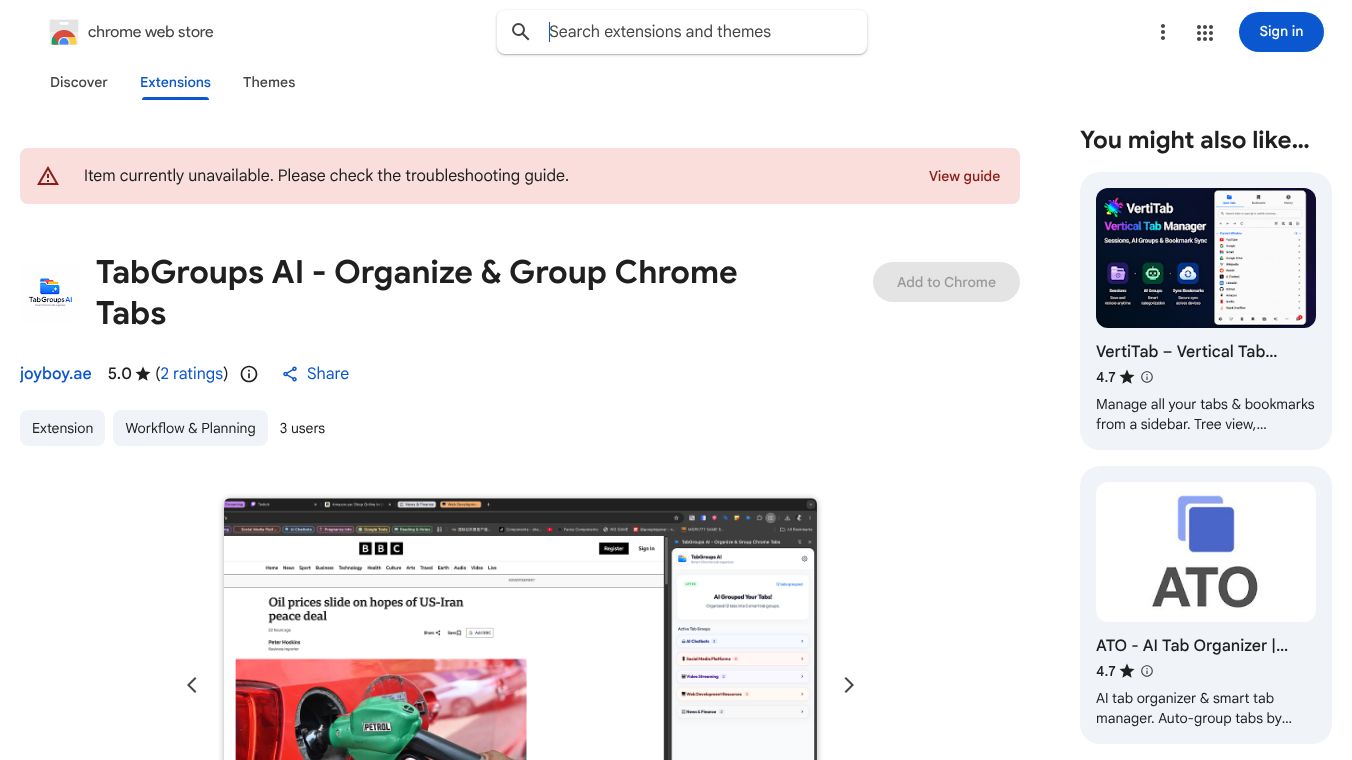
TabGroups AI is a free browser extension for Google Chrome designed to help users manage their open tabs more effectively. It allows people to organize their tabs into groups based on their content or purpose. The tool uses artificial intelligence to automatically detect the topic of each tab and suggest relevant group names. This feature saves time and reduces the mental effort required to sort through many open pages. The extension also lets users create custom groups for specific projects or topics. It works directly within the Chrome browser without needing any additional software. The interface is simple and easy to use for both new and experienced users.
Benefits
The main advantage of TabGroups AI is its ability to automatically categorize tabs. Users no longer need to manually label every single tab. The AI analyzes the page content and assigns a group name that fits the context. This feature is especially helpful for researchers, students, or anyone working on multiple topics at once. Another benefit is the ability to collapse groups. Users can hide all tabs in a group to declutter their browser view. This makes it easier to focus on the most important tasks. The extension also supports keyboard shortcuts for quick access to group management. This speeds up workflow for power users. Additionally, the tool is completely free to use with no hidden costs or premium tiers. It integrates seamlessly with the existing Chrome tab system without changing how users normally browse the web.
Use Cases
This tool is ideal for students working on research projects with many sources. It helps them keep related articles together in one group while hiding unrelated tabs. Professionals managing multiple client projects can use it to separate work streams. For example, one group could hold client A documents while another holds client B files. Writers and journalists often have dozens of tabs open while fact-checking stories. TabGroups AI helps them organize these by topic or source type. Developers working on different codebases can group tabs by project or technology stack. Even casual users who browse news and social media can benefit from organizing their feed into categories like "News," "Social," and "Shopping." The extension is useful anytime a user has more than five or six tabs open simultaneously.
Pricing
TabGroups AI is available as a free extension. There are no subscription fees or paid versions. Users can download it directly from the Chrome Web Store at no cost. The free version includes all core features such as automatic grouping, custom group creation, and tab collapsing. No credit card information is required to install or use the tool.
Vibes
Users appreciate the simplicity and speed of the extension. Many reviews highlight how quickly it sorts through large numbers of tabs. Some users mention that the AI suggestions are surprisingly accurate for most websites. A few reviewers note that the automatic grouping works best on text-heavy pages like news sites or documentation. There are occasional comments about the need to manually adjust group names for images or video-heavy pages. Overall, the public reception is positive. People value the time-saving aspect and the clean interface. The lack of a paid version is seen as a major plus by the community.
Additional Information
TabGroups AI is developed by an independent team focused on browser productivity tools. The extension has gained traction among Chrome users looking for better tab management solutions. It has been featured in several productivity blogs and tech forums as a top free tool for 2024. The developers regularly update the extension to improve AI accuracy and add new features based on user feedback. There are no known partnerships with major tech companies, but the tool is compatible with all standard Chrome extensions and follows Google's developer guidelines.
This content is either user submitted or generated using AI technology (including, but not limited to, Google Gemini API, Llama, Grok, and Mistral), based on automated research and analysis of public data sources from search engines like DuckDuckGo, Google Search, and SearXNG, and directly from the tool's own website and with minimal to no human editing/review. THEJO AI is not affiliated with or endorsed by the AI tools or services mentioned. This is provided for informational and reference purposes only, is not an endorsement or official advice, and may contain inaccuracies or biases. Please verify details with original sources.



Comments
Please log in to post a comment.