Solo Invoice OS
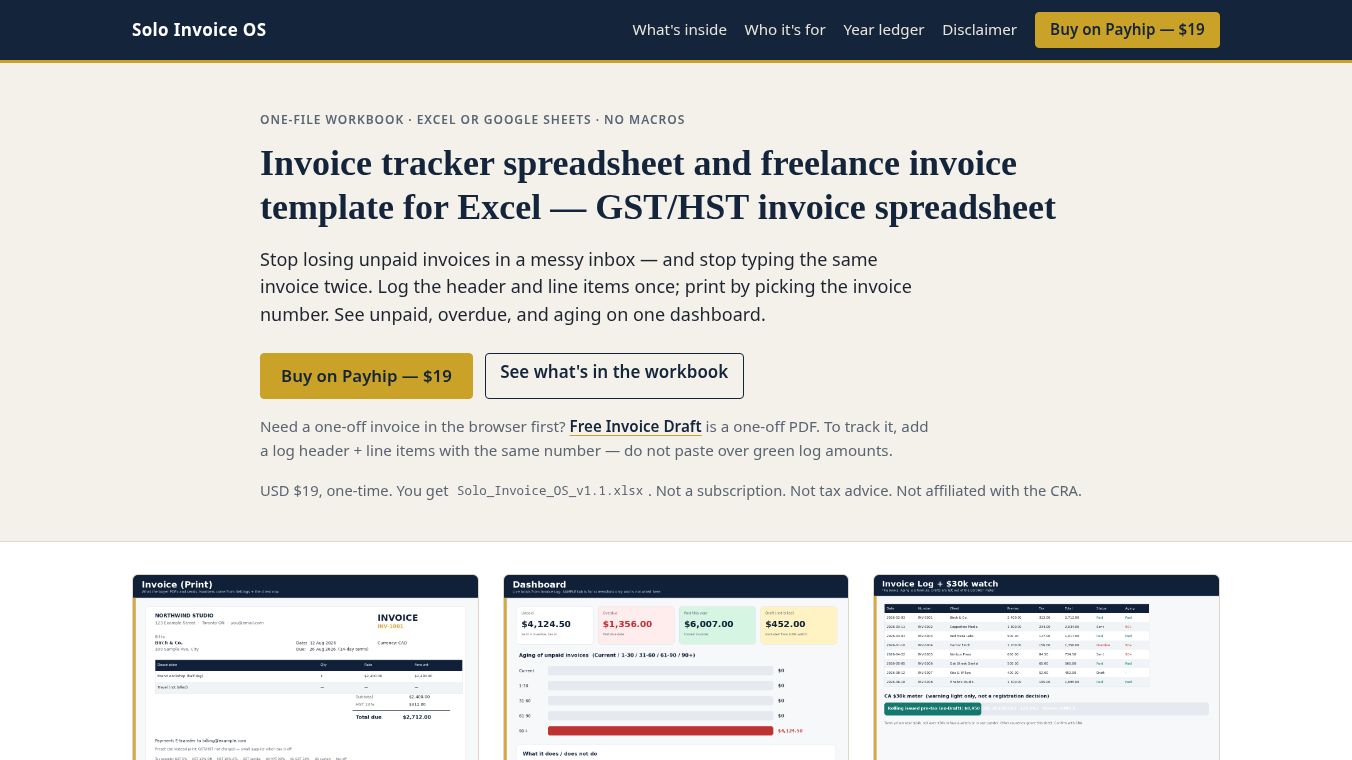





Solo Invoice OS: Streamline Invoicing with AI Assistance
Solo Invoice OS is a productivity tool designed to simplify the process of managing invoices. It works specifically within Excel 2019 and Google Sheets. The main goal of this tool is to help users find invoice log headers and line items in a single view. It also allows users to print invoices quickly by simply selecting an invoice number.
Benefits
The primary advantage of Solo Invoice OS is its ability to consolidate information. Users can see all necessary invoice details in one place instead of searching through multiple tabs or rows. Another major benefit is the automated printing feature. There is a yellow cell that acts as a dropdown menu for the invoice number. When a user selects a number from this list, the rest of the fields on the invoice fill in automatically. This saves a lot of time and reduces the chance of human error.
The tool is also very easy to set up because it does not require any extra software. It works without macros, helper rows, or external plugins. This means users do not need to worry about compatibility issues or complex installations. It runs smoothly on standard versions of Excel and Google Sheets that many people already use.
For users who want even more efficiency, there is an optional AI integration available for an extra cost of $19. This feature includes special files called AGENTS.md and SKILL.md. These files allow AI agents like ChatGPT, Claude, Gemini, Copilot, and Cursor to help with the workflow. The AI can automatically fill in the yellow cells and assist with logging and printing tasks. This is a great option for teams that want to leverage artificial intelligence to speed up their daily operations.
Use Cases
Solo Invoice OS is ideal for small business owners, freelancers, and accountants who manage their billing in spreadsheets. It is particularly useful for anyone who sends out many invoices and finds the manual process of filling out details to be tedious.
A common use case is for a freelancer who needs to generate a client invoice quickly. Instead of manually typing in every line item and total, the user can select the invoice number from the dropdown menu. The tool instantly populates the correct data, and the user can print the document immediately. This ensures that every invoice is accurate and consistent.
The tool also works well for teams that are starting to adopt AI tools for their business. By attaching the provided files to an AI agent, a team can create a workflow where the AI handles the repetitive parts of invoicing. This allows human staff to focus on more complex tasks like negotiating prices or managing client relationships.
Pricing
The base version of Solo Invoice OS is available for use within Excel 2019 and Google Sheets. There is an optional upgrade for AI assistance that costs $19. This upgrade provides the AGENTS.md and SKILL.md files needed to connect with AI agents. Users can choose to use the standard features for free or pay the additional fee to unlock the AI capabilities.
Vibes
Users appreciate the simplicity and reliability of Solo Invoice OS. The fact that it does not require macros or plugins makes it very accessible for people who are not tech-savvy. The automated printing feature is often highlighted as a game-changer because it removes the frustration of manually entering data. Reviews suggest that the tool feels like a natural extension of the spreadsheet itself, making the invoicing process feel much less like a chore.
Additional Information
It is important to note that the information provided regarding Solo Invoice OS is for informational purposes only. The tool does not provide tax advice. Users should ensure they follow all local tax laws and regulations when using the software for their business needs.
This content is either user submitted or generated using AI technology (including, but not limited to, Google Gemini API, Llama, Grok, and Mistral), based on automated research and analysis of public data sources from search engines like DuckDuckGo, Google Search, and SearXNG, and directly from the tool's own website and with minimal to no human editing/review. THEJO AI is not affiliated with or endorsed by the AI tools or services mentioned. This is provided for informational and reference purposes only, is not an endorsement or official advice, and may contain inaccuracies or biases. Please verify details with original sources.



Comments
Please log in to post a comment.