SnipText — OCR for any image or webpage






What is SnipText
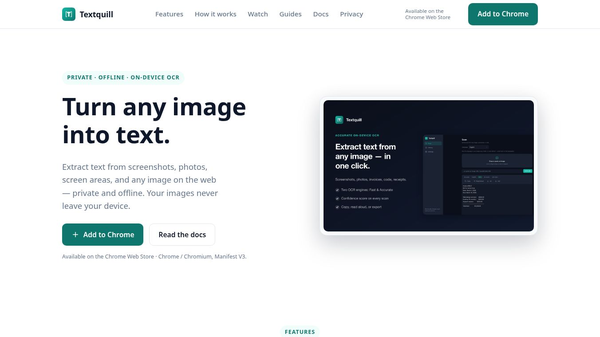
SnipText is a browser extension designed to help users turn images and webpages into editable text. It uses a technology called optical character recognition, or OCR, to read text from pictures and websites. This tool is built for the Chrome browser and works directly within the page you are visiting. It allows people to copy text from images that would normally be impossible to select and paste into a document.
Benefits
The main advantage of SnipText is its ability to make text from images usable. Often, users see text in a photo or a screenshot but cannot copy it. SnipText solves this by converting that visual text into a digital format. This makes it easy to save information, translate content, or paste it into other programs like word processors or email.
Another key benefit is its simplicity. The tool works instantly without requiring the user to upload files to a cloud server. Everything happens right in the browser. This means the process is fast and keeps the user's data private since it does not leave their device.
Use Cases
SnipText is useful in many situations where text is trapped inside an image. Students can use it to copy notes from a photographed whiteboard or a textbook page. Professionals can extract text from scanned documents or receipts to organize their records. Travelers can copy signs or menus from photos they take while abroad.
It also works well for webpages. If a website displays text inside an image instead of as real text, SnipText can still read it. This helps users who want to save content from sites that have strict copy protection or display information in a non-standard way.
Pricing
SnipText is available as a free Chrome extension. Users can install it directly from the Chrome Web Store at no cost. There are no known subscription fees or hidden charges for the basic functionality of the tool.
Vibes
Users generally appreciate the speed and ease of use of SnipText. Reviews often highlight how quickly the tool converts images to text. Many people find it helpful for tasks that used to take a lot of time, such as digitizing old documents or saving text from social media posts. The lack of a login requirement is also a positive point for many users who value privacy.
Additional Information
SnipText is developed by an independent developer and is listed on the Chrome Web Store. It is part of the developer console ecosystem for Chrome extensions. The tool focuses on providing a lightweight solution for text extraction without needing complex setup or additional software.
This content is either user submitted or generated using AI technology (including, but not limited to, Google Gemini API, Llama, Grok, and Mistral), based on automated research and analysis of public data sources from search engines like DuckDuckGo, Google Search, and SearXNG, and directly from the tool's own website and with minimal to no human editing/review. THEJO AI is not affiliated with or endorsed by the AI tools or services mentioned. This is provided for informational and reference purposes only, is not an endorsement or official advice, and may contain inaccuracies or biases. Please verify details with original sources.

Comments
Please log in to post a comment.