SightSinger.app
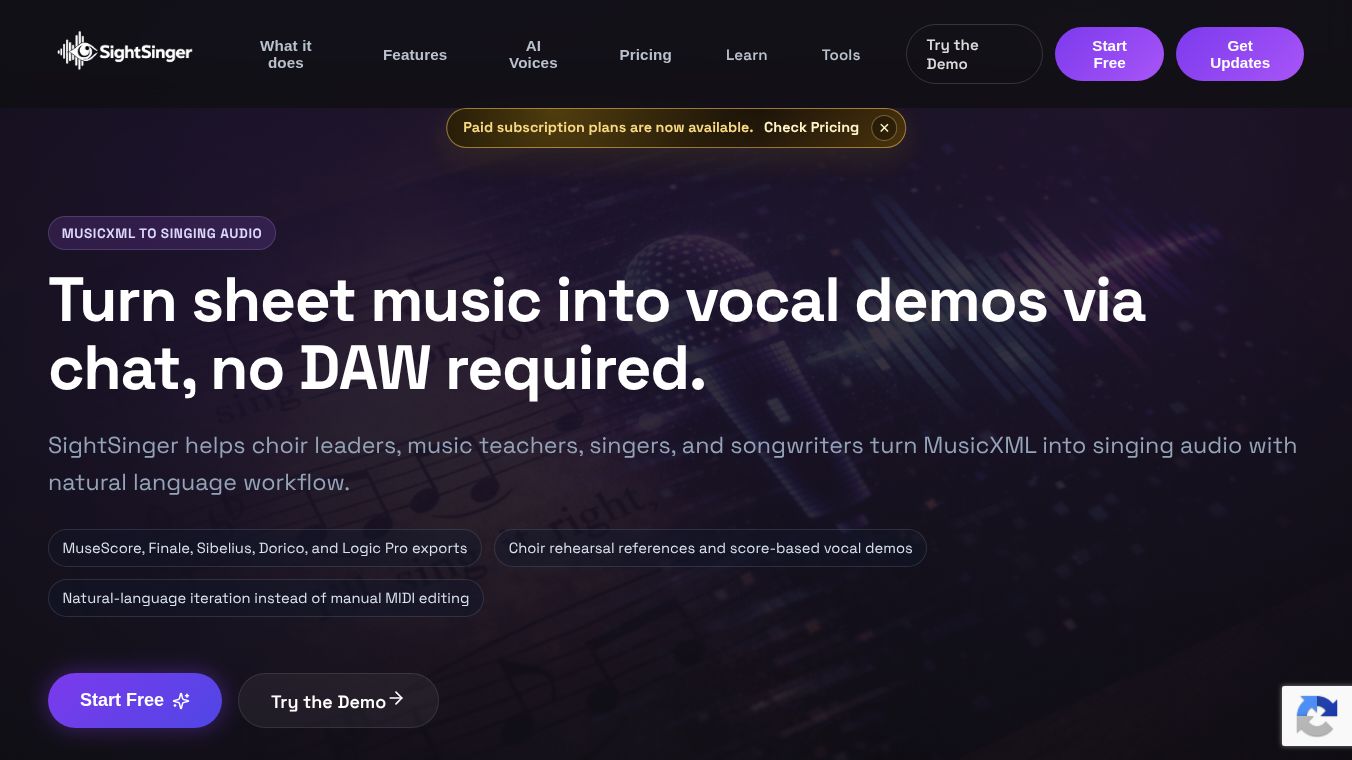





SightSinger.app: Turning Sheet Music into Singing Audio
SightSinger is a special software tool that helps people make singing audio files from sheet music. Instead of recording real singers or using complex music editing programs, this tool reads standard music scores and turns them into natural-sounding vocal tracks. It works by using simple chat commands to guide the process, making it easy for anyone to create rehearsal tracks or demo songs without needing advanced technical skills.
Benefits
- Fast Creation:Users can generate vocal demos in minutes instead of spending hours manually editing music files or recording multiple singers.
- No Recording Needed:The tool creates audio directly from sheet music, so users do not need to record their own voice or hire a singer for a quick reference.
- Flexible Voice Parts:It can easily separate music into different voice groups like Soprano, Alto, Tenor, and Bass. This helps choir leaders see exactly how each section sounds.
- Commercial Use:The audio files created are royalty-free, meaning users can use them in their own projects without worrying about copyright issues.
- Simple Interface:The system uses a chat-based workflow where users ask questions like "Can you sing the Alto part" to get the desired result without complex menus.
Use Cases
- Choir Rehearsals:Leaders can create separate tracks for different voice sections to help singers learn their parts quickly during limited rehearsal time.
- Music Education:Teachers can provide students with clear vocal references that match the written score, helping them understand phrasing and rhythm better than a piano alone.
- Songwriting:Arrangers and songwriters can test their melodic ideas and harmonies instantly before booking a studio session or finding a vocalist.
- Independent Singers:Musicians can study the note flow and lyric pacing directly from the sheet music to improve their performance.
- Worship Services:Church music directors can produce rehearsal tracks for worship bands to ensure everyone stays on the same page.
Pricing
SightSinger offers a free trial and three subscription plans based on how much audio you need to create.
- Free Plan:Costs $0 per month. You get 8 credits each month, which is enough for about 4 minutes of audio or one full song. This plan gives access to a limited selection of AI voices.
- Solo Plan:Costs $6 per month or $69 per year. This includes 30 credits monthly for about 15 minutes of audio or 3 to 4 songs. It provides full commercial rights and access to all available voice styles.
- Pro Plan:Costs $17 per month or $199 per year. This offers 120 credits monthly, enough for 60 minutes of audio or several choir songs with all four voice parts. It also includes full commercial rights and all voice options.
All plans include features like uploading MusicXML files, previewing the score in real time, splitting voices into SATB sections, and choosing specific AI voice styles.
Additional Information
SightSinger was created by Alan, a software engineer with over 20 years of experience and a musician who plays piano, drums, and ukulele. He built the tool to solve the specific problem of turning scores into singing audio for choir and arrangement work. The technology behind the tool uses a synthesis engine called DiffSinger to generate the vocal sounds. The software accepts sheet music files from popular programs like MuseScore, Finale, Sibelius, Dorico, and Logic Pro. It is important to note that this tool is not a replacement for a full music production studio or a human vocalist, but rather a helper for creating quick references and demos.
The tool does not write songs from scratch using text prompts. Instead, it sings the music that is already written in the score. It also does not convert existing recorded vocals into different styles. Its main purpose is to take a static score and bring it to life as a vocal track for rehearsal or demonstration purposes.
This content is either user submitted or generated using AI technology (including, but not limited to, Google Gemini API, Llama, Grok, and Mistral), based on automated research and analysis of public data sources from search engines like DuckDuckGo, Google Search, and SearXNG, and directly from the tool's own website and with minimal to no human editing/review. THEJO AI is not affiliated with or endorsed by the AI tools or services mentioned. This is provided for informational and reference purposes only, is not an endorsement or official advice, and may contain inaccuracies or biases. Please verify details with original sources.

Comments
Please log in to post a comment.