Sidekick™





Sidekick: The Agentic Interface for Your Mac
Research context and background
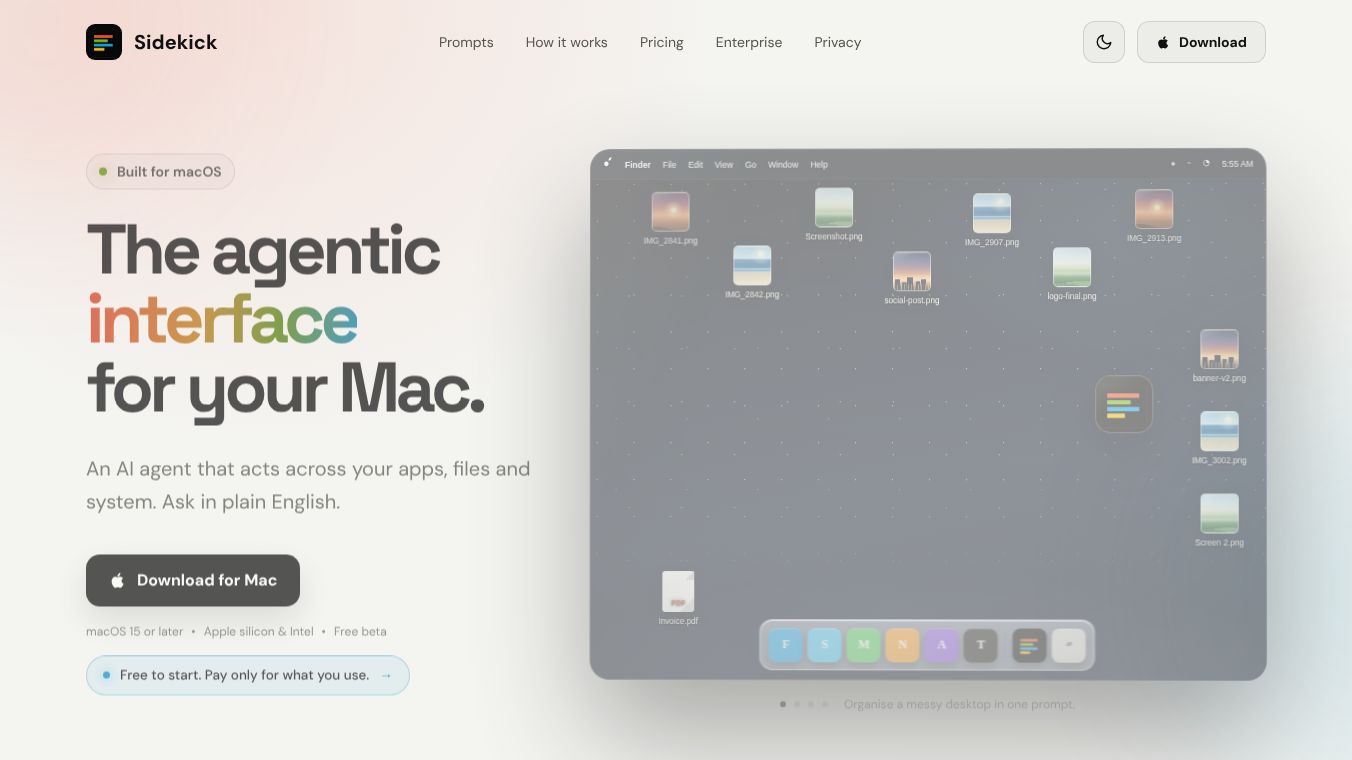
Sidekick is an artificial intelligence tool designed to work directly with your Mac computer. It acts as a personal assistant that can manage your files, organize your schedule, and perform system tasks using simple English commands. Currently, the software is available as a free beta version for users with macOS 15 or later. It works on both Apple Silicon and Intel-based Macs. The application appears as a small bubble on your desktop or can be opened quickly using a keyboard shortcut.
Benefits
Sidekick offers several key advantages for Mac users who want to streamline their daily work. The tool allows users to organize their desktop by sorting files into folders based on projects or dates instantly. It can also find specific files by description, so you do not need to remember exact filenames. The assistant can rename files automatically based on their content, such as grouping photos by subject or invoices by date.
For communication, Sidekick can create calendar events and send meeting invites with a single command. It can also type messages into active applications, allowing users to reply to colleagues in different languages or welcome new team members. The tool helps maintain a clean system by identifying and removing duplicate photos, old installers, and system caches. It can even repair Spotlight search if it stops working by rebuilding the search index.
Sidekick is also powerful for media and document tasks. It can convert video files and images to smaller sizes without needing external websites. It can merge multiple PDFs into one document or split reports into chapters. For legal or business documents, it can read contracts on your screen, summarize long texts, and highlight unusual clauses for your review.
Security is a major focus for the software. The tool operates on a permission-based model where it only acts when you explicitly ask it to. Sensitive actions require your review before they happen. The system also prevents automatic sending of data or messages without your confirmation.
Use Cases
Sidekick is useful for a wide range of professional and personal tasks. A common use case is cleaning up a cluttered desktop. A user can simply ask the tool to sort their desktop, and it will organize hundreds of files into logical folders in seconds. Another scenario involves finding a specific document. If a user cannot remember the name of a file they worked on last night, they can describe it, and Sidekick will locate and open it.
In a business setting, the tool can help with scheduling. A manager can instruct Sidekick to set up a meeting on a specific date and time, and the assistant will handle the calendar invite. Team members can use it to send messages in specific languages to international colleagues. For IT departments, Sidekick offers fleet-wide management. Administrators can use natural language commands to install software, enforce policies, or manage devices across an entire organization.
The tool is also helpful for document analysis. Legal professionals can use it to review long contracts quickly. The assistant will summarize the text and flag any unusual terms. It can also help with media production by converting large video files to smaller formats for easier sharing or storage.
Pricing
The application is free to download and use for individual users. Every new download includes $0.50 in free credits. Users can purchase additional credits for $5 whenever they need more. There are no monthly subscriptions or seat limits for personal use. Organizations can access enterprise features through a dedicated console to manage usage, costs, and workflows across their team.
Vibes
Public reception for Sidekick has been positive among early adopters. Users appreciate the ability to interact with their operating system using plain English without needing to learn complex commands. The free beta model has attracted many Mac users who are eager to test the capabilities of an AI agent that works directly on their local machine. Reviews highlight the convenience of file organization and the speed at which the tool can perform tasks like video conversion or PDF manipulation. The emphasis on security and user permission has also been well-received by privacy-conscious users.
Additional Information
Sidekick is currently in a free beta phase. It requires macOS 15 or later to function properly. The software supports both Apple Silicon and Intel processors. For larger organizations, there are enterprise features available that include centralized governance, AI visibility, and cost optimization tools. These features help businesses track AI usage, identify duplicate subscriptions, and automate repetitive workflows. The company focuses on providing a secure environment where sensitive data remains protected and user actions are always confirmed before execution.
This content is either user submitted or generated using AI technology (including, but not limited to, Google Gemini API, Llama, Grok, and Mistral), based on automated research and analysis of public data sources from search engines like DuckDuckGo, Google Search, and SearXNG, and directly from the tool's own website and with minimal to no human editing/review. THEJO AI is not affiliated with or endorsed by the AI tools or services mentioned. This is provided for informational and reference purposes only, is not an endorsement or official advice, and may contain inaccuracies or biases. Please verify details with original sources.



Comments
Please log in to post a comment.