SheetSnap
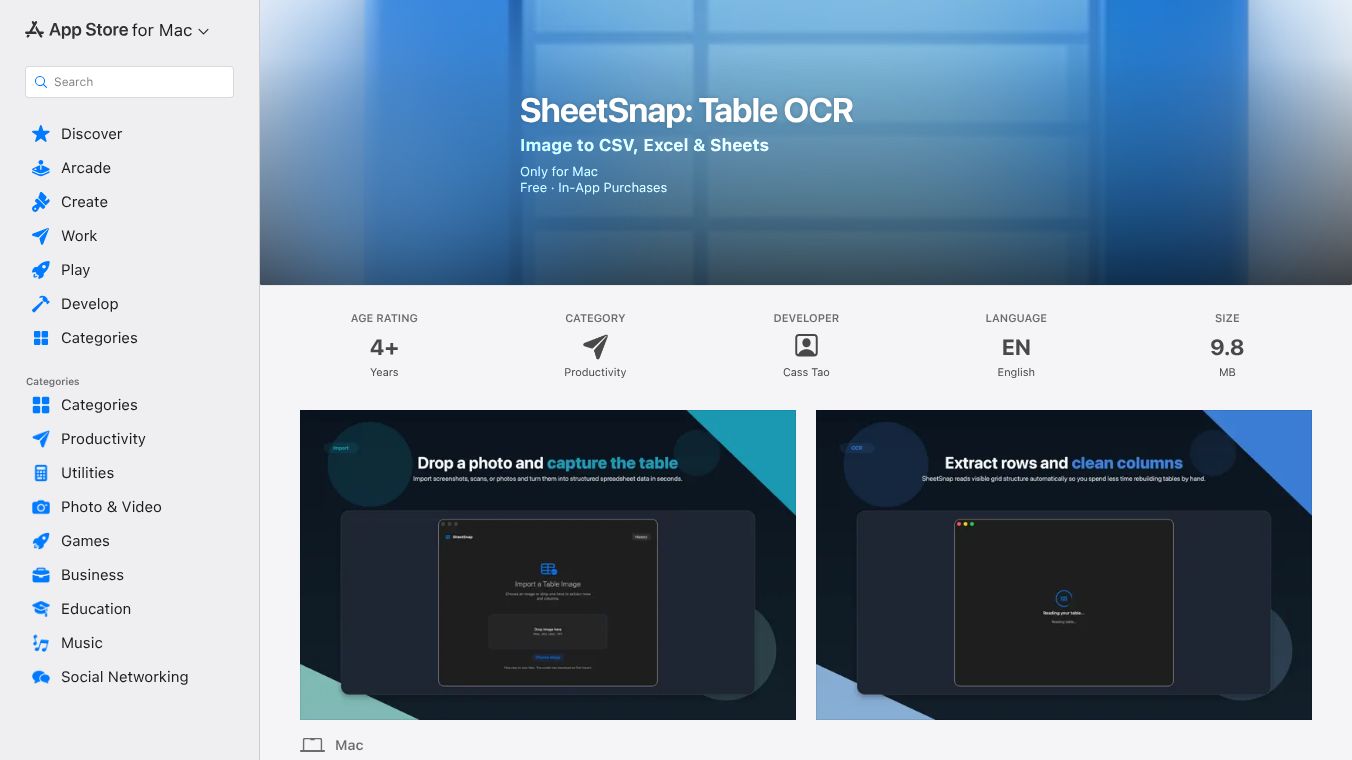





What is SheetSnap
SheetSnap is a mobile app designed to help users turn photos of spreadsheets into editable digital files. It uses a technology called OCR, which stands for Optical Character Recognition. This tool allows people to take pictures of paper documents or screens and convert the text into a format they can edit in popular spreadsheet programs like Google Sheets or Microsoft Excel. The app is available on the Apple App Store for iPhone and iPad users.
Benefits
The main advantage of SheetSnap is how quickly it saves time. Instead of manually typing data from a paper form or a printed report, users can simply take a photo and let the app do the work. It is especially helpful for people who need to digitize old records or capture data from a whiteboard during a meeting. The app claims to handle complex tables well, keeping the rows and columns in the correct order. Another benefit is that it supports multiple languages, making it useful for international teams or documents written in different scripts. Users can also choose to export their data directly to cloud services, which makes sharing files with colleagues very easy.
Use Cases
This tool fits well into many daily workflows. A common use case is for students who need to enter data from a printed textbook or a handout into a digital assignment. Another scenario is for office workers who receive reports via email as PDFs or images and need to update the numbers in their own tracking sheets. Freelancers who invoice clients often use similar tools to quickly convert handwritten notes or scanned receipts into billable hours or expense lists. It is also useful for inventory managers who need to update stock levels based on photos of warehouse shelves. Essentially, anyone who deals with a lot of tabular data on paper can find a place for this app in their routine.
Pricing
The app is available for free download on the Apple App Store. However, it offers a subscription model for advanced features. The free version allows users to convert a limited number of sheets per month. To unlock unlimited conversions and access higher resolution scanning, users must subscribe to a premium plan. The exact cost of the subscription is not listed in the provided information, but it is a recurring charge that users can manage through their Apple account settings.
Vibes
Public reception for SheetSnap is generally positive among users who need quick data entry solutions. Reviews on the App Store highlight the app's speed and accuracy when dealing with clear images. Many users appreciate the ease of use, noting that they can get results in seconds without needing to learn complex software. Some users have mentioned that the app works best when the photo is taken in good lighting and when the text is sharp. A few reviewers have pointed out that very small text or heavily handwritten notes can sometimes be difficult for the app to read correctly. Overall, the community sees it as a helpful utility for anyone looking to bridge the gap between physical paper and digital spreadsheets.
Additional Information
SheetSnap was developed by a team focused on productivity tools for mobile devices. The app was released on the Apple App Store with the goal of simplifying data entry for everyday users. There is no public information available regarding specific funding rounds or major corporate partnerships at this time. The developers continue to update the app to improve its recognition engine and add support for new spreadsheet formats.
This content is either user submitted or generated using AI technology (including, but not limited to, Google Gemini API, Llama, Grok, and Mistral), based on automated research and analysis of public data sources from search engines like DuckDuckGo, Google Search, and SearXNG, and directly from the tool's own website and with minimal to no human editing/review. THEJO AI is not affiliated with or endorsed by the AI tools or services mentioned. This is provided for informational and reference purposes only, is not an endorsement or official advice, and may contain inaccuracies or biases. Please verify details with original sources.



Comments
Please log in to post a comment.