ScreenMind
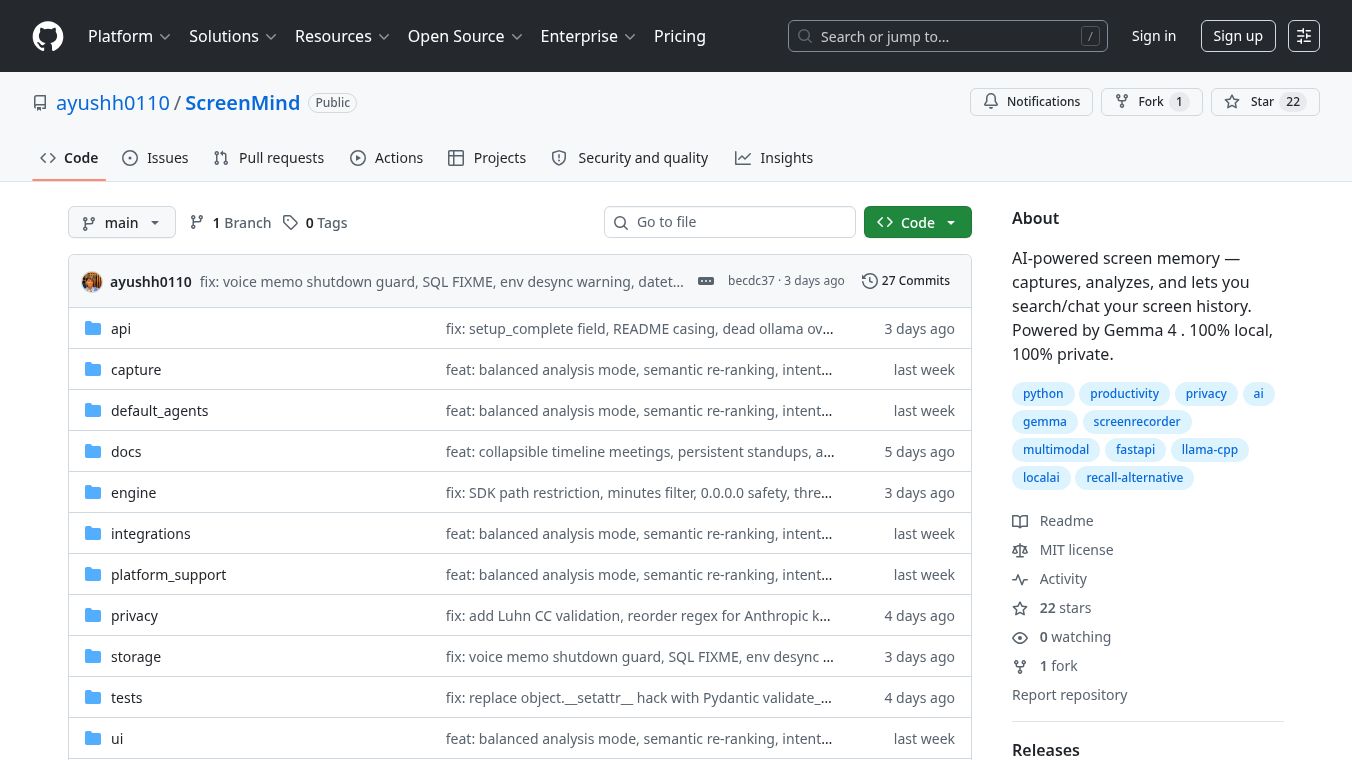





ScreenMind: A Privacy-First, Local AI Screen Memory System
ScreenMind is an open-source software tool that acts as a digital memory for your computer screen. It records what you see, hear, and do on your device and turns that information into a searchable history. Unlike many other tools that send your data to the cloud, ScreenMind keeps everything on your own computer. This ensures your personal information stays private and secure.
Benefits
ScreenMind offers several important advantages for users who value their privacy and want powerful AI tools.
- Complete Privacy:All data stays on your machine. No screenshots, audio, or insights are sent to any server. This means zero tracking and no risk of your data being leaked.
- Smart Capture:Instead of taking a picture every few seconds, ScreenMind only saves a new image when the screen actually changes. This saves storage space and battery life.
- Deep Analysis:The tool uses a powerful AI model called Gemma 4 to understand your screen. It can identify which app you are using, describe the scene, and even detect your mood based on what you see.
- Searchable Memories:You can ask questions like "What did I say in that Zoom meeting?" or "Show me the code I wrote yesterday." The system finds the exact moment using both meaning and keywords.
- Voice Memos:You can record voice notes directly while looking at your screen. The tool transcribes your speech and links it to the visual context.
- Meeting Summaries:When you join meetings like Zoom or Google Meet, ScreenMind automatically records audio and creates a structured summary of the discussion.
- Security Features:Sensitive information like credit cards, passwords, and API keys is automatically hidden before being stored. Screenshots are also encrypted to protect them from unauthorized access.
- Custom Automation:Users can create custom agents to generate daily reports, track focus time, or summarize their coding work without writing complex code.
Use Cases
ScreenMind is designed for a variety of users who need to review their digital activities or improve their productivity.
- Personal Productivity:Professionals can use the tool to track their daily focus. It generates reports showing how much time they spent in deep work versus distractions. This helps them understand their habits and improve efficiency.
- Meeting Review:Team members can rely on the automatic meeting summaries to quickly recall key points and action items without needing to listen to long recordings.
- Developer Workflow:Programmers can use the built-in agents to summarize their coding sessions. It tracks which files were changed and what repositories were accessed, creating a changelog automatically.
- Learning and Journaling:Students or researchers can use the daily journal feature to write a first-person account of their day based on their screen activity. This serves as a unique form of digital journaling.
- Security Auditing:Because the tool filters out sensitive data like passwords and financial numbers, it is safe to use for reviewing general activity without exposing private credentials.
- Cross-Platform Use:The software works on Windows, macOS, and Linux. This makes it suitable for users who switch between different operating systems or prefer open-source solutions.
Pricing
ScreenMind is free to use. It is an open-source project available on GitHub. Users can download and install it without paying any fees or licensing costs.
Vibes
Users who have tried ScreenMind generally appreciate its strong focus on privacy. The tool is praised for being a legitimate alternative to cloud-based AI services that often collect user data. Many reviewers note that the ability to search through screen history using natural language is a game-changer for remembering what happened during the day. The community is active, and contributors are welcome to help improve the software. The project maintains a friendly and collaborative spirit, inviting people to test it on different platforms and share their own custom agents.
Additional Information
ScreenMind is built with a modern tech stack to ensure speed and reliability. It uses a model called Gemma 4 for its AI tasks and runs locally using llama.cpp. The software includes a database for storing information and supports various integrations like Obsidian and Notion for syncing data. The team is actively working on expanding the project, including adding support for Docker containers and creating a browser extension. The project is licensed under the MIT License, which allows users to freely use, modify, and distribute the software.
This content is either user submitted or generated using AI technology (including, but not limited to, Google Gemini API, Llama, Grok, and Mistral), based on automated research and analysis of public data sources from search engines like DuckDuckGo, Google Search, and SearXNG, and directly from the tool's own website and with minimal to no human editing/review. THEJO AI is not affiliated with or endorsed by the AI tools or services mentioned. This is provided for informational and reference purposes only, is not an endorsement or official advice, and may contain inaccuracies or biases. Please verify details with original sources.





Comments
Please log in to post a comment.