ScreenDrop
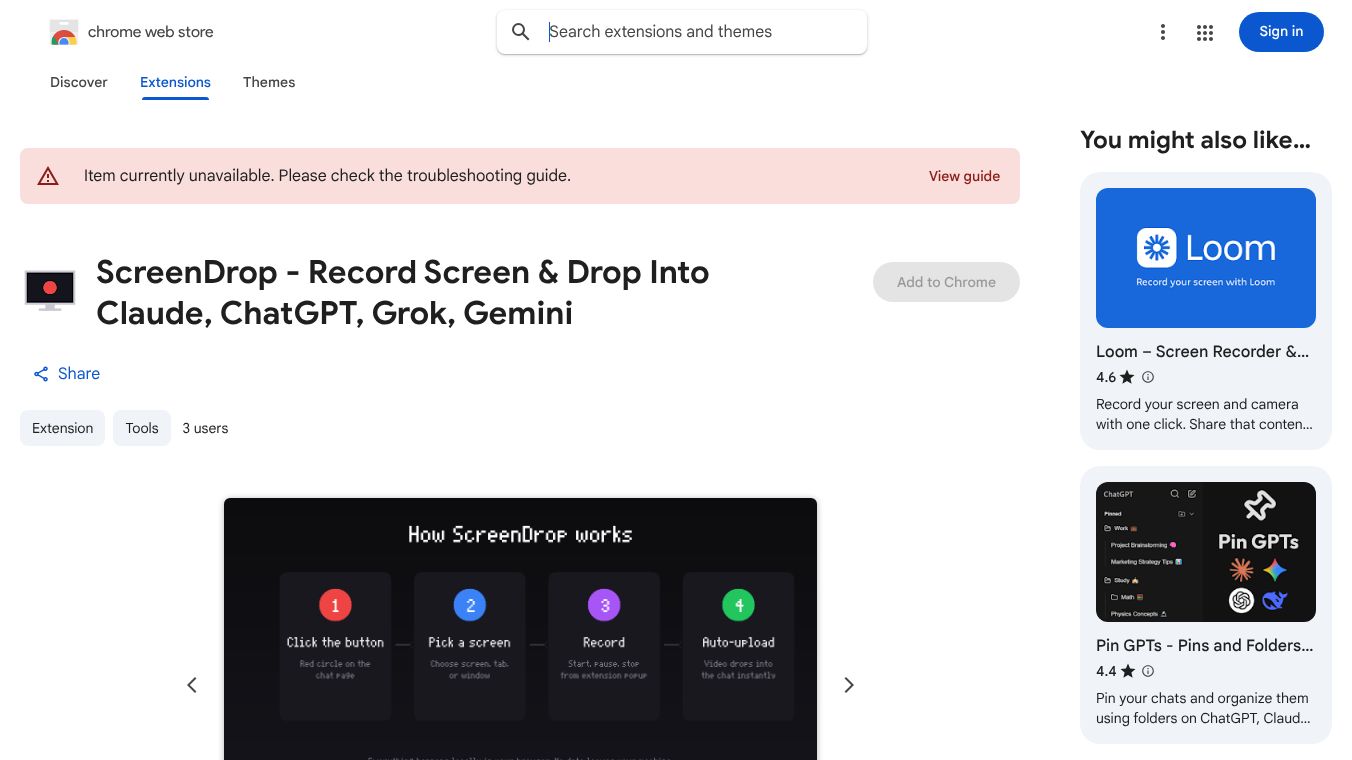





ScreenDrop is a helpful tool for anyone who uses AI chat platforms like Claude, ChatGPT, Grok, and Gemini. It's a Chrome extension that makes it easy to record your computer screen and send the video directly into your chat with the AI. This means you can show the AI exactly what you mean instead of just trying to explain it in words.
Benefits
ScreenDrop simplifies sharing information visually. Instead of using separate recording software and then uploading files, you can capture your screen with just one click. It lets you record a specific part of your screen, a whole window, or just a single tab. You can also pause and restart your recording whenever you need to. The recorded video is automatically sent to your AI chat, saving you time and effort. It works with different video formats depending on your Chrome version and keeps all your data private because it processes everything on your computer.
Use Cases
This tool is great for several situations. If you need to report a bug in a program, you can record the issue and send it directly to the AI for help. It's also useful for giving feedback on how a website or app looks and works, creating quick video tutorials, or showing off a new feature with a short demo. Essentially, any time you need to show something on your screen to an AI, ScreenDrop can make it much easier.
Vibes
While the article doesn't include specific reviews or testimonials, it mentions that ScreenDrop is designed with a clean and simple interface, suggesting a user-friendly experience. The developer's commitment to not collecting user data also points to a focus on privacy and trust.
Additional Information
ScreenDrop was updated on April 7, 2026, by developer Uttej I. The developer has clearly stated that no user data is collected or shared. Currently, ScreenDrop is unavailable on the Chrome Web Store, and users are directed to a troubleshooting guide. Other similar tools that help with screen recording or organizing AI interactions are also available.
This content is either user submitted or generated using AI technology (including, but not limited to, Google Gemini API, Llama, Grok, and Mistral), based on automated research and analysis of public data sources from search engines like DuckDuckGo, Google Search, and SearXNG, and directly from the tool's own website and with minimal to no human editing/review. THEJO AI is not affiliated with or endorsed by the AI tools or services mentioned. This is provided for informational and reference purposes only, is not an endorsement or official advice, and may contain inaccuracies or biases. Please verify details with original sources.



Comments
Please log in to post a comment.