Resage





Resage: The AI Reading App That Learns How You Read
Introduction
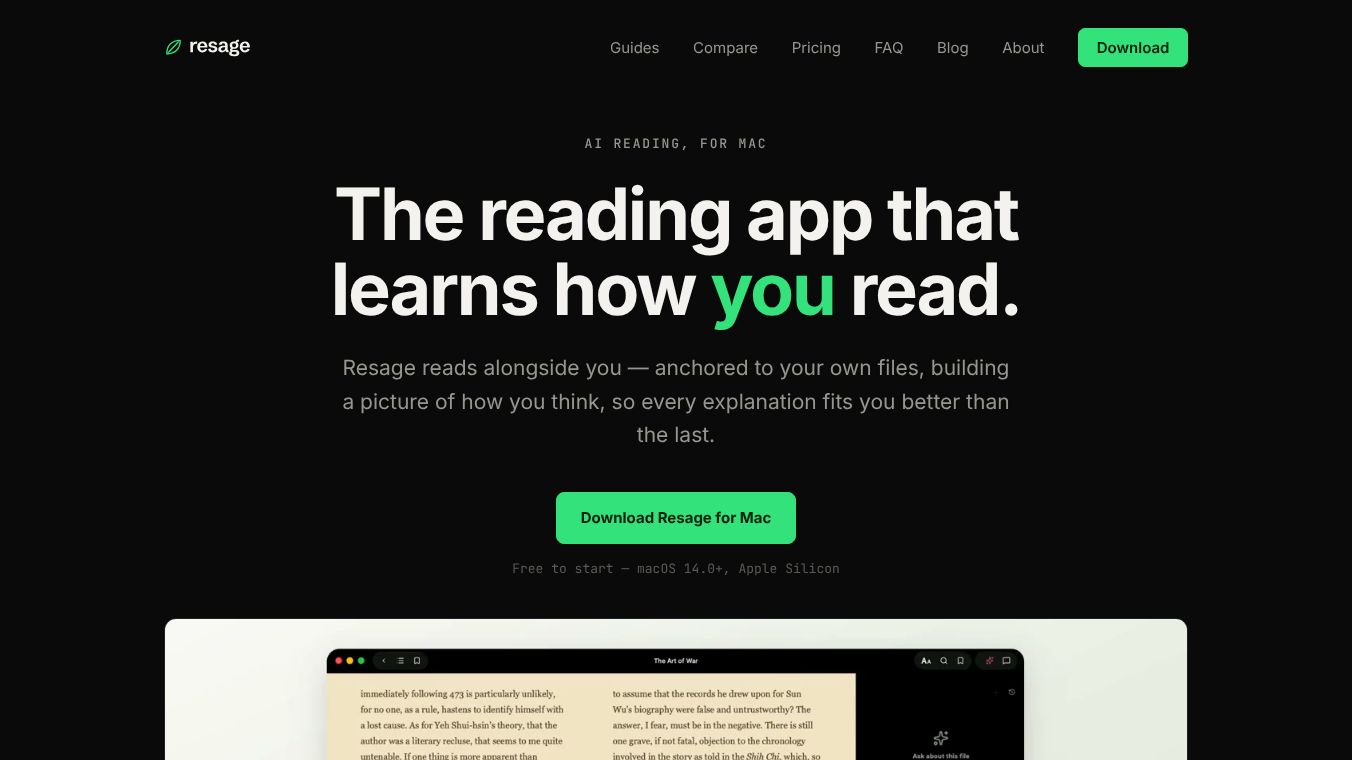
Resage is a dedicated reading application for Mac computers that acts as an intelligent companion for your documents. Unlike standard AI tools that treat every conversation as a fresh start, Resage remembers your specific files and how you read them. It builds a private profile of your reading habits and knowledge base over time. This allows every explanation to become more tailored to you as you use the app more. It is designed specifically for macOS 14.0 and later devices with Apple Silicon chips.
Benefits
Resage offers several key advantages over generic AI assistants. First, it provides contextual memory. It remembers your progress and understanding across different sessions and files instead of forgetting previous conversations. Second, it gives grounded answers. Every response is strictly based on the actual text on your screen. If the AI is unsure about something, it admits its limitations rather than making things up. Third, it avoids the confusion of long chat threads by keeping the conversation tied to the specific page you are viewing. Finally, it connects what you learned in one file to what you are reading in the next, helping you build a unified knowledge base instead of isolated information silos.
Use Cases
Resage is perfect for students, researchers, and professionals who need to understand complex documents deeply. You can use it to read PDFs, ebooks, and word documents while getting instant help. The app functions as a full-page ebook reader where you turn pages yourself. You can ask questions about the current page using a simple bar at the bottom of the screen. You can also tap a small diamond icon at the end of any sentence to discuss that specific line. Another powerful feature is the Digest function. This reads your entire file locally on your Mac before you ask any questions. This lets you discuss the whole book or document, not just the part currently visible on your screen. It is also great for managing large libraries because your reading progress and highlights sync through iCloud and can be backed up as a portable file.
Pricing
Resage offers a flexible pricing model to suit different needs. There is a free tier that includes unlimited importing, reading, and text recognition. However, the free version has a limit on how many discussions you can have each week. For users who need more help, there is a Resage Plus subscription. This costs $4.99 per month or $39.99 per year. The Plus tier provides a higher allowance for discussions. The app automatically decides how much of your allowance a question uses based on its complexity. Simple questions about the current page cost less, while broad searches or complex lists cost more. You can see your usage details in the app settings.
Vibes
Users appreciate Resage for its focus on privacy and deep understanding. Many reviewers highlight that it feels like a true reading companion rather than a generic chatbot. People love that their files never leave their device for processing, which makes them feel safe sharing sensitive documents. The ability to see and edit the AI's understanding of them is also a major plus. Users feel in control because they can see what the AI knows for sure and what it is guessing. The app has received praise for making complex documents easier to digest without the frustration of losing your place in a long conversation.
Additional Information
Resage is built with privacy as a core feature. All file processing, including scanning text from images, happens entirely on your Mac. Your files are never uploaded to the cloud for this process. The app supports many file formats including PDF, EPUB, Word, TXT, and Kindle files. PDFs keep their original layout while other formats adjust to fit the screen. The interface is available in English and Chinese, but users can discuss files in over 100 languages. The OCR feature supports over 30 languages for scanned documents. This makes it a versatile tool for reading materials in various languages while keeping everything secure on your local machine.
This content is either user submitted or generated using AI technology (including, but not limited to, Google Gemini API, Llama, Grok, and Mistral), based on automated research and analysis of public data sources from search engines like DuckDuckGo, Google Search, and SearXNG, and directly from the tool's own website and with minimal to no human editing/review. THEJO AI is not affiliated with or endorsed by the AI tools or services mentioned. This is provided for informational and reference purposes only, is not an endorsement or official advice, and may contain inaccuracies or biases. Please verify details with original sources.




 No Info
Comments
Please log in to post a comment.