Replit Animated Videos
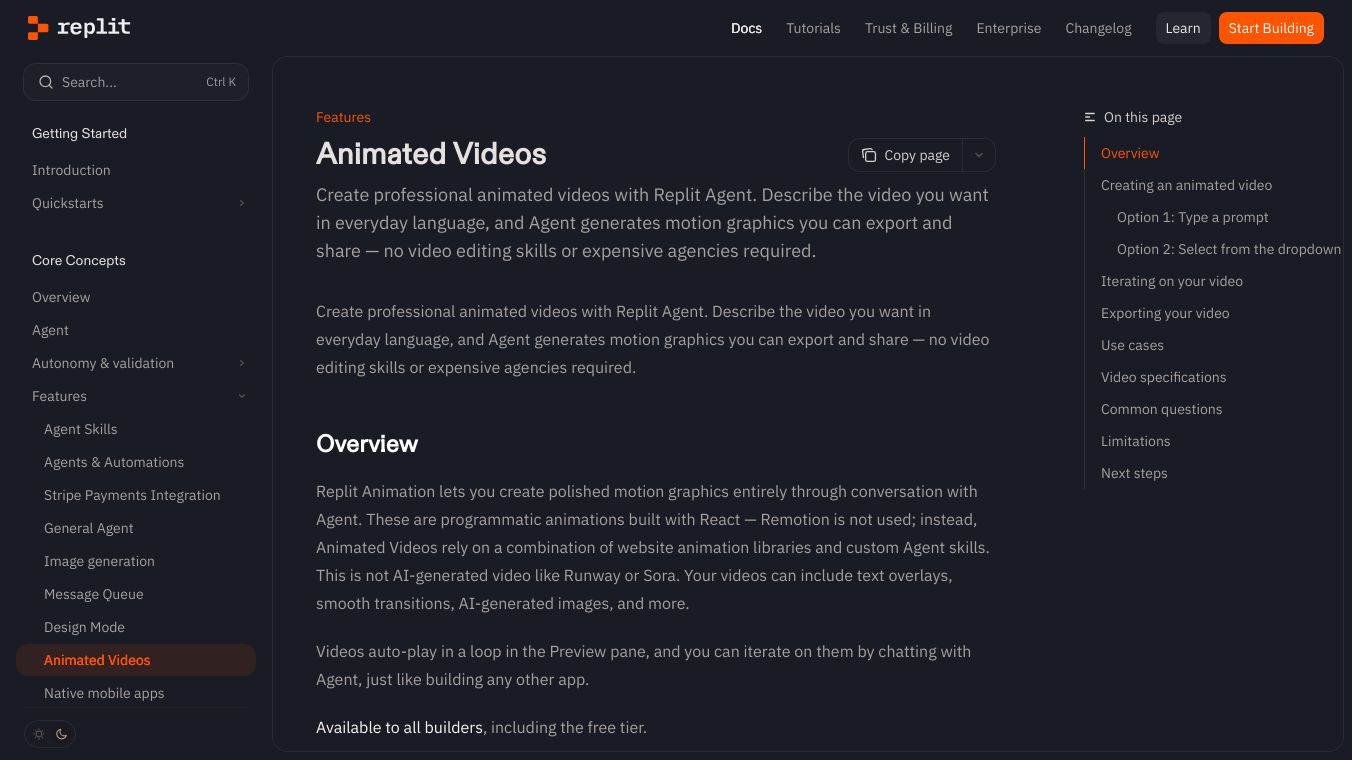





Replit Animated Videos is a tool that lets anyone create professional looking animated videos using simple text descriptions. You don't need to be a video expert or hire someone else to make them. These videos are built using code, similar to how websites are made, and they can include text, smooth changes between scenes, and even images created by AI. The videos play automatically in a loop when you view them in Replit. This feature is available to everyone, even if you are using the free version of Replit.
Benefits
Replit Animated Videos makes video creation easy and accessible. It removes the need for complicated video editing software or hiring expensive professionals. You can quickly generate videos from just a few words, and then easily make changes by just typing what you want to adjust. This saves time and resources, allowing you to create polished videos for various purposes without a steep learning curve.
Use Cases
This tool is great for making many types of videos. You can create promotional videos for new products, explainer videos that show how something works, or engaging videos for social media. Businesses can use it for marketing, to update investors, or to create videos for their websites. For example, you could ask it to "Make a promo video for my new sparkling water brand" or "Create a 30-second explainer video for how large language models work."
Vibes
Users can refine their videos by talking to the tool. You can ask for general improvements or give specific instructions like "make the transitions smoother" or "change the color scheme to dark blue and gold." It's often enough to go through two or three versions to get the video just right.
Additional Information
Once you are happy with your video, you can download it as an MP4 file. You can choose the quality, like 720p or 1080p resolution, and the frame rate. The video is created on Replit's servers, so you can keep working on other things while it's being made. You can also share a link to your video. The videos are created using code and animation libraries, not by generating video directly like some other AI tools. While videos loop automatically in the preview, you can ask for controls like pause and play if needed.
This content is either user submitted or generated using AI technology (including, but not limited to, Google Gemini API, Llama, Grok, and Mistral), based on automated research and analysis of public data sources from search engines like DuckDuckGo, Google Search, and SearXNG, and directly from the tool's own website and with minimal to no human editing/review. THEJO AI is not affiliated with or endorsed by the AI tools or services mentioned. This is provided for informational and reference purposes only, is not an endorsement or official advice, and may contain inaccuracies or biases. Please verify details with original sources.

 No Info
Comments
Please log in to post a comment.