Redock
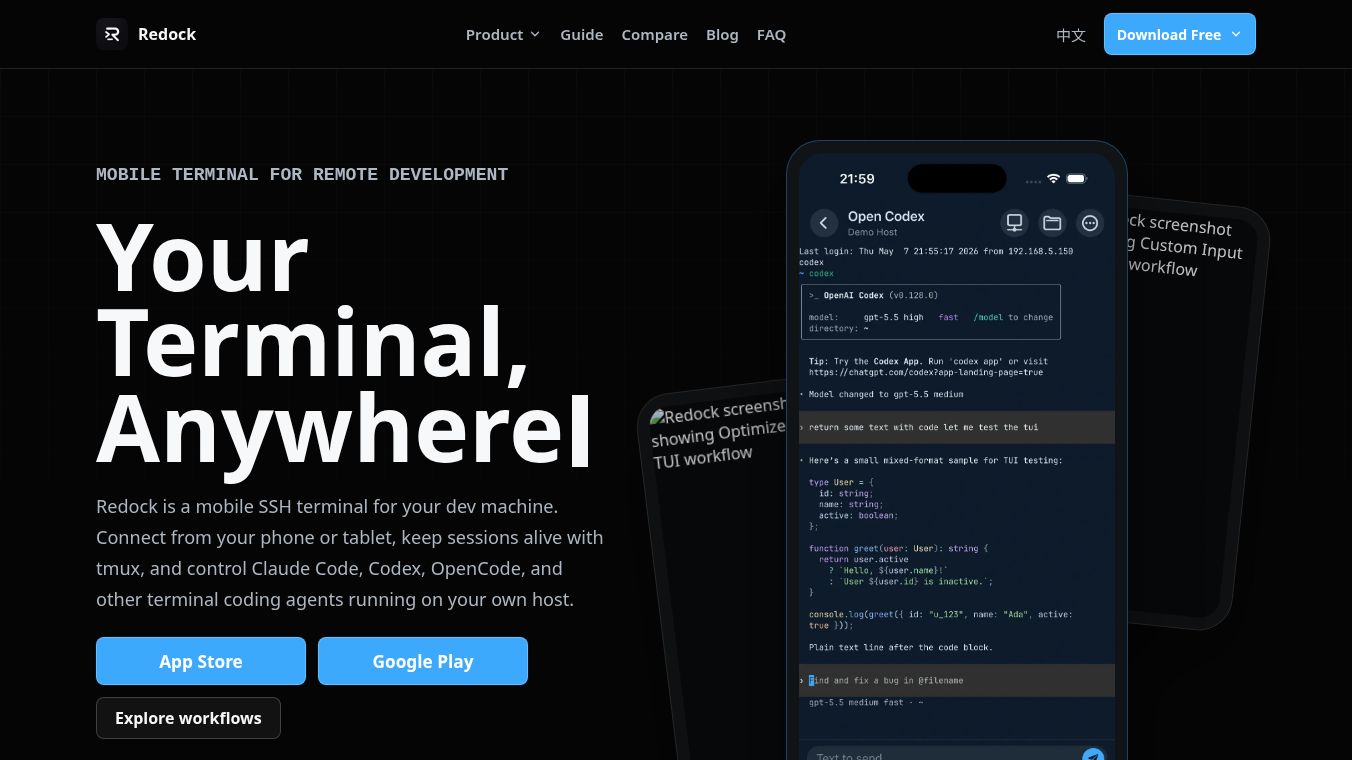





Redock: A Mobile Terminal for Remote Development
Research Context and Background
Redock is a mobile application that acts as a remote terminal for developers. It allows users to connect their smartphones or tablets to their personal computers using standard protocols like SSH or Mosh. Unlike cloud-based coding tools that run code on remote servers, Redock keeps all code and tools on the user's local machine. It provides a mobile-friendly interface to access the terminal workflow that developers already use. This means users can check their work, run tests, and manage coding agents directly from their phone without needing a laptop nearby.
Benefits
Redock offers several key advantages for developers who want to stay productive on the go. First, it is optimized for terminal user interfaces, which are often used by modern coding agents. The app supports gestures and layouts that make it easy to interact with these complex tools on a small screen. Users can dictate technical instructions using speech input, review the transcript, and send it as editable text to their terminal. The app also handles complex languages like Chinese, Japanese, and Korean natively.
Another major benefit is session persistence. Redock works well with tools like tmux, which allow users to create and manage terminal sessions that survive disconnections. If a user loses their internet connection or closes the app, their work is saved. When they return, they can easily resume their live sessions or view background logs. The app also organizes projects into manageable contexts, binding the host machine, working directory, and recent activity into a single view. This reduces the need to retype commands and helps developers switch between tasks quickly.
Use Cases
Redock is designed for developers who need to check on their work or perform quick tasks away from their desks. A common use case is remote checking. A developer can open the app, resume an existing terminal session, review actions taken by a coding agent, and send corrections without opening their laptop. This is useful for quick verification tasks like running git status commands, executing tests, or performing health checks. The app records these outputs as permanent records rather than temporary scrollback text.
Another scenario involves using coding agents like Claude Code or Codex. Developers can launch these agents on their own host through the app and manage them using mobile gestures. The app allows users to compose entire prompts before sending them to the shell, making it easier to provide detailed instructions. It is also useful for maintaining multiple connections. Users can keep separate connections for different shells or tmux sessions on the same host without losing the state of any session.
Pricing
Pricing details for Redock are not available in the provided information.
Vibes
Public reception and specific reviews are not included in the provided article.
Additional Information
The article does not contain information about funding, partnerships, or notable achievements for Redock.
This content is either user submitted or generated using AI technology (including, but not limited to, Google Gemini API, Llama, Grok, and Mistral), based on automated research and analysis of public data sources from search engines like DuckDuckGo, Google Search, and SearXNG, and directly from the tool's own website and with minimal to no human editing/review. THEJO AI is not affiliated with or endorsed by the AI tools or services mentioned. This is provided for informational and reference purposes only, is not an endorsement or official advice, and may contain inaccuracies or biases. Please verify details with original sources.


Comments
Please log in to post a comment.