Qursor





Qursor: Transforming UI Annotations into Structured, Code-Aware Context
Overview
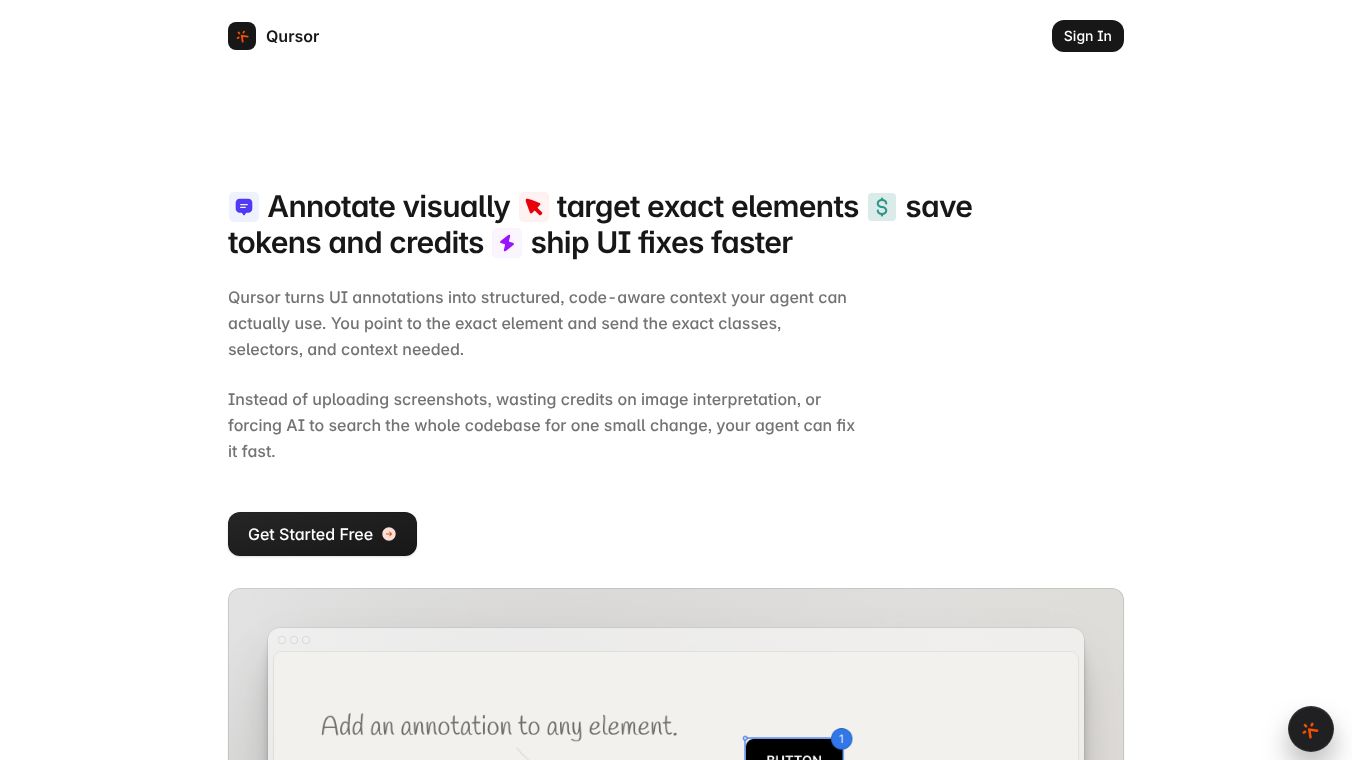
Qursor is a Chrome extension designed to bridge the gap between visual interface inspection and code implementation. It allows users to point to exact UI elements and instantly convert them into structured, code-aware context. This eliminates the need for vague screenshots, manual code searching, or wasting AI credits on image interpretation. By providing precise classes, selectors, and context, Qursor enables AI agents to fix issues faster and developers to build interfaces more efficiently.
Benefits
Qursor offers several key advantages for developers, designers, and clients. It replaces guesswork with precision by allowing users to hover over any element to instantly view essential details such as fonts, colors, spacing, padding, and margins without opening DevTools. Users can identify exact font families, sizes, weights, line heights, and other text styles. They can also capture text, background, border, and other color values in various formats like Hex. The tool includes a spacing feature to quickly check padding, margins, gaps, and layout spacing. An annotation mode lets users add notes for specific changes when manual editing isn't required. Users can select an element and modify styles directly before exporting the context. When copying, Qursor automatically includes any edits or annotations made, ensuring the exported context reflects the desired changes.
Another major benefit is the ability to extract real components and assets from any interface, including production sites, staging environments, and localhost previews. Users can copy buttons, cards, or full UI sections as clean HTML, CSS, or JSX that is ready for React. There is no Tailwind output; exports are standard web code. Users can also find and download visual assets like logos and icons in SVG, PNG, or JPG formats. They can download individual assets or perform bulk exports for entire sections.
The primary value proposition of Qursor is its ability to generate context suitable for AI agents. Instead of sending screenshots that require AI to interpret images and search entire codebases, users send exact element context. This reduces prompt length, minimizes retries, and lowers AI token costs. The copied output is plain, structured text that works with any AI coding tool or agent.
Qursor also facilitates smoother handoffs between clients, designers, and developers. Clients can install the extension, open a specific page, and annotate exact elements they want changed. They can copy the feedback, which includes the structured element context, and send it directly to the developer or an AI agent. Designers, product managers, and developers can work from the same visual context, reducing clarification loops and speeding up execution from review to implementation.
Use Cases
Getting started with Qursor takes approximately 30 seconds. Users install the extension by adding it to Chrome and pinning it to their toolbar. They open any website and click the Qursor bubble. They can hover to inspect elements or click to select what they want to change. After annotating changes or editing styles directly, they copy the structured context containing exact classes, selectors, and updates.
This tool is useful for developers who need to inspect elements quickly without leaving their browser. It is also helpful for designers who want to extract components or assets from existing interfaces. Clients can use it to provide precise feedback on UI elements they want changed. The workflow supports live production sites, staging URLs, and localhost during development. It is designed for users who do not need to write code or configure settings to inspect elements or copy components.
Pricing
Qursor offers a bootstrapped pricing model designed to be affordable and pay for itself through saved time and reduced AI waste. The Free plan costs $0 per month and includes 3 picks per day. It includes a color picker, font detect, assets download, and component copy. No credit card is required for this plan. The Yearly plan costs $29 per year and offers unlimited picks. It includes all Free features plus unlimited comments and asset downloads. The Lifetime plan costs $39 as a one-time payment. This provides permanent access with unlimited picks and all features. There are no recurring fees for the Lifetime plan.
Vibes
Qursor is designed to streamline the process of inspecting, reviewing, and building interfaces. By turning visual annotations into structured, code-aware data, it reduces frustration, accelerates fixes, and ensures that both human developers and AI agents have the exact context needed to succeed. The tool is built to work on most pages opened in Chrome, making it a versatile addition to any web development workflow. Its focus on reducing AI token usage and improving precision makes it a practical choice for teams looking to optimize their development process.
Additional Information
Qursor is a bootstrapped product, meaning it is not funded by external venture capital. The pricing model reflects this independent approach, offering flexible options like a one-time lifetime payment to avoid recurring costs. The tool does not generate Tailwind-specific output but instead exports clean HTML, CSS, and JSX. This ensures compatibility with a wide range of web development frameworks and tools. The extension works seamlessly with any AI coding tool or agent that accepts structured text input.
This content is either user submitted or generated using AI technology (including, but not limited to, Google Gemini API, Llama, Grok, and Mistral), based on automated research and analysis of public data sources from search engines like DuckDuckGo, Google Search, and SearXNG, and directly from the tool's own website and with minimal to no human editing/review. THEJO AI is not affiliated with or endorsed by the AI tools or services mentioned. This is provided for informational and reference purposes only, is not an endorsement or official advice, and may contain inaccuracies or biases. Please verify details with original sources.




Comments
Please log in to post a comment.