Pomeroy





Pomeroy: Bridging Claude Desktop with Native macOS Applications
Overview
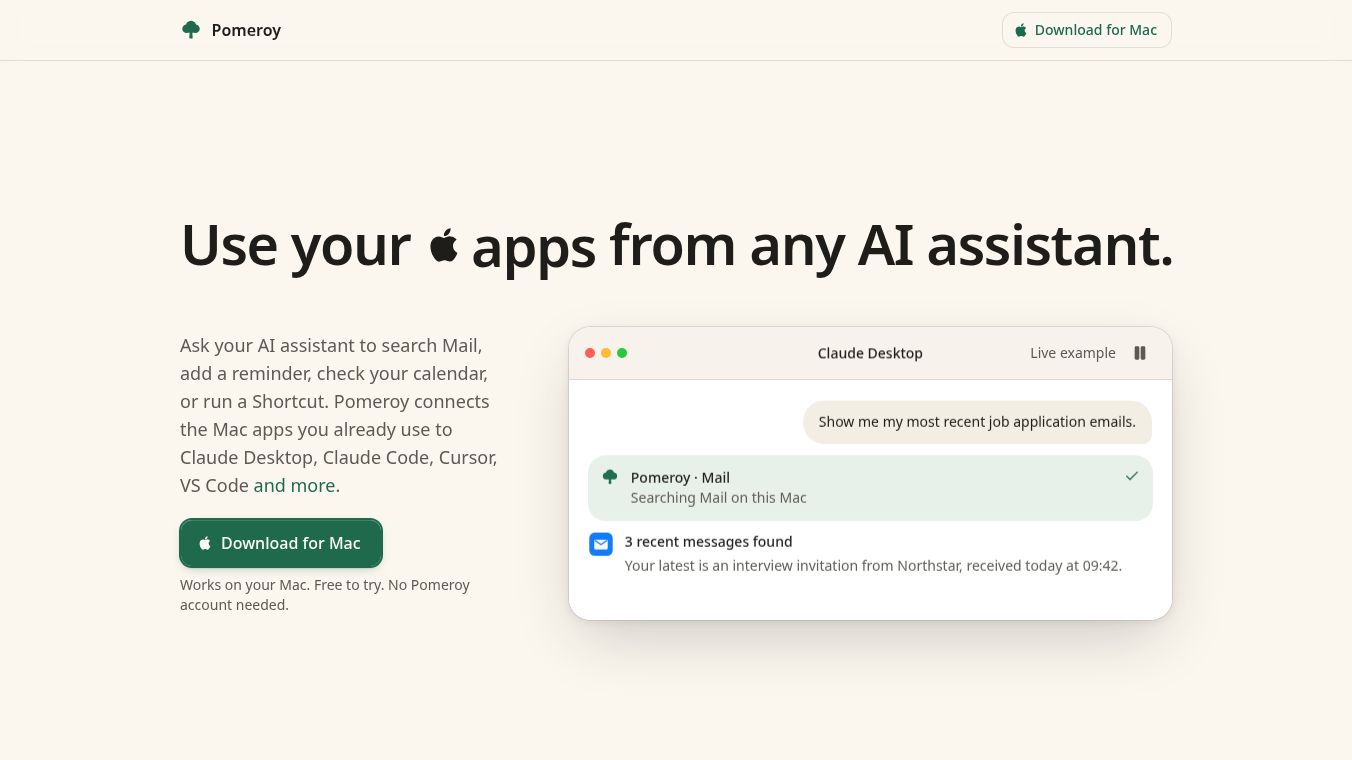
Pomeroy is a macOS desktop application designed to bridge Anthropic's Claude Desktop AI assistant with native Apple macOS applications. It enables users to ask Claude queries and commands that interact directly with their personal data stored on their Mac, including Mail, Calendar, Reminders, Notes, Contacts, Messages, Maps, and Shortcuts. The app is designed for privacy: no app data is sent to Pomeroy servers, and all processing happens locally on the user's machine.
Benefits
Pomeroy offers several key advantages for users who want to integrate AI into their daily workflows without compromising security. First, it provides a simple setup process that requires no Terminal commands or configuration files. Users can individually enable or disable access for each of the eight supported apps after installation, giving them full control over their data. Second, the app prioritizes privacy by ensuring that no app data is sent to Pomeroy servers. All processing occurs locally on the user's machine, which reduces the need for cloud-based integrations and preserves data confidentiality. Third, it offers a free tier of 50 actions per week without requiring a credit card. Finally, users can remove the weekly limit with a one-time fee of $19, avoiding recurring subscription costs.
Use Cases
Pomeroy solves the problem of AI assistants being isolated from personal productivity data that lives inside native macOS apps. It is particularly useful for searching Apple Mail for specific details like flight confirmations. Users can also add calendar appointments directly via chat or create reminders for tasks and follow-ups. The tool helps people find notes regarding household records, such as boiler pressure, or look up contact phone numbers and addresses. It allows users to locate door codes or addresses within iMessage history and get driving directions and travel times from Apple Maps. Additionally, users can execute custom Shortcuts through natural language commands by simply mentioning the shortcut name.
Pricing
Pomeroy offers a free tier that includes 50 actions per week. No account or payment card is required to use this tier. To remove the weekly limit, users can pay a one-time fee of $19. This is a one-time payment, not a subscription.
Vibes
Pomeroy is well-received for its focus on privacy and ease of use. Users appreciate that it operates independently of Anthropic while working exclusively with Claude Desktop. The ability to keep all data local on the machine is a significant plus for those concerned about data security. However, some users may find the limitation of the free tier restrictive if they need more than 50 actions per week. The requirement for macOS 15 or later also means that older Mac users cannot take advantage of the tool.
Additional Information
Pomeroy requires macOS 15 or later, which limits availability to recent Macs. It is currently available only for macOS and has no Windows, web, or mobile version. The app works only with Claude Desktop and not with other AI assistants. Users interested in similar tools may also explore options such as Raycast AI, Alfred AI, Apple Shortcuts, Hammerspoon, OpenInterpreter, and Claude Desktop MCP integrations.
This content is either user submitted or generated using AI technology (including, but not limited to, Google Gemini API, Llama, Grok, and Mistral), based on automated research and analysis of public data sources from search engines like DuckDuckGo, Google Search, and SearXNG, and directly from the tool's own website and with minimal to no human editing/review. THEJO AI is not affiliated with or endorsed by the AI tools or services mentioned. This is provided for informational and reference purposes only, is not an endorsement or official advice, and may contain inaccuracies or biases. Please verify details with original sources.





Comments
Please log in to post a comment.