Pluck
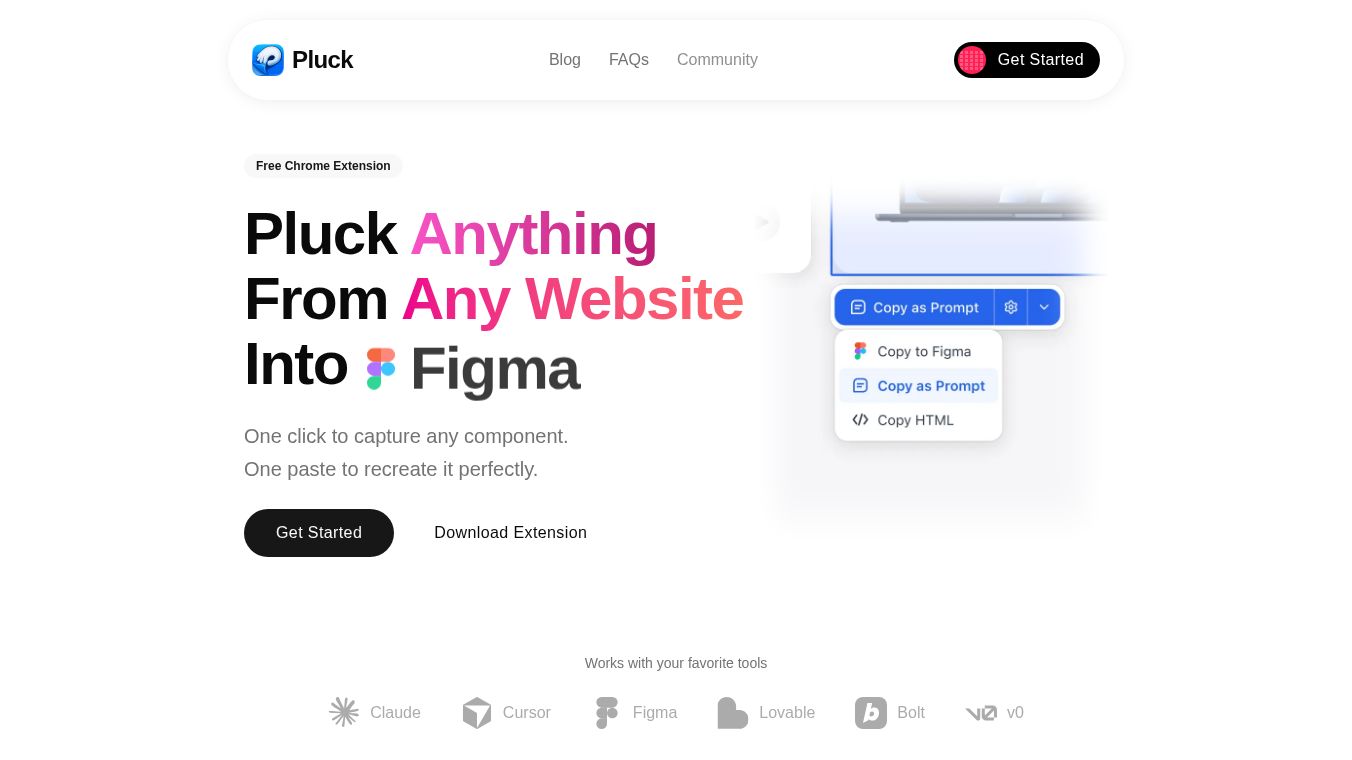





Pluck is a free Chrome extension that helps users quickly grab parts of websites and use them in their own projects. It makes building user interfaces much easier because you don't have to manually copy and recreate website elements.
Benefits
Pluck lets you capture any part of a website with just one click. It saves all the details like colors, fonts, spacing, and layout. This means you can get accurate results when recreating elements. It helps you build things faster, going from an idea to usable code in just minutes.
Use Cases
After selecting an element on a website, Pluck captures its structure, including its code and styles. You can then choose the tools you want to use, like Tailwind, React, Svelte, or Vue, and Pluck will adjust the output. The captured component can be copied as a prompt for AI tools, pasted into Figma as editable designs, or saved as raw HTML.
Pricing
Pluck offers a free version with all the necessary features to begin. For those who use it daily and need more, there is an Unlimited plan for $10 per month.
Vibes
Thousands of developers are already using Pluck to speed up their work and avoid rebuilding user interfaces from scratch.
Additional Information
Pluck is designed to help users ship projects faster. It is free to start using and does not require a credit card.
This content is either user submitted or generated using AI technology (including, but not limited to, Google Gemini API, Llama, Grok, and Mistral), based on automated research and analysis of public data sources from search engines like DuckDuckGo, Google Search, and SearXNG, and directly from the tool's own website and with minimal to no human editing/review. THEJO AI is not affiliated with or endorsed by the AI tools or services mentioned. This is provided for informational and reference purposes only, is not an endorsement or official advice, and may contain inaccuracies or biases. Please verify details with original sources.
 No Info

Comments
Please log in to post a comment.