Pixvive — AI Photo Restoration
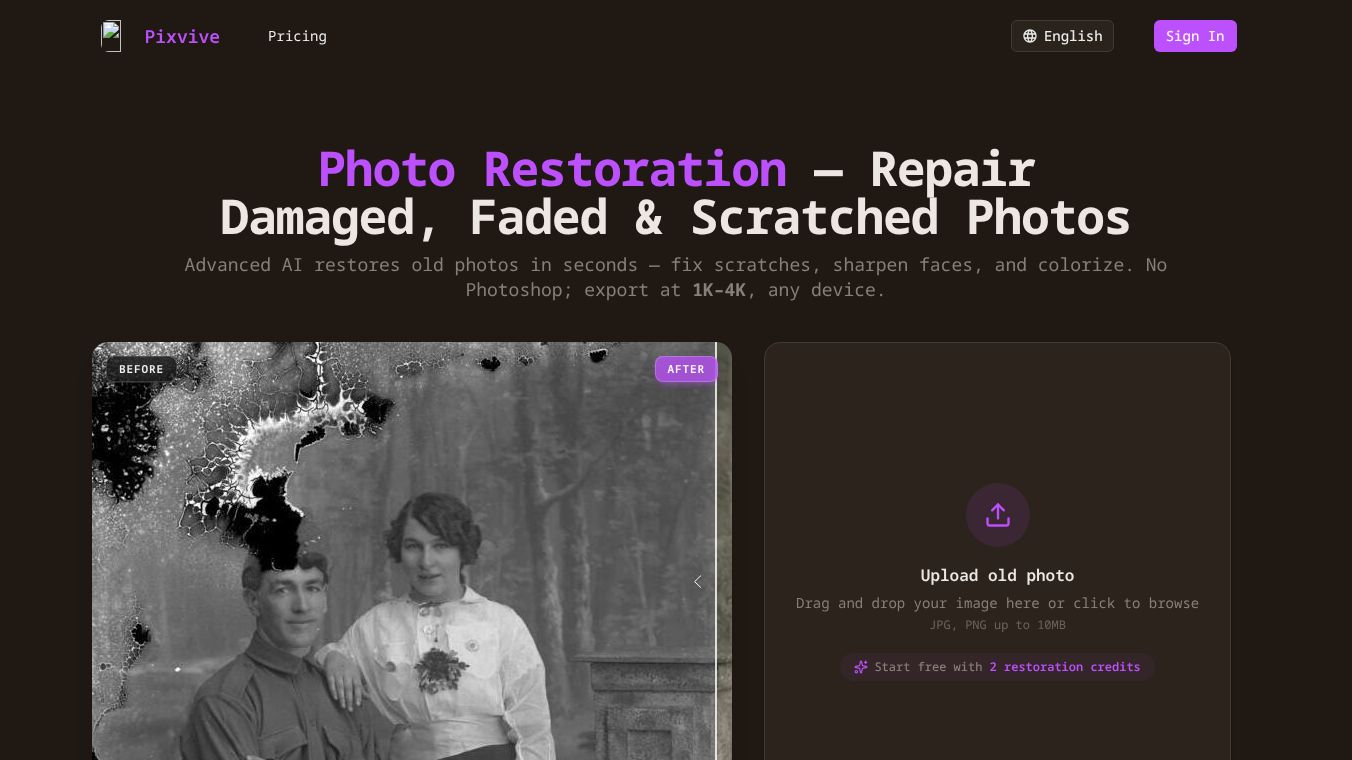





Pixvive AI Photo Restoration is an online tool that uses advanced artificial intelligence to fix old, damaged, or faded photographs quickly and easily. It can repair scratches, sharpen faces, and add realistic color to black and white pictures, all without needing complicated software.
Benefits
This service can bring old memories back to life by fixing various types of damage like faded colors, yellowing, scratches, creases, stains, and torn edges. It automatically corrects colors, improves contrast, and fills in missing parts of the photo. For black and white photos, Pixvive adds natural colors, making them look realistic while keeping the original feel. It can also sharpen blurry or low-resolution images, allowing you to get high-quality results up to 4K resolution, which are great for printing or framing.
Use Cases
Pixvive is useful for anyone with old photographs they want to restore. You can use it to fix family heirlooms, historical pictures, or any cherished photo that has been damaged over time. The tool is perfect for enhancing images for printing, framing, or sharing online. Since it's an online tool, you can access it from any device without installing any software.
Pricing
Users can try Pixvive for free by using 2 restoration credits. These credits allow you to upload and restore a photo to see the results.
Vibes
The service is designed to be simple, allowing users to upload a photo, choose their desired output quality, and let the AI do the work. It handles photo sharpening, scratch removal, and general enhancement automatically.
Additional Information
The restoration process is straightforward. First, upload your old photo in JPG, PNG, or WebP format. Then, select the output resolution (1K, 2K, or 4K) and choose if you want to colorize black and white images. Finally, the AI restores the photo, and you can download the high-resolution result.
This content is either user submitted or generated using AI technology (including, but not limited to, Google Gemini API, Llama, Grok, and Mistral), based on automated research and analysis of public data sources from search engines like DuckDuckGo, Google Search, and SearXNG, and directly from the tool's own website and with minimal to no human editing/review. THEJO AI is not affiliated with or endorsed by the AI tools or services mentioned. This is provided for informational and reference purposes only, is not an endorsement or official advice, and may contain inaccuracies or biases. Please verify details with original sources.

Comments
Please log in to post a comment.