Pixelcut AI





Introduction
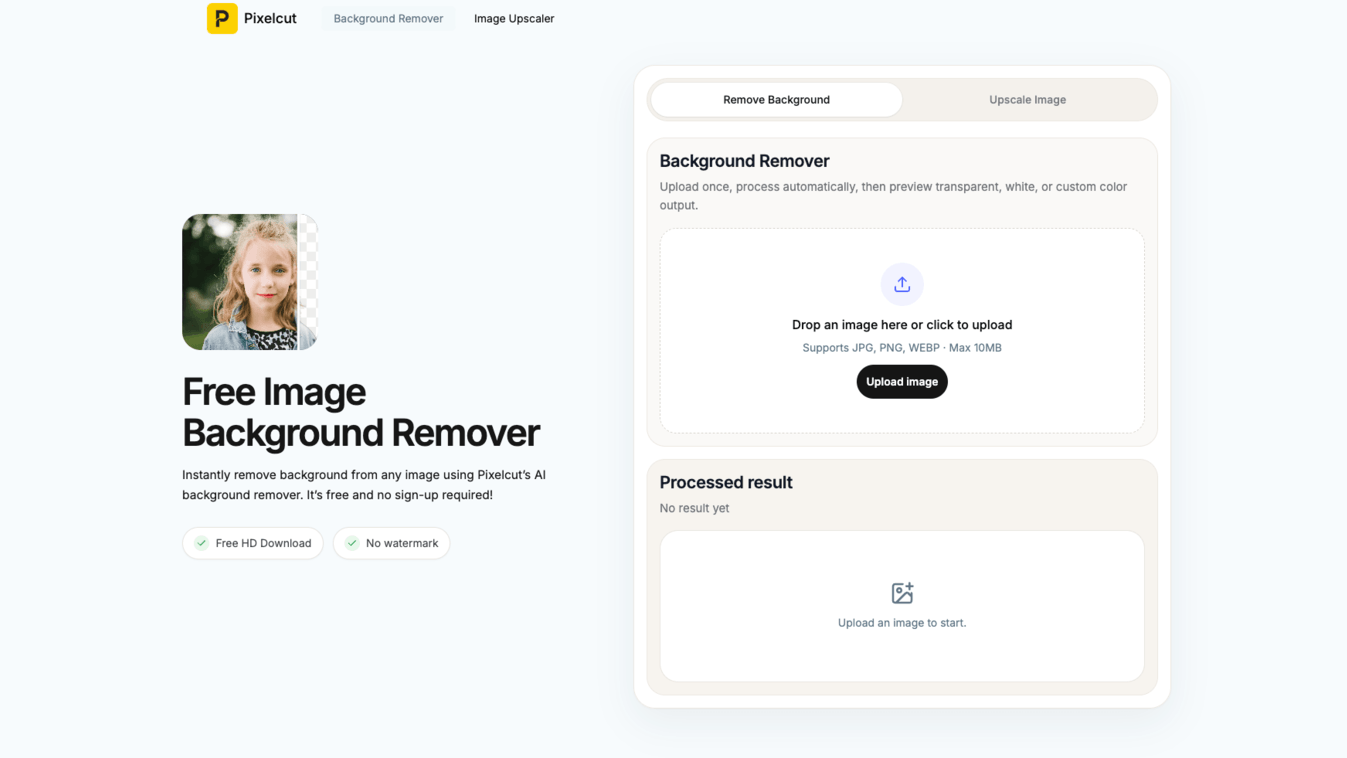
Pixelcut AI (https://pixelcut.art/) is a free, browser-based AI image editing platform designed to make professional-grade photo processing accessible to everyone. Whether you need to remove a background from a product photo or upscale a blurry image to print-ready resolution, Pixelcut handles it automatically — in seconds, with zero learning curve.
---
Key Features
🖼️ AI Background Remover
- Removes backgrounds from any image in under 3 seconds
- Supports JPG, PNG, HEIC, WebP, and BMP formats
- Handles complex edges: hair strands, jewelry filigree, transparent objects, and fine details
- Outputs clean transparent PNG or white background
- Replace the background with solid colors, custom scenes, or search from thousands of curated backdrop images
- Runs entirely in-browser — no installation required, works on mobile and desktop
🔍 AI Image Upscaler
- Upscales images to 2K or 4K resolution in one click
- Preserves sharp edges and fine textures without pixelation or blur
- Supports JPG, PNG, and HEIC file formats
- Creative Upscale mode adds expressive artistic detail while enlarging
- Fine-tune the balance between Creativity and Resemblance for custom output
- No watermarks, no account required, free to download
---
Target Users
Pixelcut AI is built for a wide range of users who need fast, professional image results without the complexity of traditional design tools:
- E-commerce sellers — Create clean product photos for Amazon, Shopify, eBay, and social media
- Marketers & content creators — Produce polished visuals for ads, campaigns, and landing pages
- Designers — Quickly prep assets without switching to heavy desktop software
- Photographers — Restore and enhance old or low-resolution photos
- Casual users — Edit profile pictures, ID photos, and personal images effortlessly
---
Unique Selling Points
| Feature | Pixelcut AI |
|---|---|
| Completely free | ✅ No credit card, no sign-up |
| No watermarks | ✅ Clean downloads every time |
| Speed | ✅ Results in under 3 seconds |
| Browser-based | ✅ No software installation |
| Mobile-friendly | ✅ Works on any device |
| Privacy protection | ✅ Images auto-deleted after processing |
| Commercial use | ✅ Full rights on all processed images |
| Background replacement | ✅ Thousands of curated backdrop options |
| Creative upscaling | ✅ Artistic enhancement beyond resolution |
Pixelcut AI combines speed, precision, and creative flexibility in a single free tool — making it one of the most complete and accessible AI image editors available online today.
Visit https://pixelcut.art/ to stat!
This content is either user submitted or generated using AI technology (including, but not limited to, Google Gemini API, Llama, Grok, and Mistral), based on automated research and analysis of public data sources from search engines like DuckDuckGo, Google Search, and SearXNG, and directly from the tool's own website and with minimal to no human editing/review. THEJO AI is not affiliated with or endorsed by the AI tools or services mentioned. This is provided for informational and reference purposes only, is not an endorsement or official advice, and may contain inaccuracies or biases. Please verify details with original sources.
 No Info

Comments
Please log in to post a comment.