Pixel Snapper





What is Pixel Snapper
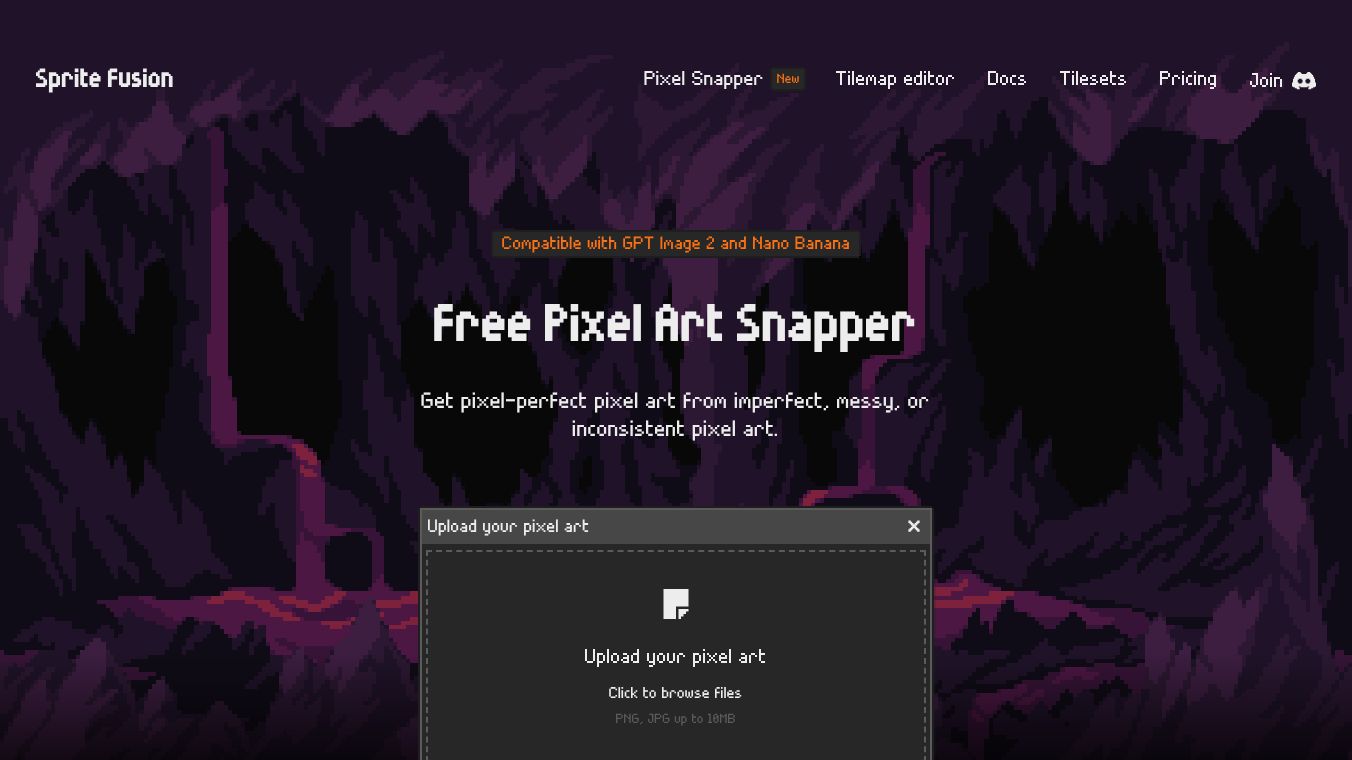
Pixel Snapper is a free, open-source tool created by Sprite Fusion. It helps artists fix messy, blurry, or inconsistent pixels in their images. The software automatically snaps these pixels into a perfect grid. This makes the art look clean and ready for use in game engines or other professional projects. It is especially helpful for people working with hand-drawn images or pixel art made by AI models that lack precision.
Benefits
Pixel Snapper offers several key advantages for digital artists. First, it ensures pixel-perfect scaling and correction. It analyzes input images and aligns every pixel to a precise grid. This process fixes off-grid pixels often created by AI models. Importantly, the tool preserves fine artistic details like dithering and curves. It does not remove any creative elements while cleaning up the image. Second, the software is highly compatible. It works well with images from OpenAI's GPT Image 2 model and Google's Nano Banana AI model. Users can upload images from these sources to fix inconsistencies quickly. Finally, the tool is flexible. It accepts both hand-drawn images and AI-generated art. The output is saved as a new image file ready for use.
Use Cases
Pixel Snapper is designed for a variety of creative workflows. Artists can use it to refine hand-drawn pixel art before importing it into game engines. Developers can process assets to ensure they meet the strict requirements of professional software. The tool is also ideal for users working with AI-generated images. Since AI models sometimes produce blurry or misaligned pixels, Pixel Snapper bridges the gap between imperfect generation and professional-grade art. It streamlines the workflow for both hobbyists and professionals. Users simply upload their image by dragging and dropping it into the tool. The software processes the image and allows the user to save the corrected result.
Pricing
Pixel Snapper is available in two versions to suit different needs. The Web Edition is completely free for both hobby and commercial projects. It requires no account and can be accessed on any modern device via a web browser. The source code is open source, allowing anyone to review or contribute to it. For users who need more power, there is a Desktop Edition. This version costs $7.99, which is a limited-time offer down from the original price of $9.99. The Desktop Edition includes ultra-fast batch processing for handling multiple images at once. It also offers 100% offline functionality. Users get a one-time purchase with free lifetime updates. The open source code is included, and the software supports Mac, Linux, and Windows.
Vibes
Pixel Snapper has received positive feedback from the community. It is described as an essential utility for pixel artists and developers. Many users appreciate how it maintains the integrity and precision of their pixel art. The tool is valued for its ability to handle the specific challenges of AI-generated assets. Users note that while it automates grid correction, it is not a magic tool. Some artists still perform manual adjustments in dedicated tools like Aseprite for the final polish. However, the overall reception is that it is a powerful resource that saves time and improves the quality of digital art.
Additional Information
Pixel Snapper was created by Hugo Duprez and is developed by Sprite Fusion. The project is fully open source, which encourages community contributions to its development. The software supports PNG and JPG files up to 10MB in size. It is optimized for 16-color palettes to ensure the best results. The tool is used by leading universities, game studios, and independent developers around the world. Its availability in both free and paid versions makes it accessible to a wide range of users.
This content is either user submitted or generated using AI technology (including, but not limited to, Google Gemini API, Llama, Grok, and Mistral), based on automated research and analysis of public data sources from search engines like DuckDuckGo, Google Search, and SearXNG, and directly from the tool's own website and with minimal to no human editing/review. THEJO AI is not affiliated with or endorsed by the AI tools or services mentioned. This is provided for informational and reference purposes only, is not an endorsement or official advice, and may contain inaccuracies or biases. Please verify details with original sources.





Comments
Please log in to post a comment.