




From Selfie to Official ID Photo: A Comprehensive Guide
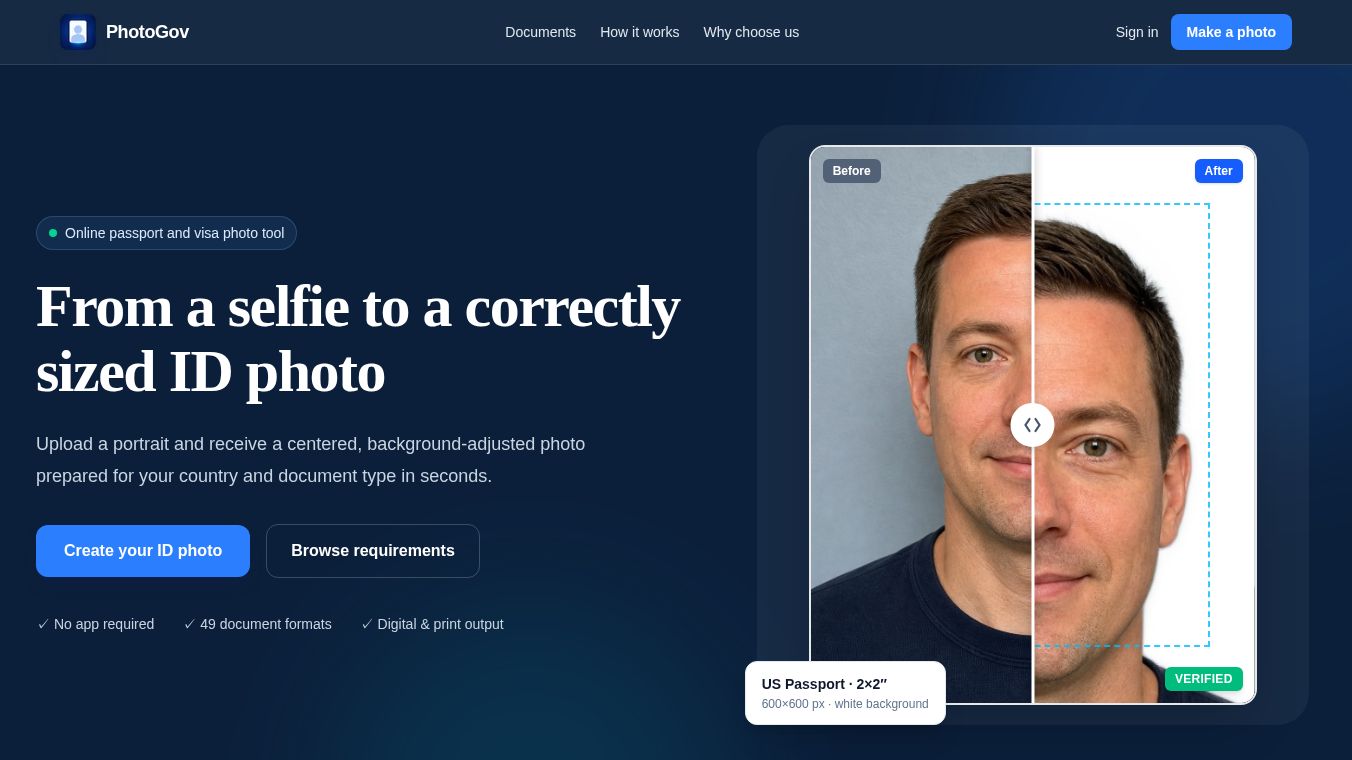
Transforming a casual portrait into a correctly sized, compliant ID photo has never been easier. PhotoGov is a web-based tool that helps users turn a standard photo taken with a phone into an official identification picture. By uploading a regular portrait, users can receive a centered, background-adjusted image prepared for specific countries and document types in seconds. This process requires no dedicated app, supports 49 different document formats across 17 countries and regions, and offers both digital and print-ready outputs.
Benefits
The service ensures that the important details required by various authorities are built into every format. Key advantages include:
- Correct Dimensions: Outputs exact millimeter and pixel measurements required for the selected document.
- Face Positioning: Automatically adjusts head alignment, eye level, and crop proportions.
- Plain Background: Applies the correct background color, such as white or light-gray, according to the standard.
- Natural Appearance: Produces a sharp, evenly lit output with the face fully visible.
- File Requirements: Prepares JPEG output with correct DPI and file-size limits.
- Print-Ready Layout: Provides convenient printable sheets alongside individual digital images.
Use Cases
Creating an official ID photo involves a simple, automated workflow designed to ensure compliance with government standards. Users can follow these steps to get their photo ready:
- Select a Document: Choose the specific country and the exact document type, such as a passport, visa, residence card, or license. This step applies the stored output dimensions, background, framing, and file requirements specific to that format.
- Upload a Portrait: Upload a clear photo taken with a phone. The subject should be looking straight ahead with their face fully visible. The source image does not need to be pre-cropped.
- Automatic Processing: The service automatically aligns the image, crops the portrait to the required dimensions, and places it on the mandated background.
- Download the Result: Save the final output as a digital photo or a printable layout sheet suitable for immediate submission.
This tool is ideal for anyone needing to apply for a passport, visa, or residency card in the United States, United Kingdom, China, and other supported regions. For example, a US passport photo requires a 2-inch by 2-inch image with a white background, while a UK visa photo needs dimensions of 35 by 45 millimeters. PhotoGov handles these varying standards automatically.
Pricing
Pricing details are not available in the provided information.
Vibes
Public reception and specific reviews are not available in the provided information.
Additional Information
Funding, partnerships, or notable achievements are not available in the provided information.
This content is either user submitted or generated using AI technology (including, but not limited to, Google Gemini API, Llama, Grok, and Mistral), based on automated research and analysis of public data sources from search engines like DuckDuckGo, Google Search, and SearXNG, and directly from the tool's own website and with minimal to no human editing/review. THEJO AI is not affiliated with or endorsed by the AI tools or services mentioned. This is provided for informational and reference purposes only, is not an endorsement or official advice, and may contain inaccuracies or biases. Please verify details with original sources.



Comments
Please log in to post a comment.