OpenVoiceUI
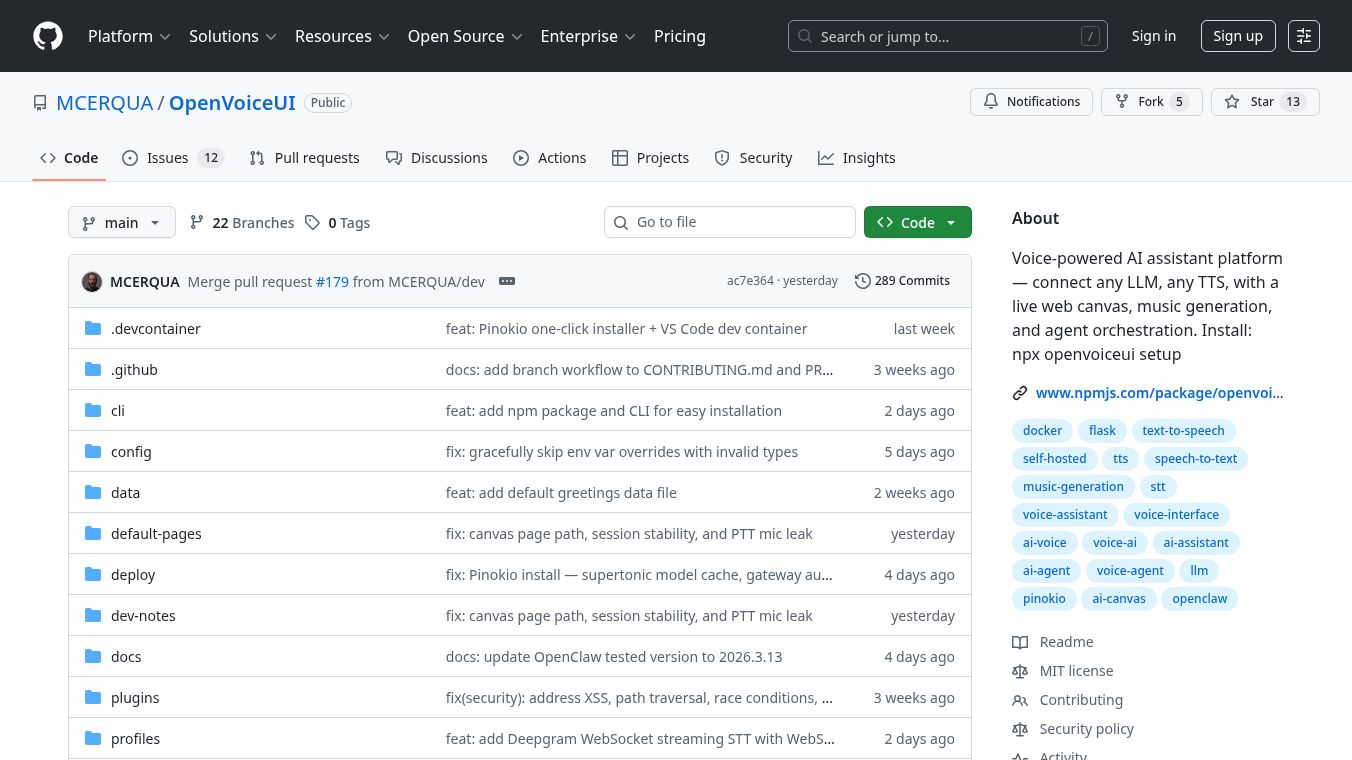





OpenVoiceUI is a flexible platform that lets you build voice-powered applications. It works like a plug-and-play system, meaning you can connect different tools to make it work the way you want. You can choose any Large Language Model, Text-to-Speech service, and Speech-to-Text service to use with it. This makes it adaptable for many different voice AI projects.
Benefits
OpenVoiceUI offers a variety of advantages. It allows for voice input and output, supporting different ways to talk to it like push-to-talk or using wake words. It can also show animated faces, from simple avatars to more complex designs, that react to your voice. The platform includes a special Web Canvas system that lets AI display web pages, acting like an interactive overlay. It even has a full desktop-like interface with features such as right-click menus and file management. For entertainment, there's a music player that can generate AI music and an AI image generator. You can also clone voices to create custom speech. The system is designed to be open, so you are not locked into specific AI services. You can easily switch between different AI personalities or providers without restarting the application.
Use Cases
This platform is useful for creating custom voice assistants, interactive AI experiences, and AI-powered content creation tools. It can be used to build applications that respond to voice commands, generate text or images, play music, and even mimic voices. The desktop-like interface and web canvas system open up possibilities for AI to interact with digital content in new ways. Developers can use it to integrate voice capabilities into existing software or build entirely new voice-driven applications.
Pricing
Information about specific pricing for OpenVoiceUI is not detailed in the provided text. However, it mentions that some integrated services like Groq Orpheus, Qwen3-TTS, and Deepgram Nova-2 are paid cloud services, while others like Supertonic and Web Speech API are free.
Vibes
The article highlights OpenVoiceUI's open framework philosophy, suggesting it is well-received by those who value flexibility and customization in AI development. Its modular design and ability to integrate various LLM, TTS, and STT providers are key selling points.
Additional Information
OpenVoiceUI can be installed in several ways, including using npm commands, a one-click installer via Pinokio, or for more dedicated use, through VPS deployment or a local Docker setup. It also offers a development environment for contributors using VS Code Dev Containers. Security is addressed with measures like Content Security Policy and protection against various online threats. Configuration is managed through environment variables and profile files, and system prompts can be easily updated. The technology stack includes Python/Flask for the backend and Vanilla JS for the frontend, with integrations for various AI services.
This content is either user submitted or generated using AI technology (including, but not limited to, Google Gemini API, Llama, Grok, and Mistral), based on automated research and analysis of public data sources from search engines like DuckDuckGo, Google Search, and SearXNG, and directly from the tool's own website and with minimal to no human editing/review. THEJO AI is not affiliated with or endorsed by the AI tools or services mentioned. This is provided for informational and reference purposes only, is not an endorsement or official advice, and may contain inaccuracies or biases. Please verify details with original sources.

 No Info

Comments
Please log in to post a comment.