OpenAI WebSocket Mode for Responses API
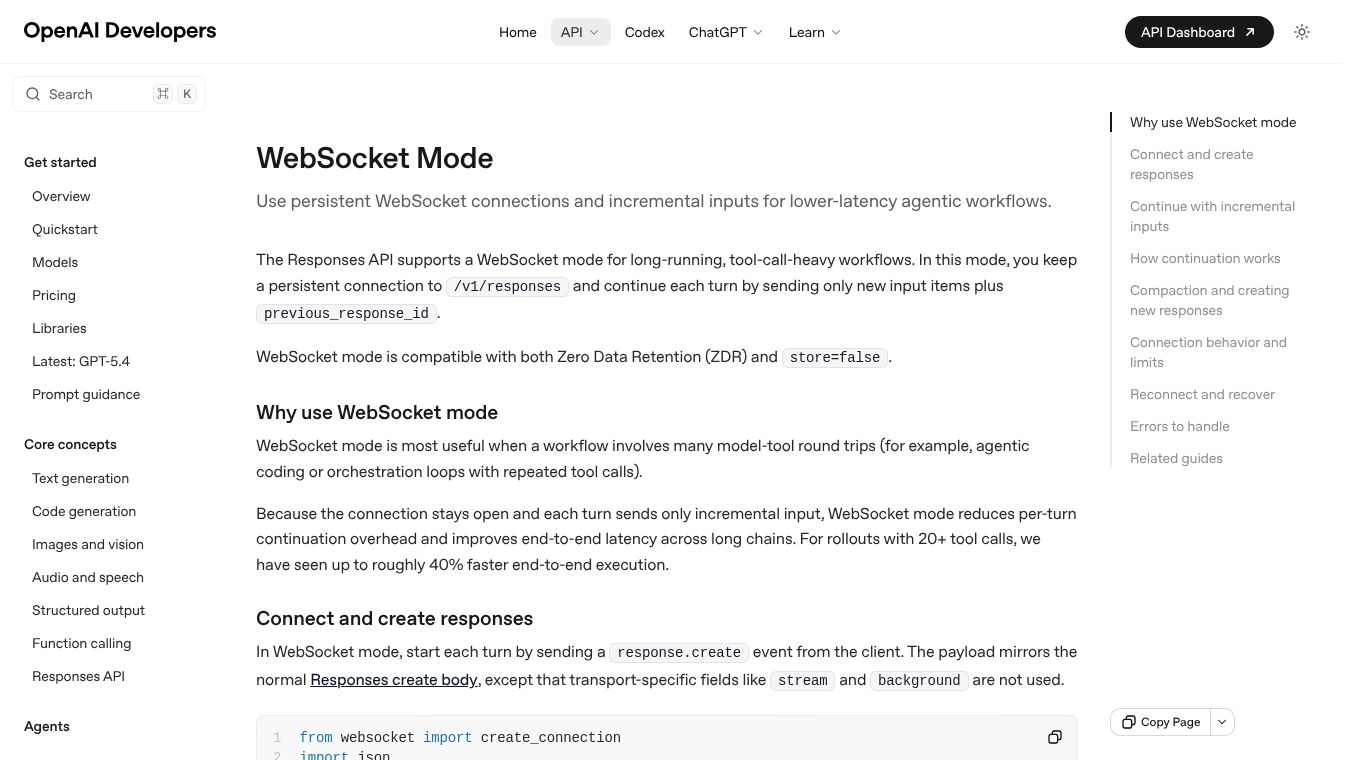





OpenAI's Responses API now offers a WebSocket mode, a feature designed for tasks that take a long time and involve many tool uses. This mode keeps a connection open to the API, allowing for continuous back and forth. You can send new information along with a reference to the previous step, making the interaction smoother.
This new mode is helpful for workflows that require many steps of the AI using tools and then getting results. Think of tasks like writing code or managing complex processes. By keeping the connection active and sending only the new pieces of information, this mode cuts down on extra work for each step. It can make these long tasks run up to 40% faster if they have 20 or more tool calls.
To start a step in WebSocket mode, you send a request. You can also prepare the system in advance by sending a request without asking it to generate anything yet. This helps the next step start quicker because the system is already set up with the necessary tools or instructions. The system gives you an ID for this prepared step, which you can use for the next step.
To continue a task, you send another request that includes the ID of the previous step and only the new information, like answers from tools or new messages. WebSocket mode uses the same ID system as the regular HTTP mode but provides a faster way to continue over the open connection. The system keeps a temporary record of the recent steps in its memory. This makes it work well even when data is not stored long term. If the ID is not in the memory, the system might try to find older information if it's stored, or it will give an error if it's not stored.
If a step doesn't work, the system removes that step's ID from its memory to avoid using old information. For tasks that involve summarizing information, there are ways to continue the process. You can send the next step with the latest ID and new information. Or, you can use a summarized output as the starting point for a new step on the WebSocket, adding new user or tool information. You can start a completely new task by not providing an ID for a previous step.
When using a single connection, the system processes requests one after another. The connection can stay open for up to 60 minutes before you need to reconnect. The events and their order follow the existing patterns for streaming responses.
If a connection closes or reaches its time limit, you should start a new one. You can continue a task by using the previous step's ID if that step's information is saved. If it's not saved, you might need to start a new task. If information was summarized, that summary can be used as the starting point for the new task.
This content is either user submitted or generated using AI technology (including, but not limited to, Google Gemini API, Llama, Grok, and Mistral), based on automated research and analysis of public data sources from search engines like DuckDuckGo, Google Search, and SearXNG, and directly from the tool's own website and with minimal to no human editing/review. THEJO AI is not affiliated with or endorsed by the AI tools or services mentioned. This is provided for informational and reference purposes only, is not an endorsement or official advice, and may contain inaccuracies or biases. Please verify details with original sources.




 No Info

Comments
Please log in to post a comment.