Noden





Noden: All-in-One Remote Access for Mac
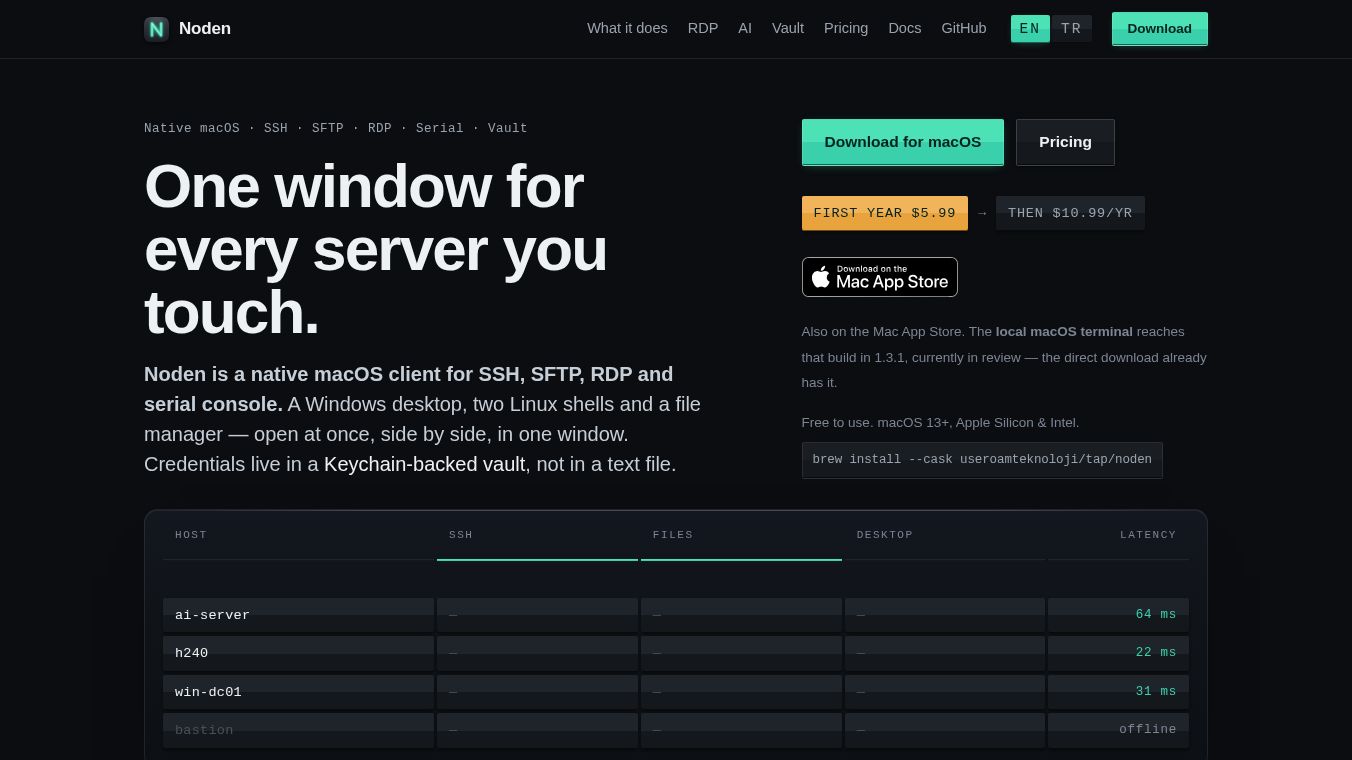
Noden is a powerful application for Mac computers that brings together three essential tools into one place. Instead of switching between different programs to manage servers, transfer files, or control remote computers, users can do everything inside a single window. It combines an SSH terminal, an SFTP file manager, and a Remote Desktop client. This design helps users work faster by keeping their tasks connected without opening multiple windows. The app is built using native Mac technologies, which makes it fast and efficient without the extra weight often found in similar software.
Benefits
Noden offers several key advantages for anyone who manages remote systems. First, it saves time by consolidating tools. Users can open a Linux shell, a Windows session, and a file manager side by side. This layout helps them see everything at once and switch between tasks easily. Second, the app is built for performance. It uses native code instead of web-based frameworks, so it runs smoothly on both Apple Silicon and Intel Macs. Third, security is a top priority. Passwords and SSH keys are stored in the Mac Keychain, which is a secure local database. Nothing is sent to external servers, and every access to sensitive data requires authentication like Touch ID or a password. Finally, the app includes an AI assistant that can help write commands for Linux systems or chat on Windows sessions, making complex tasks easier to handle.
Use Cases
Noden is designed for professionals who need to manage multiple remote systems daily. System administrators can use it to connect to Linux servers and Windows machines from a single interface. DevOps engineers can transfer files between their local Mac and remote servers while running commands in the terminal right next to the file list. Network engineers can access serial console ports on routers and switches using the built-in serial console feature. The app also supports out-of-band access, which is useful when a network is down and remote access is not possible. For developers, the ability to edit remote files directly and sync changes back to the server streamlines their workflow. The support for multiple languages, including English, Turkish, German, Spanish, and French, makes it accessible to a global team.
Pricing
Noden offers a flexible pricing model with a free version and a paid Pro plan. The free version allows users to save up to five connections and includes core features like the terminal, file manager, and remote desktop. It also supports up to 20 items in the password vault. For users who need more, the Pro plan costs $5.99 for the first year and then $10.99 per year. This plan removes all limits on connections, command history, and password vault items. It also unlocks the AI assistant feature. A Team plan is planned for the future, which will include features like shared connection vaults and consolidated invoicing for groups.
Vibes
Users appreciate Noden for its clean design and keyboard-first workflow. Many reviewers highlight how much faster their daily tasks have become since switching from separate tools. The ability to drag files from Finder directly into the remote pane is often praised for improving efficiency. The security features, such as storing secrets in the Keychain and clearing the clipboard automatically, give users peace of mind. The AI assistant is seen as a helpful addition that adapts to the connected machine, whether it is a Linux server or a Windows desktop. Overall, the community views Noden as a modern, privacy-focused alternative to older, clunkier remote access tools.
Additional Information
Noden is developed by Useroam Teknoloji. The application supports macOS 13 Ventura or later and works on both Apple Silicon and Intel Macs. It can be installed via a DMG file or through Homebrew. The interface is available in five languages, and users can change the language in the settings. The app does not require an account sign-up, and all data remains on the user's local machine. Future updates may include a Team plan with advanced collaboration features.
This content is either user submitted or generated using AI technology (including, but not limited to, Google Gemini API, Llama, Grok, and Mistral), based on automated research and analysis of public data sources from search engines like DuckDuckGo, Google Search, and SearXNG, and directly from the tool's own website and with minimal to no human editing/review. THEJO AI is not affiliated with or endorsed by the AI tools or services mentioned. This is provided for informational and reference purposes only, is not an endorsement or official advice, and may contain inaccuracies or biases. Please verify details with original sources.




Comments
Please log in to post a comment.