Multitui





Benefits
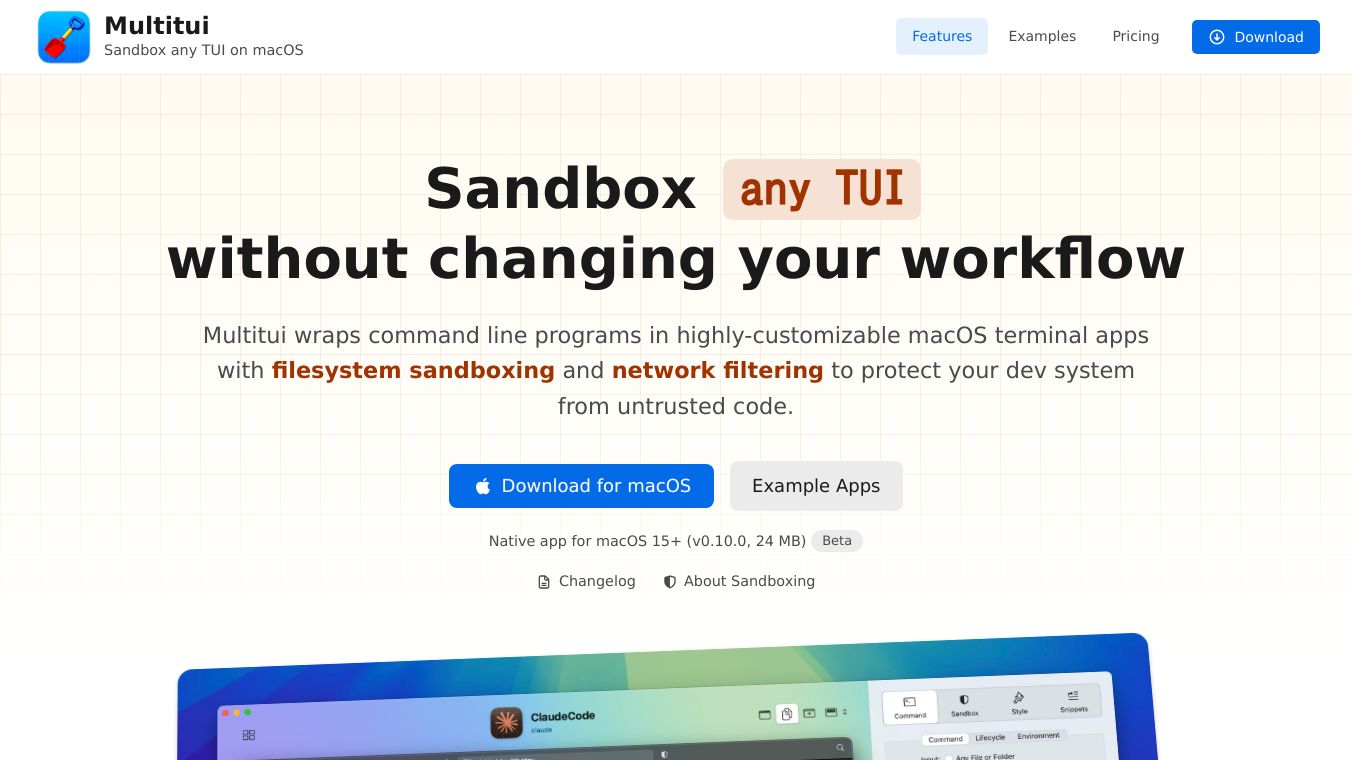
Multitui enhances security by sandboxing applications, which means it protects your development system from potentially harmful code. It uses filesystem sandboxing to control what files an application can access and network filtering to manage its internet connections. This prevents untrusted code from accessing or modifying your files and stops sensitive information from being sent out without your knowledge. It also filters out secrets like API keys from network traffic, adding another layer of security. By turning CLI tools into separate apps, Multitui helps reduce clutter in your main terminal window and makes it easier to manage different tools.
Use Cases
Multitui can be used to create dedicated macOS applications for various command-line tools. This includes AI coding assistants like ClaudeCode and Gemini, developer tools such as lazygit, and disk usage analyzers like dua. It can also wrap text editors like nano, SQLite tools like harlequin, and system monitors like top and htop. Users can access these apps easily through Finder, the dock, or global keyboard shortcuts. Menubar widgets can provide quick access to information like network latency or weather. It's useful for anyone who uses many command-line tools and wants a more organized and secure way to run them without needing to set up virtual machines or containers.
Vibes
Multitui is designed to provide a secure environment for running agents and CLI tools. It aims to simplify the process of securing these tools, offering features like fine-grained file protection and control over internet access. The application helps prevent mistakes by allowing custom styling for different environments, such as using a red background for production systems. It also ensures that no tracking occurs, with servers only contacted for updates.
Additional Information
Multitui leverages macOS's built-insandbox-exectool but simplifies its use by managing rules for each application. This allows for more precise control over what each tool can do. The application provides a live log of denied actions, making it easier to troubleshoot and create necessary permissions. It also integrates with network control tools like Little Snitch and offers features like Touch ID lock and custom app icons.
This content is either user submitted or generated using AI technology (including, but not limited to, Google Gemini API, Llama, Grok, and Mistral), based on automated research and analysis of public data sources from search engines like DuckDuckGo, Google Search, and SearXNG, and directly from the tool's own website and with minimal to no human editing/review. THEJO AI is not affiliated with or endorsed by the AI tools or services mentioned. This is provided for informational and reference purposes only, is not an endorsement or official advice, and may contain inaccuracies or biases. Please verify details with original sources.
Other Interesting AI Tools


Comments
Please log in to post a comment.