Mouse Double Click Test
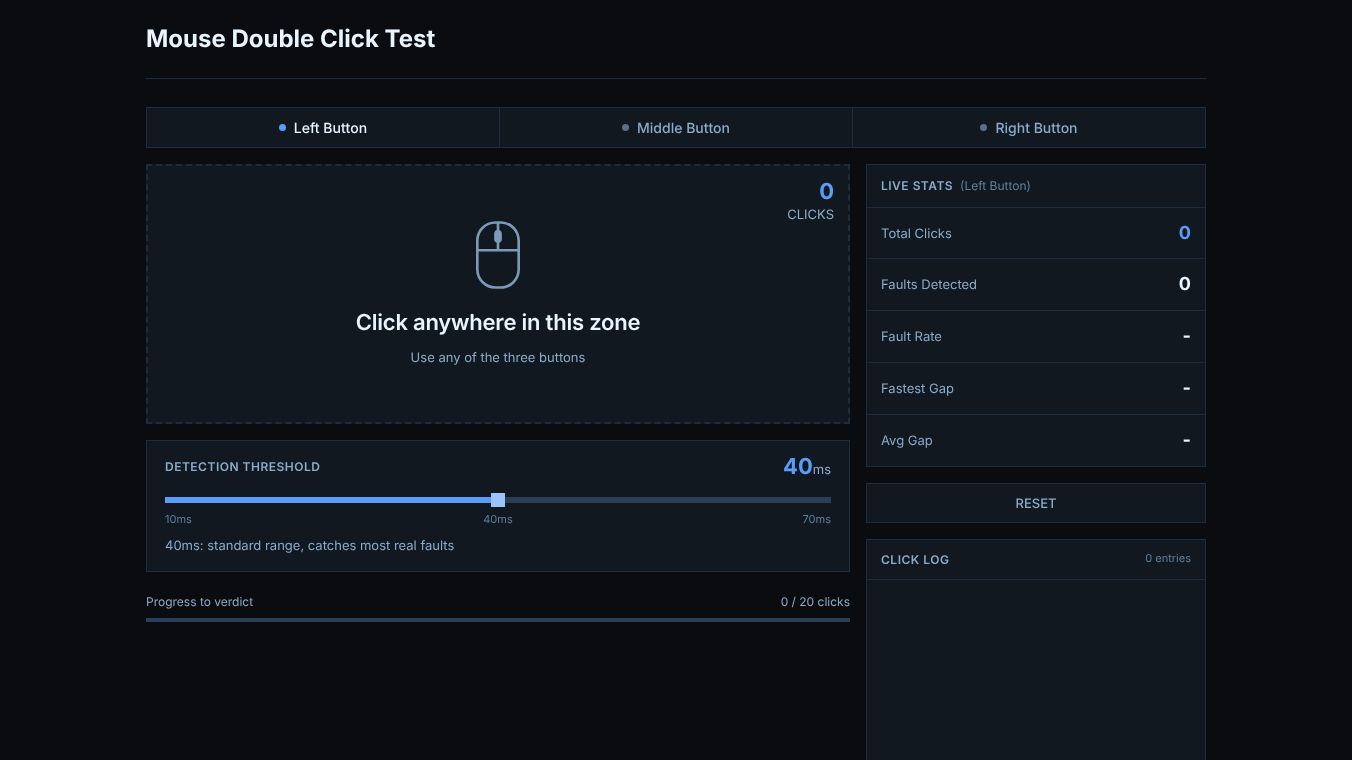





Mouse Double Click Test: A Comprehensive Guide
What is the Mouse Double Click Test?
The Mouse Double Click Test is an online tool that helps users find out if their computer mouse is broken. It checks for a specific problem called a double click fault. This happens when pressing the mouse button once makes the computer think you clicked twice. Unlike games that test how fast you can click, this tool only looks for accidental double clicks. It is designed for anyone who suspects their mouse is not working right. The test takes less than a minute and gives a clear answer on whether the mouse is passing or failing.
Benefits
The main benefit of this tool is that it helps users save time and money. If a mouse is broken, users might waste time trying to fix it with software updates or driver changes. This test quickly shows if the problem is physical wear and tear. It also helps users know when to use their warranty. Many companies will replace a mouse for free if it has this specific hardware failure. The tool is free to use and works on any computer with a web browser. It supports Mac, Windows, Linux, and Chrome OS devices.
Use Cases
This tool is useful for anyone who uses a computer mouse regularly. It is especially helpful for people who work with files, write documents, or browse the web. If a user finds that clicking a link opens two pages or deleting a line removes two lines, they should use this test. It is also good for gamers who use heavy-duty mice that get clicked thousands of times a week. The test can be run on both wired and wireless mice. It cannot be used with laptop trackpads because they work differently. Users should run the test every year or two to catch problems early before they ruin their workflow.
Pricing
The Mouse Double Click Test is completely free to use. There are no hidden costs or subscription fees. Users can access the tool directly through their web browser without needing to download any software or pay for a license.
Vibes
Users who have used this tool generally find it helpful and easy to understand. The interface is simple, and the results are clear. People appreciate that it gives specific numbers like the fault rate and the fastest gap between clicks. This data helps them explain the problem to customer support if they need a replacement. Some users note that if they click too fast, the test might show a false error, so they recommend clicking at a normal pace. Overall, the community sees it as a reliable way to diagnose a common mouse issue.
Additional Information
The tool runs entirely in the browser, which means it does not require any installation on the user's computer. It works with both new mice and older ones. If a brand new mouse fails the test, it might be a manufacturing defect, and the user should contact the seller for a return. For older mice, the issue is usually due to age and wear. Cleaning the button with alcohol might help temporarily, but replacing the mouse is often the best long-term solution. The test includes a slider to adjust sensitivity, allowing users to catch smaller problems if they suspect an intermittent fault.
This content is either user submitted or generated using AI technology (including, but not limited to, Google Gemini API, Llama, Grok, and Mistral), based on automated research and analysis of public data sources from search engines like DuckDuckGo, Google Search, and SearXNG, and directly from the tool's own website and with minimal to no human editing/review. THEJO AI is not affiliated with or endorsed by the AI tools or services mentioned. This is provided for informational and reference purposes only, is not an endorsement or official advice, and may contain inaccuracies or biases. Please verify details with original sources.


Comments
Please log in to post a comment.