Monochrome Lab for macOS
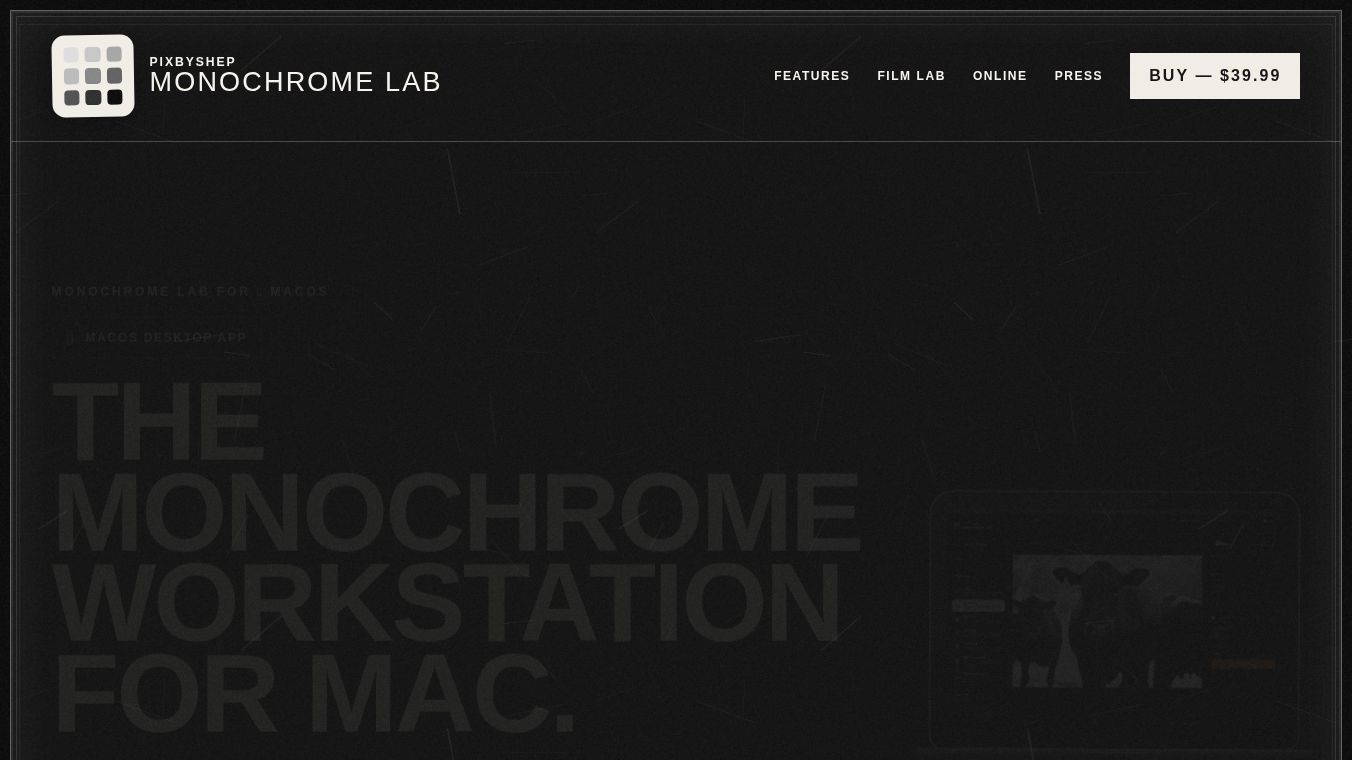





Monochrome Lab for macOS: A Dedicated Black-and-White Editor
Monochrome Lab is a specialized desktop application designed for the macOS platform. It offers a dedicated environment for black-and-white photography editing. Built with a focus on simplicity and professional results, the app provides a distraction-free interface that guides users from image import to professional export.
Benefits
Monochrome Lab stands out because it allows users to open and edit RAW files directly from their cameras. This feature ensures maximum tonal flexibility, allowing photographers to extract the best possible quality from their original captures. Unlike traditional preset-based editors, the app uses Film Lab technology. This approach applies film-inspired behavior beneath the editing controls rather than simply layering a preset on top of the image. This method alters the tonal response of the photograph to mimic specific film stocks authentically.
Available film characters include HP5+, Tri-X 400, Delta 100, Acros 100, T-Max 400, and FPP Infrared 200. The application features a clean, approachable interface designed to keep the monochrome editing process simple and free from distractions. Users can focus entirely on their creative vision without navigating complex menus. The software also supports dependable output formats suitable for various needs, including JPEG, PNG, and TIFF. These formats are ideal for sharing, printing, and integrating into professional workflows.
Use Cases
Monochrome Lab for macOS is the complete solution for professionals requiring 16-bit processing and the ability to edit full RAW files directly on the desktop. It is perfect for photographers who want to mimic the look of classic film stocks while working in a digital environment. The app is also suitable for users who need to export images in high-quality formats for printing or professional use. While there is a free online version for basic editing, the macOS app is best for those who need the full power of RAW file support and advanced processing capabilities.
Pricing
Monochrome Lab for macOS is available for purchase at a price of $39.99 USD. This one-time fee grants users access to the native desktop application with all its advanced features. In contrast, the online browser version is free to use, making it an excellent entry point for users who want to start creating immediately without downloading software.
Vibes
The app has been well-received for its ability to bridge the gap between digital editing and the authentic feel of film photography. Users appreciate the straightforward workflow that removes the clutter often found in other photo editing software. The consistent experience between the free online version and the paid desktop app ensures that users can start editing in the browser and move to the desktop version without losing their creative flow.
Additional Information
Monochrome Lab offers two versions to cater to different user needs. The free online browser version supports importing JPEG, PNG, or TIFF files and provides access to the same creative tools and Film Lab features found in the desktop version. The paid native macOS desktop application adds 16-bit processing and full RAW support. Both versions share the same creative tools, ensuring a consistent editing experience regardless of the platform chosen.
This content is either user submitted or generated using AI technology (including, but not limited to, Google Gemini API, Llama, Grok, and Mistral), based on automated research and analysis of public data sources from search engines like DuckDuckGo, Google Search, and SearXNG, and directly from the tool's own website and with minimal to no human editing/review. THEJO AI is not affiliated with or endorsed by the AI tools or services mentioned. This is provided for informational and reference purposes only, is not an endorsement or official advice, and may contain inaccuracies or biases. Please verify details with original sources.


Comments
Please log in to post a comment.