MatrixAI





MatrixAI: Your Immersive AI Terminal Assistant
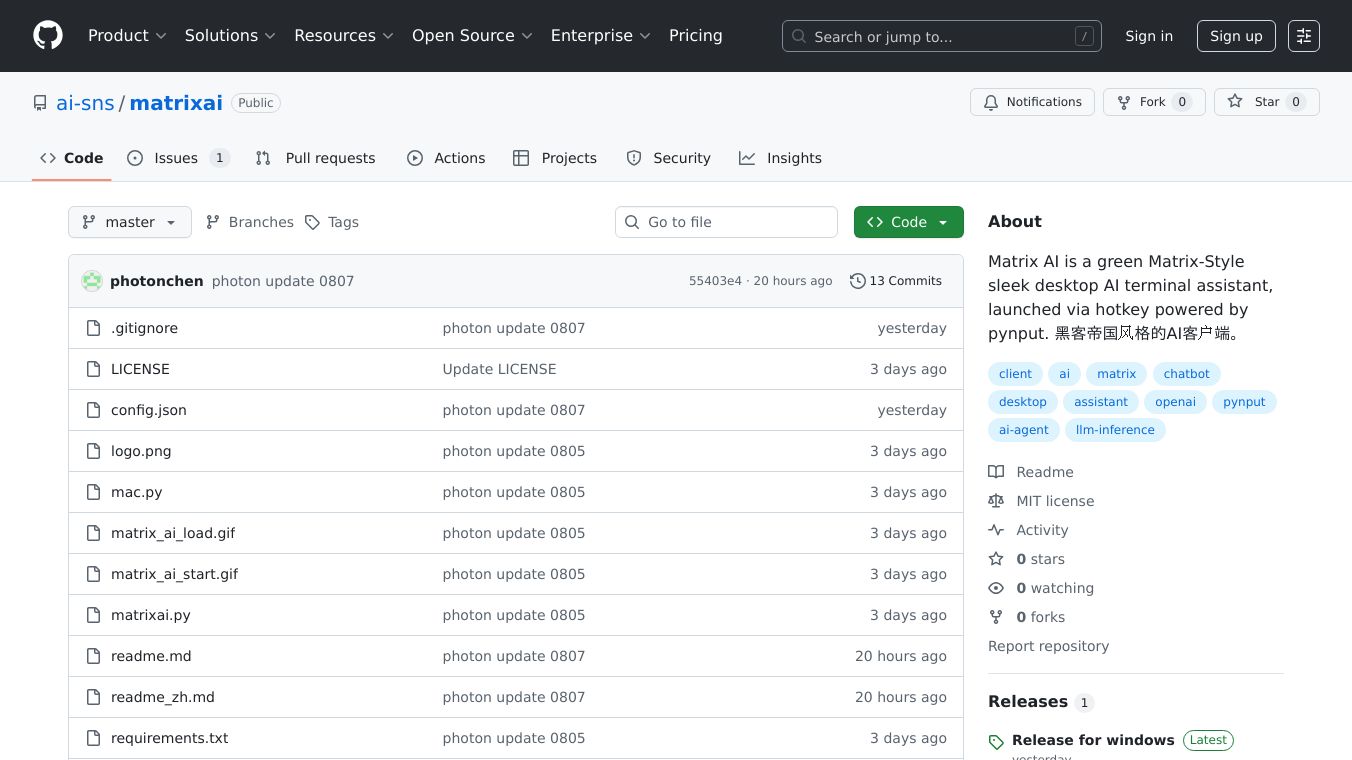
MatrixAI is a sleek desktop AI terminal assistant that brings the iconic green interface fromThe Matrixto your screen. It is designed for developers and creatives who want an immersive and interactive way to engage with AI. Launched via a simple hotkey, MatrixAI supports streaming conversations, global hotkeys, and asynchronous responses, making it a powerful tool for those who crave a unique and engaging AI experience.
Benefits
Immersive Matrix-Style Interface
MatrixAI replicates the iconic green character stream fromThe Matrix, creating a visually striking terminal UI. The typewriter-style output shows text character by character, adding to the immersive experience. With smooth window animations, including zoom, transparency, and rounded corners, MatrixAI combines a vintage terminal feel with modern UI animations.
Technical Highlights
MatrixAI is equipped with several technical features that enhance its functionality. It includes a global hotkey listener, allowing you to control the terminal with double-tap actions onCtrl,Shift, orESC. The terminal supports async streaming conversations, making it compatible with OpenAI-compatible APIs like DeepSeek, Grok, and Mistral. This ensures real-time responses and coherent multi-round dialogues. Additionally, MatrixAI offers smart focus control and auto window management for seamless human-AI interaction.
Thoughtful UX Design
MatrixAI is designed to be non-intrusive, running in the background without interrupting your workflow. It is highly configurable and supports multiple AI API backends compatible with OpenAI. The terminal is built for productivity and flow, offering fast triggering and immersive chatting.
Use Cases
Developers and Creatives
MatrixAI is perfect for developers and creatives who want an immersive and interactive way to engage with AI. Whether you are coding, designing, or brainstorming, MatrixAI provides a unique and engaging terminal experience.
Productivity and Flow
With its fast triggering and immersive chatting features, MatrixAI is ideal for those who want to enhance their productivity and flow. The terminal's non-intrusive design ensures that it does not interrupt your workflow, making it a valuable tool for busy professionals.
Additional Information
System Requirements
MatrixAI is compatible with Windows 10/11 and macOS. It requires Python 3.11 (Python 3.13 may have issues) and a recommended resolution of 1920x1080 or higher.
Install Dependencies
To install MatrixAI, you need to install the required dependencies. For Windows, you can usepip install pynput openai, and for macOS, you can usepip install pynput openai pyobjc.
Configureconfig.json
MatrixAI uses aconfig.jsonfile to configure the API settings. You can replace thebase_urlto use OpenAI-compatible APIs such as DeepSeek, Grok, Mistral, etc. Theconfig.jsonfile should include your API key and the model you want to use.
Run the App
To run MatrixAI, simply executepython matrixai.py. Currently, MatrixAI is developed with Python 3.11, and Python 3.13+ is not supported.
Hotkey Overview
MatrixAI offers several hotkey actions to control the terminal. DoubleCtrlopens the input terminal, doubleShifttoggles window visibility, singleESCends the current conversation, and doubleESCexits the application. You can also use/newor/resetto start a new conversation.
Chat Flow
Using MatrixAI is straightforward. Launch the terminal and type your question. The AI will respond in real time with animated character output. You can enter/newto start a new conversation.
Troubleshooting & Tips
If you encounter issues with MatrixAI, check the network and API key configuration. If the hotkeys are unresponsive, run the app with administrator privileges. For UI lag or stutter, close background-heavy apps. Ensure that theconfig.jsonfile is valid JSON.
Contributing
MatrixAI is an open-source project released under the MIT License. You can contribute to its development by submitting issues to report bugs or request features, opening pull requests to contribute new features, or starring the repo to support ongoing development.
Resources
MatrixAI aims to make the terminal more than just a terminal, turning it into your coolest AI companion. With its immersive interface and powerful features, MatrixAI is a must-have tool for developers and creatives looking for an engaging and interactive AI experience.
This content is either user submitted or generated using AI technology (including, but not limited to, Google Gemini API, Llama, Grok, and Mistral), based on automated research and analysis of public data sources from search engines like DuckDuckGo, Google Search, and SearXNG, and directly from the tool's own website and with minimal to no human editing/review. THEJO AI is not affiliated with or endorsed by the AI tools or services mentioned. This is provided for informational and reference purposes only, is not an endorsement or official advice, and may contain inaccuracies or biases. Please verify details with original sources.




Comments
Please log in to post a comment.