Matcha Filter Remover





Comprehensive Guide to Removing the Matcha Filter
Overview
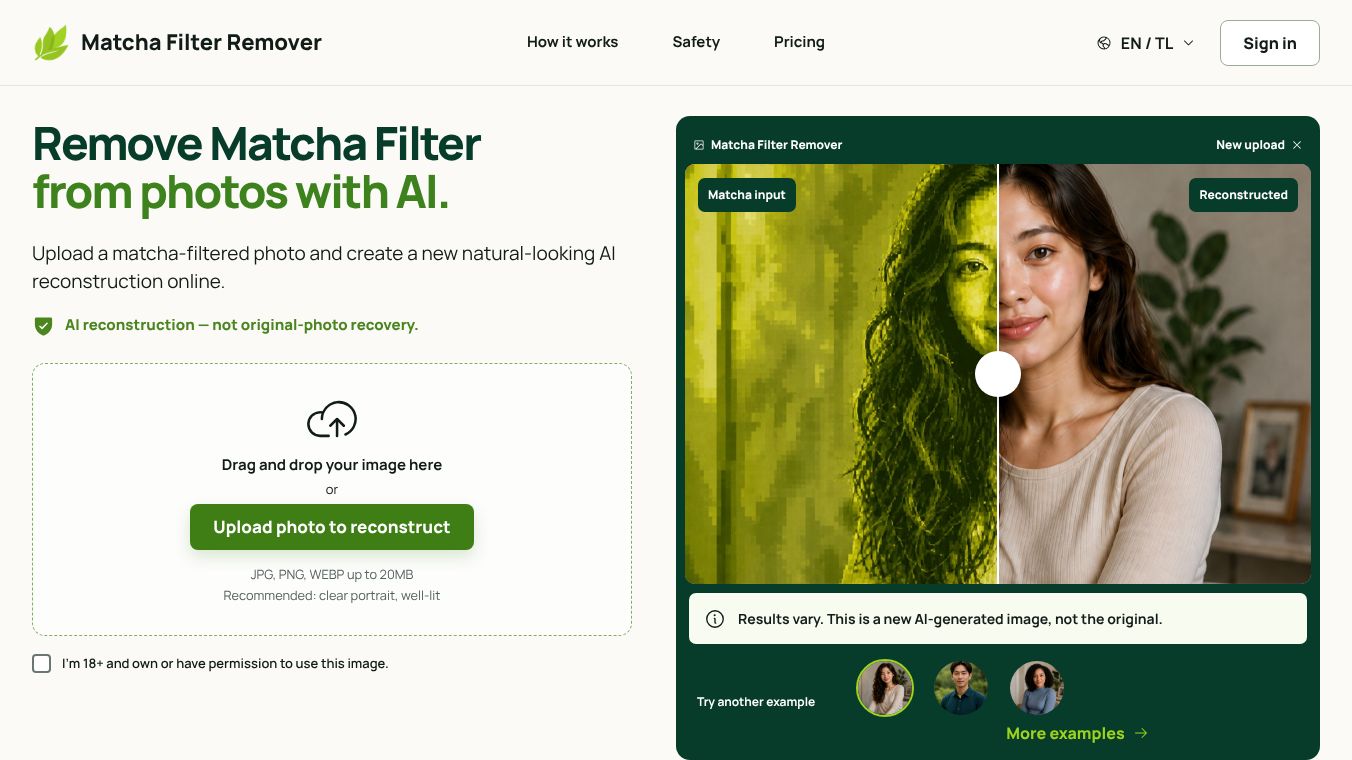
The Matcha Filter Remover is a free, online tool designed to clean viral matcha filters from photos and short videos. Often searched as "remove matcha filter" or "clean filter matcha," this tool helps users reduce the baked-in green or olive tint, grain, and harsh contrast found in files where the effect has been applied. It operates without requiring a user signup and processes media locally by default to ensure privacy.
Benefits
The tool offers several key advantages for users looking to restore their media. First, it is completely free to use for its basic functions, and no account creation or credit card details are needed. Second, it prioritizes user privacy by running the removal process entirely within the user's browser tab. This means photos and videos are not uploaded to a server unless the user explicitly chooses to share a compressed sample. Third, the tool provides a side-by-side comparison feature. Users can drag a split-screen slider to see the original filtered version next to the cleaned version before downloading. Finally, it supports multiple file formats including JPG, PNG, WebP for images and MP4, WebM, and MOV for short video clips.
Use Cases
This tool is ideal for social media creators and casual users who have applied the popular matcha effect and now wish to remove it. A common use case involves cleaning up a TikTok screenshot. Users can save a photo or clip from the app, upload it to the tool, and run the remove effect to get a cleaner image. The free on-device version works well for standard green color casts and mild film grain. For more extreme effects like heavy liquid-metal melts or mossy textures, the tool offers an optional AI Restore feature. This advanced option uses artificial intelligence to reconstruct the current frame as a still image. It is best used when the free sliders produce results that look fake or unnatural. Note that this AI feature is designed for still images only and requires credits to use.
Pricing
The Matcha Filter Remover is free to use for its standard on-device removal. Users do not need to pay anything to upload photos or short videos and clean up basic green tints and contrast issues. There is an optional AI Restore feature for handling heavy effects. This feature uses a credit system where one credit is required per still image. The AI Restore option is also marked as 18+ due to its advanced reconstruction capabilities.
Vibes
Public reception for the tool is generally positive among users seeking to reverse viral trends. The FAQ section clarifies that the tool is independent and not affiliated with TikTok. Users appreciate that the tool cannot reveal hidden or censored content, which sets clear expectations about its limitations. Reviews and common questions highlight that while the tool cannot perfectly recreate the original file pixels once an effect is baked in, it is effective at reducing the visible green cast and harshness. Many users find the ability to compare the before and after versions in real time to be a helpful feature that ensures they are satisfied with the result before downloading.
Additional Information
The Matcha Filter Remover is an independent tool and is not endorsed by TikTok. It is important to note that TikTok does not export the original unfiltered file once an effect is baked in. Therefore, users must save a screenshot or download the clip they have rights to edit before using this tool. The tool explicitly states that it cannot unblur obscured areas or recover details that were painted over or hidden by the filter. Users are advised not to bring illegal or prohibited media into the tools. The AI Restore feature has specific limitations, such as only processing the current frame of a video as a still image rather than the entire clip.
This content is either user submitted or generated using AI technology (including, but not limited to, Google Gemini API, Llama, Grok, and Mistral), based on automated research and analysis of public data sources from search engines like DuckDuckGo, Google Search, and SearXNG, and directly from the tool's own website and with minimal to no human editing/review. THEJO AI is not affiliated with or endorsed by the AI tools or services mentioned. This is provided for informational and reference purposes only, is not an endorsement or official advice, and may contain inaccuracies or biases. Please verify details with original sources.





Comments
Please log in to post a comment.