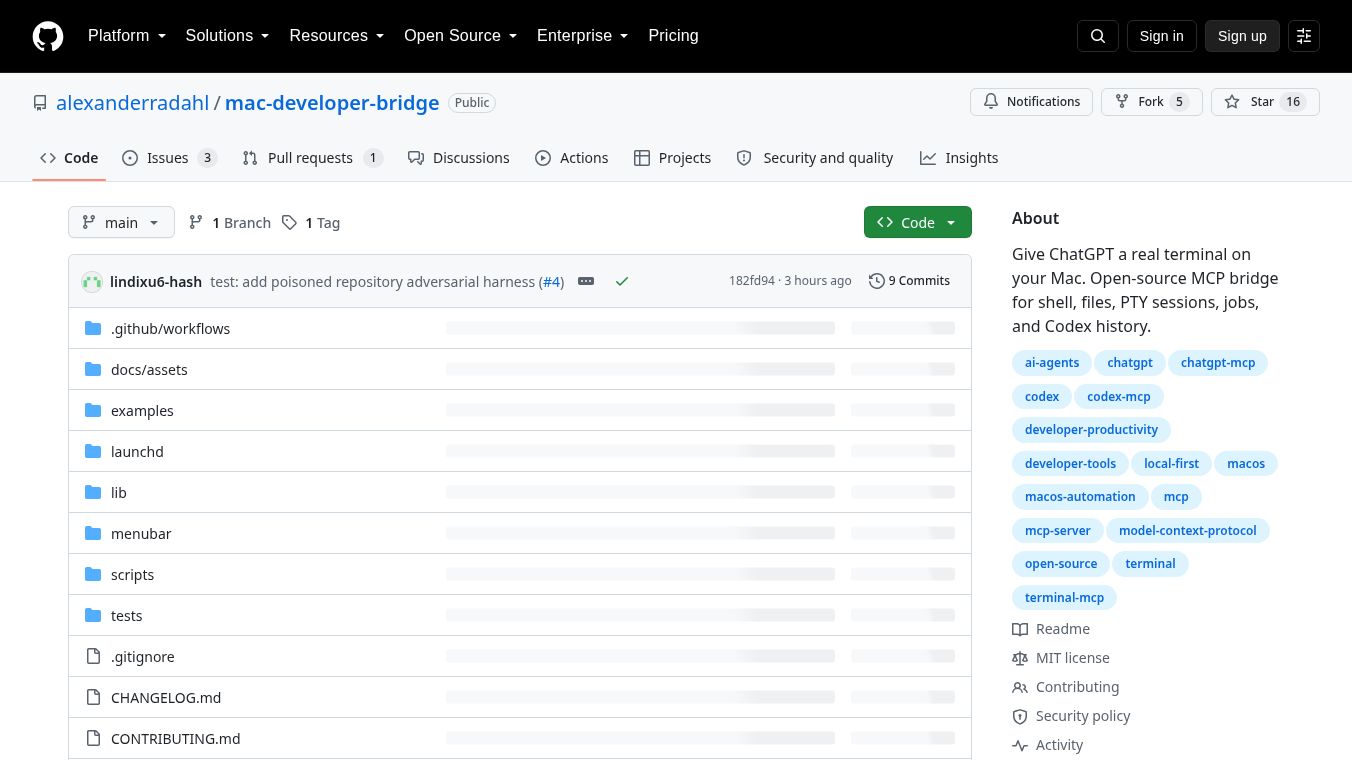





Mac Developer Bridge: Giving ChatGPT a Real Terminal on Your Mac
Overview
Mac Developer Bridge is an open-source project designed to connect ChatGPT directly to your local macOS environment. It acts as a reasoning layer bridge, allowing ChatGPT to execute shell commands, edit files, manage long-running jobs, and access local services without adding an intermediate AI agent loop. The project grants the MCP client the effective permissions of the logged-in macOS user, enabling a seamless workflow where ChatGPT provides the reasoning and your Mac provides the execution environment.
Benefits
The bridge exposes deterministic local tools to ChatGPT, enabling the following capabilities:
- Arbitrary Shell Commands:Execute any foreground shell command via /bin/zsh -lc under the logged-in user's context. This includes Git, package managers, database CLIs, build tools, and AppleScript.
- Filesystem Access:Unrestricted read, write, append, list, stat, copy, move, chmod, symlink, mkdir, and recursive delete operations on any path accessible to the macOS user.
- Long-Running Jobs:Start detached background processes, inspect their logs and status, and terminate process groups.
- Interactive Terminal Sessions:Allocate real PTY (pseudo-terminal) sessions to run interactive programs, allowing keystroke input and output reading.
- Codex History Integration:Read and inspect stored Codex threads and turns without starting a new model turn or consuming additional credits. This allows users to recover previous work sessions, inspect repositories, and continue unfinished tasks.
- Audit Logging:Maintain local JSONL audit logs of tool usage.
Use Cases
The bridge is designed for developers who wish to automate local tasks, manage complex projects, and recover previous AI-assisted work without the overhead of cloud-based agents. It is particularly useful for:
- Automating Local Tasks:Developers can use ChatGPT to write and execute shell scripts, manage databases, or run build tools directly on their Mac.
- Managing Complex Projects:The ability to start and monitor long-running jobs makes it ideal for managing complex development workflows.
- Recovering Previous Work:Users can inspect stored Codex threads to continue unfinished tasks or review past interactions without starting a new session.
- Interactive Programming:The interactive terminal sessions allow users to run programs that require real-time input and output, such as compilers or interactive shells.
Pricing
Mac Developer Bridge is an open-source project, so there is no cost to use it. However, users must have their own ChatGPT account with Developer mode enabled to utilize the bridge.
Vibes
As an open-source project, Mac Developer Bridge has not yet received widespread public reviews or testimonials. However, the project has gained attention in the developer community for its innovative approach to integrating AI with local development environments. The project's GitHub repository provides detailed documentation and examples, which have been well-received by developers looking for a seamless way to automate their workflows.
Additional Information
Mac Developer Bridge is an open-source project hosted on GitHub. It relies on macOS-level security controls (TCC, SIP, ACLs) rather than internal restrictions. The bridge runs with the effective permissions of the macOS account that launches it. It does not provide sudo access automatically; users must configure passwordless sudo if required. The project uses a revocable unlock file (FULLACCESSENABLED) to ensure that access can be revoked at any time. A dedicated script (scripts/disable.sh) can stop the front end, bridge, detached jobs, and PTY sessions, verifying containment. The bridge itself makes no OpenAI model calls. It exposes tools that ChatGPT uses to interact with the local system. Codex history tools use read-only codex app-server methods.
The bridge communicates via the Model Context Protocol (MCP) over stdio. Two transport methods are supported to connect to ChatGPT:
OpenAI Secure MCP Tunnel:This method requires macOS, Node.js 18+, tunnel-client binary, an OpenAI tunnel ID, and a runtime API key. The Tunnel connection option is not available on personal accounts; it is restricted to ChatGPT workspaces. Security is ensured through outbound-only private connectivity with no public endpoint exposed.
Cloudflare Tunnel + Server URL (HTTP Transport):This method requires macOS, Node.js 18+, cloudflared, a hostname (or quick tunnel), and openssl. The bridge runs an HTTP server on 127.0.0.1:8787 behind an OAuth 2.1 authorization server. cloudflared publishes this loopback endpoint over HTTPS. Authentication is handled through an OAuth 2.1 server implemented in mcp-http.mjs. Users must configure OAuth in the ChatGPT plugin dialog. Security is ensured through an HTTPS endpoint with a single bearer token acting as the primary barrier. Rotating this token is critical for security.
Installation and configuration are straightforward. Users need macOS with a logged-in desktop user, Node.js 18 or newer, ChatGPT Developer mode enabled, and either tunnel-client or cloudflared. The quick start guide for personal accounts using the HTTP transport involves cloning the repository, building the app, and launching it from the menu bar. Manual installation for workspace users or manual setup involves setting the full-access acknowledgement, setting the tunnel ID and API key, and running the install script.
The bridge exposes a comprehensive set of tools categorized by function, including shell and process management, filesystem operations, interactive sessions (PTY), and system and audit tools. PTY session limits include line length constraints, concurrency caps, retention policies, and lifetime ceilings. Auditing and privacy features include configurable audit modes, token scrubbing, and TCC permissions. Operations and maintenance are supported through diagnostic scripts, a kill switch, and log management. Uninstallation is handled through a dedicated script, though data directories containing credentials must be manually deleted if desired.
This content is either user submitted or generated using AI technology (including, but not limited to, Google Gemini API, Llama, Grok, and Mistral), based on automated research and analysis of public data sources from search engines like DuckDuckGo, Google Search, and SearXNG, and directly from the tool's own website and with minimal to no human editing/review. THEJO AI is not affiliated with or endorsed by the AI tools or services mentioned. This is provided for informational and reference purposes only, is not an endorsement or official advice, and may contain inaccuracies or biases. Please verify details with original sources.



Comments
Please log in to post a comment.