LidRun
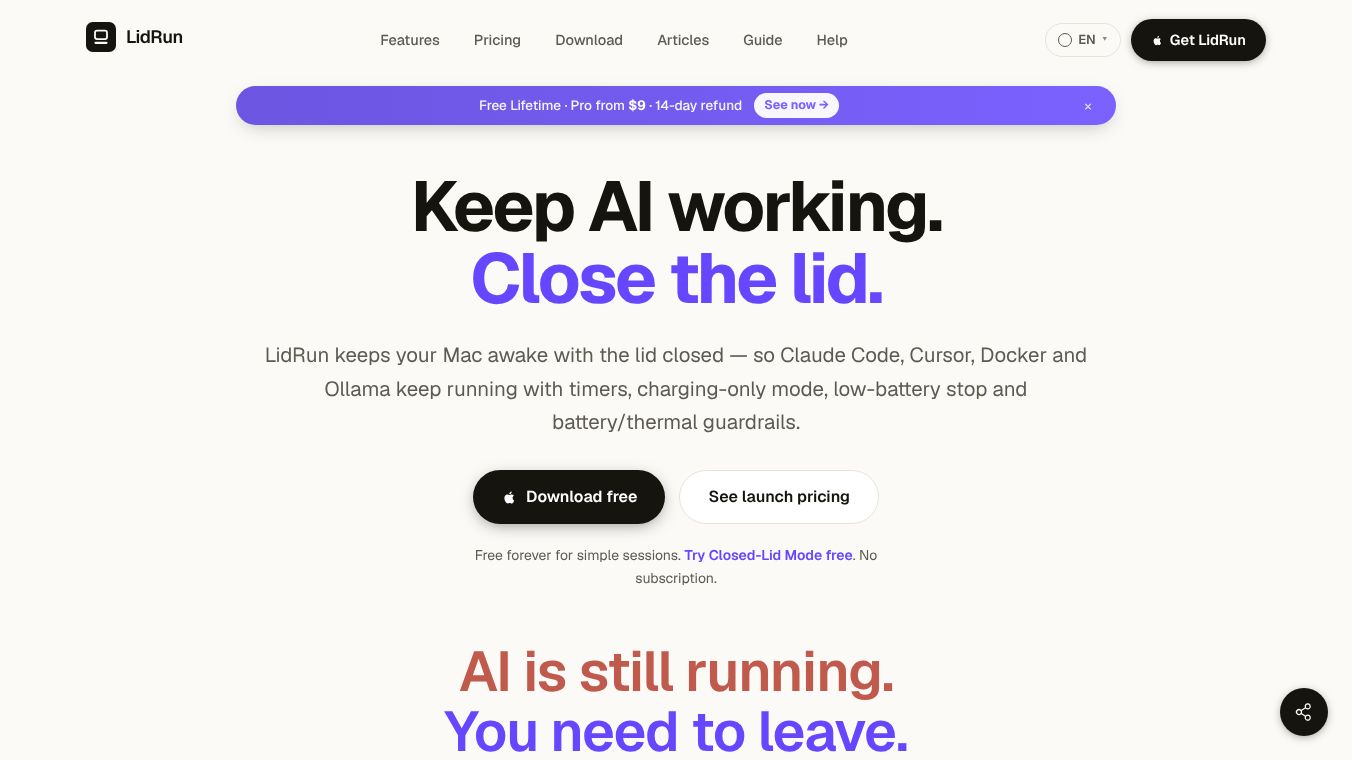





LidRun: Securely Keep Your Mac Awake with the Lid Closed
Introduction
LidRun is a utility for macOS that helps users keep their Mac awake even when the lid is closed. It is designed specifically for modern workflows involving AI agents, Docker builds, and long-running developer tasks. Unlike older tools that simply force the computer to stay on, LidRun focuses on safety, automation, and transparency. It ensures that your work continues without interruption while protecting your hardware and battery life.
Benefits
LidRun offers several key advantages for developers and AI users who need to step away from their machines.
- Safety First:LidRun acts as a safety net. It prevents hardware damage by monitoring battery levels, heat, and power sources. If the battery gets too low or the computer gets too hot, LidRun will put the Mac to sleep automatically to prevent data loss or damage.
- Smart Automation:The tool knows when your work is done. It automatically releases the lock and lets the Mac sleep the moment a task finishes. This saves power compared to tools that require manual intervention.
- Clear Visibility:LidRun provides an activity log that explains exactly why the Mac is awake or why it stopped. Users can see details like "Keep-awake on" or "Battery low," so there is no guessing about what is happening.
- Flexible Timing:Users can set a timer for any run between 30 minutes and 8 hours. The Mac will sleep automatically after the timer expires, ensuring you do not leave it running indefinitely.
- Charging Only Mode:The Mac will only stay awake while connected to mains power. This feature prevents battery drain during long sessions, which is crucial for safety.
Use Cases
LidRun is ideal for scenarios where developers or AI users need to leave their machines unattended.
- Going Home:If an AI agent is refactoring code and you need to pack your MacBook to go home, LidRun allows you to close the lid. The work continues safely until you return or the timer expires.
- Going to Sleep:When a build or script is running and you want to go to bed, LidRun ensures the process does not fail due to the Mac sleeping. It will keep the session alive until the task is complete.
- Lunch Break:If a Docker build has time remaining and you want to take a break, LidRun lets you close the lid. The build continues in the background without being interrupted.
Pricing
LidRun offers a tiered pricing model to suit different needs.
- Free Tier:This includes basic keep-awake tools, safety guardrails, and the ability to try the closed-lid workflow.
- Pro Tier:This one-time payment of $9 unlocks the full closed-lid AI workflow. It includes advanced features like extended timers and deeper integration with AI agents.
- Multi-Device:For users who need the Pro features on multiple Macs, a standard plan is available for $14.
Vibes
While specific customer reviews are not detailed in the available information, the product has received positive attention for its focus on safety and automation. The community appreciates how LidRun solves the common problem of managing long-running processes on portable hardware. Users value the transparency of the activity log and the peace of mind that comes from knowing their work will finish safely even when they are not present.
Additional Information
LidRun distinguishes itself from other keep-awake utilities like caffeinate and Amphetamine through its specialized focus on AI and development workflows. It was created to address the specific needs of modern developers who rely on continuous processes. The developers emphasize that safety wins over convenience, advising users to keep their Macs ventilated and avoid running heavy workloads in bags or enclosed spaces. LidRun helps mitigate these risks through its built-in timer, charging-only mode, low-battery stop, and thermal monitoring features.
This content is either user submitted or generated using AI technology (including, but not limited to, Google Gemini API, Llama, Grok, and Mistral), based on automated research and analysis of public data sources from search engines like DuckDuckGo, Google Search, and SearXNG, and directly from the tool's own website and with minimal to no human editing/review. THEJO AI is not affiliated with or endorsed by the AI tools or services mentioned. This is provided for informational and reference purposes only, is not an endorsement or official advice, and may contain inaccuracies or biases. Please verify details with original sources.


Comments
Please log in to post a comment.